Ignore Set-Cookie or query string parameters when caching content on CDN servers
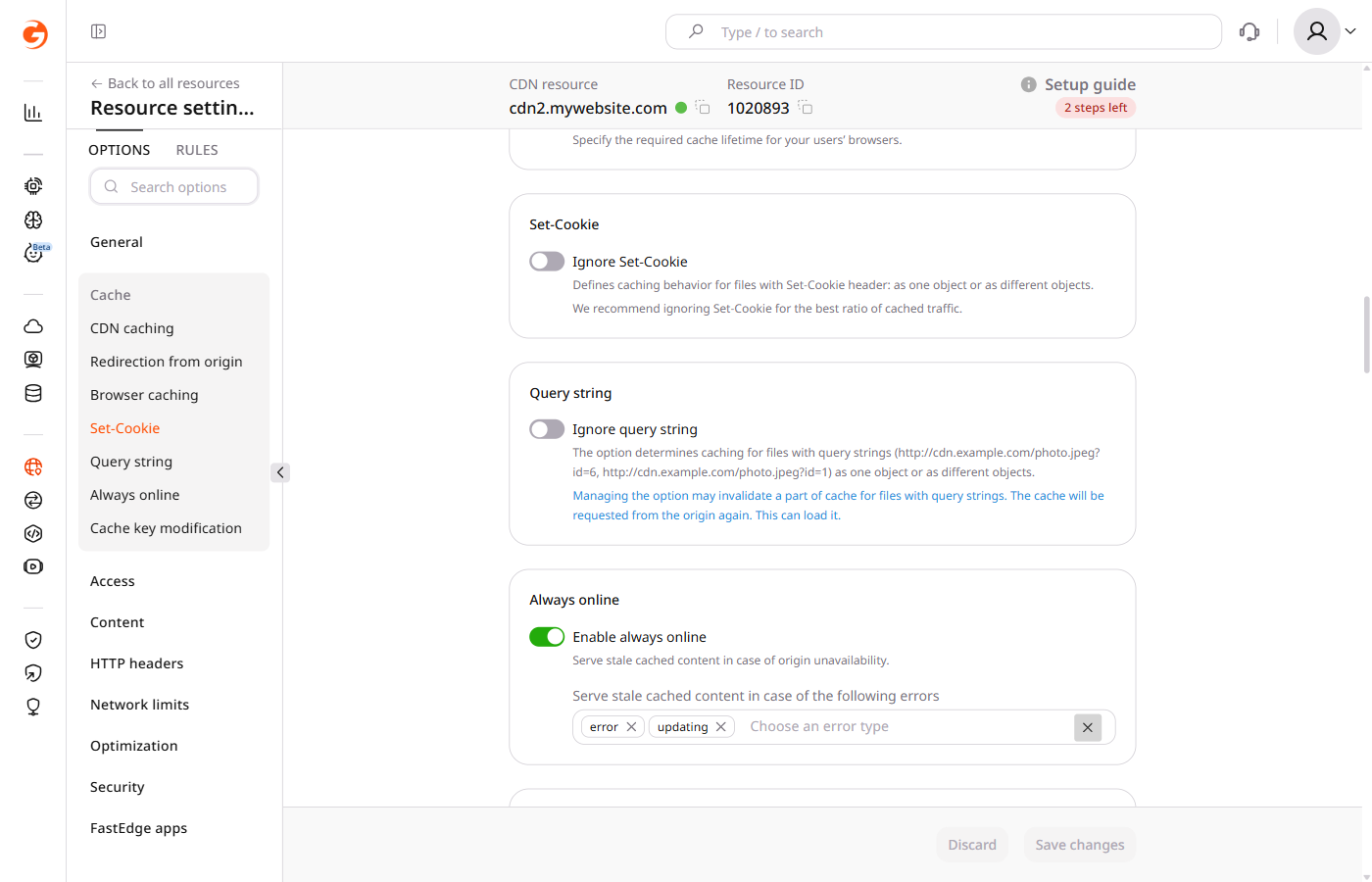
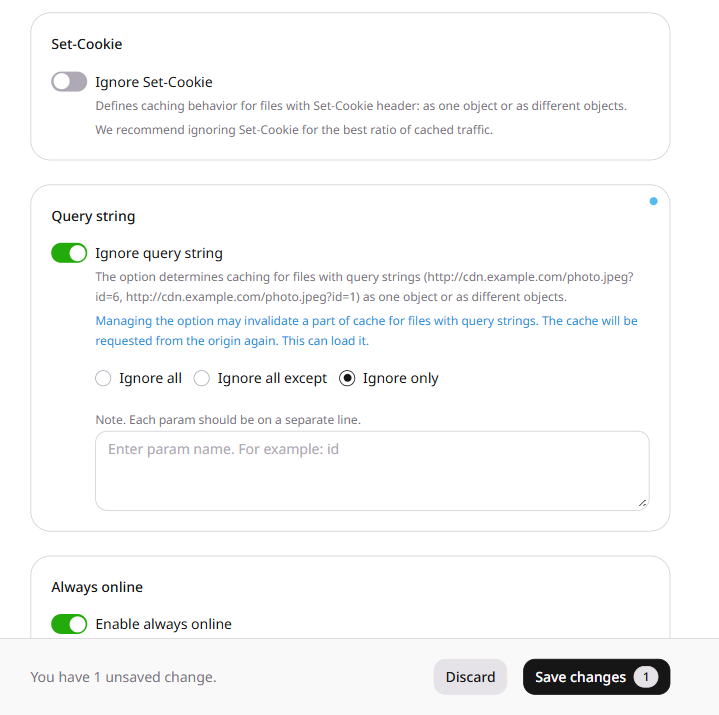
The Ignore query string and Ignore Set-Cookie options control how query parameters and Set-Cookie response headers affect CDN caching. Both are available in the Cache section of CDN resource settings.
Query string setting
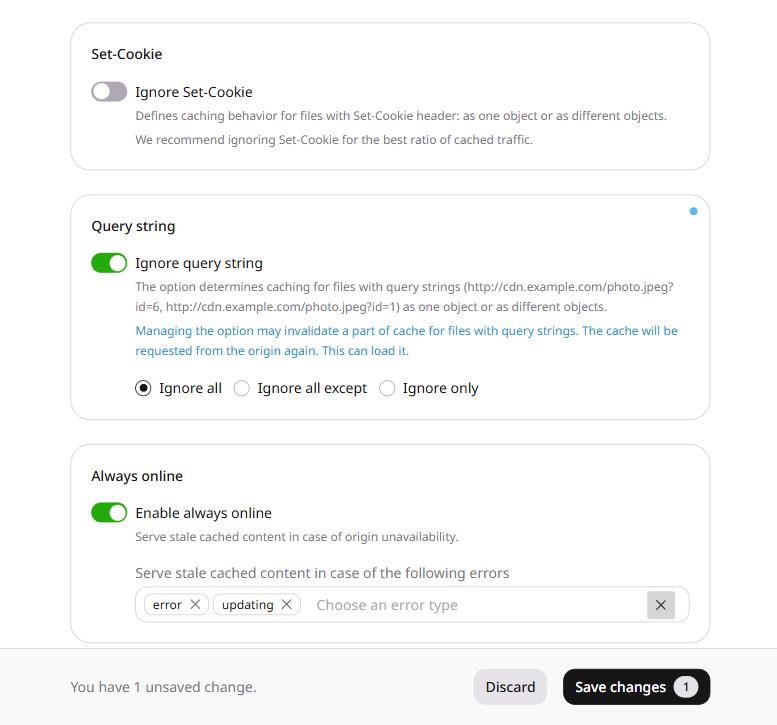
The Ignore query string option determines how the CDN caches URLs that have query parameters. Query parameters are optional key-value pairs separated by = and joined by &, appearing at the end of a URL after a ?:
http://cdn.example.com/photo.jpeg?id=6&color=blue
When disabled, the full query string is included in the cache key, so URLs with different query parameter values are cached as separate objects.
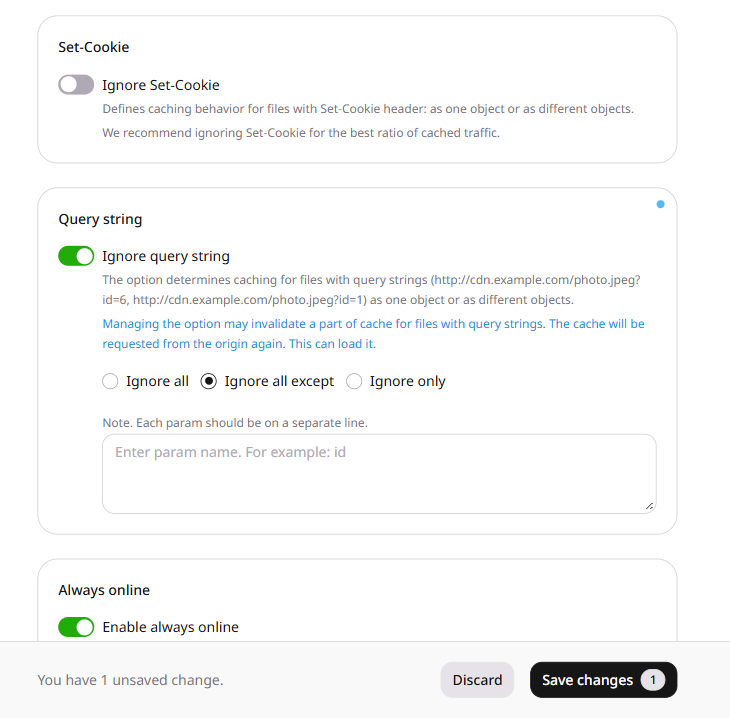
Ignore all except. Files with the specified query parameters are cached as separate objects; files with other parameters are cached as a single object.
Enter each parameter name on a separate line in the text field that appears.
With id in the text field, these URLs are cached as separate objects because the id values differ, and the color parameter is ignored:
Enabling or changing this option may invalidate cached content for URLs with query strings. CDN servers will request those files from the origin again, which can increase origin load.
5. Click Save changes.
Set-Cookie setting
When Ignore Set-Cookie is disabled, the CDN takes the Set-Cookie response header into account when storing the response in cache. Files with different Set-Cookie header values are cached as separate objects, so multiple cached copies of the same content can accumulate and the cache hit ratio drops.
The Ignore Set-Cookie option changes this behavior: files are cached as a single object regardless of the Set-Cookie header value. CDB recommends enabling this option for the best cache hit ratio.
To enable it, open Cache > Set-Cookie, enable the Ignore Set-Cookie toggle, and click Save changes.
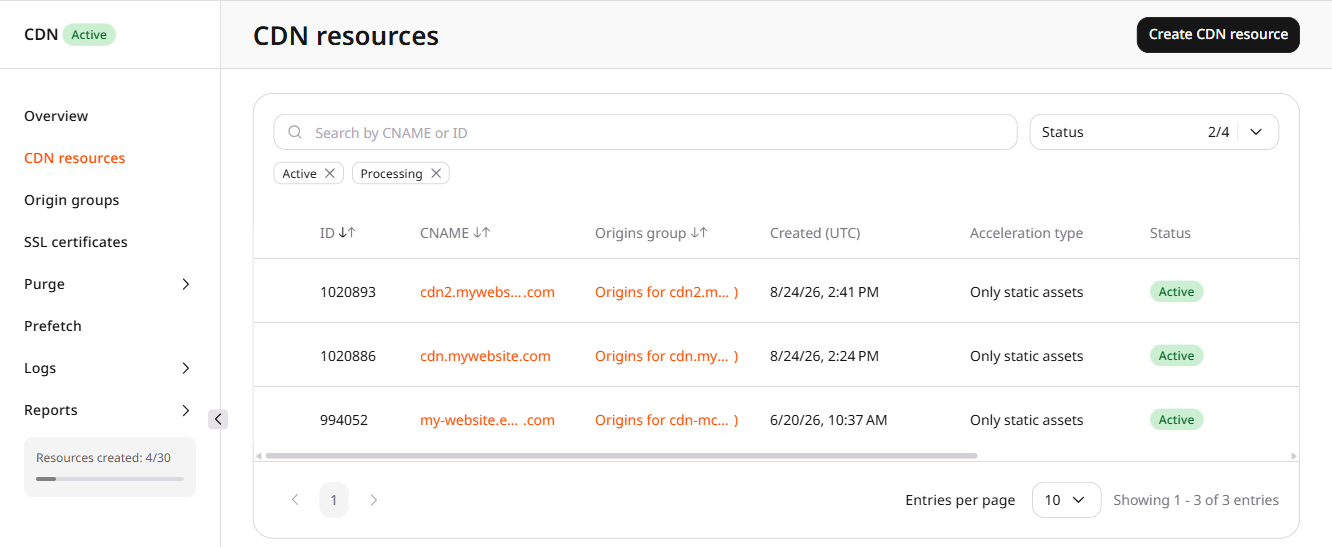
Update the resource options to control how query parameters and Set-Cookie headers affect the CDN cache key. Find the resource ID in list CDN resources.
Only one of these three options can be enabled. Enabling a second one returns HTTP 400, so set enabled to false on the active option in the same request and keep its value.
The samples below switch modes in sequence: Ignore all, then Ignore all except, then Ignore only, then the full query string. When a different query-string option is already enabled, set that option to enabled false in the same request.
value is required. For query_params_whitelist and query_params_blacklist, an empty value list returns HTTP 400 while the option is enabled.
Ignore all
Send ignoreQueryString with enabled true and value true. URLs that differ only by query parameters are cached as one object.
In this sample, ignore_query_string is the option enabled above, so the request sets it to enabled false and keeps value true. query_params_whitelist names the parameters that stay in the cache key. Other parameters are ignored, so URLs that differ only in an unlisted parameter are cached as one object.
In this sample, query_params_whitelist is the option enabled above, so the request sets it to enabled false and keeps id. query_params_blacklist names the parameters left out of the cache key. Listed parameters are ignored, and every other parameter stays in the cache key.
Set enabled to false on the active option and keep value, so the full query string is part of the cache key again. The request below turns off Ignore only and keeps color.
In the Go SDK, set Value to true when Enabled is false for ignoreQueryString and ignore_cookie. Both fields set to false are omitted, and the stored option stays unchanged.
Set-Cookie
Send ignore_cookie with enabled true and value true so files with different Set-Cookie header values are cached as one object. This option can stay enabled together with one query-string option.
Set enabled to false and keep value true. Files with different Set-Cookie header values are cached as separate objects again, and the stored value remains true.
Control how query parameters and the Set-Cookie response header affect the CDN cache key with the Terraform provider v2. The cache key decides whether two URLs are stored as one object or as separate objects.
Enable only one of ignore_query_string, query_params_whitelist, and query_params_blacklist. A second enabled option returns HTTP 400. For query_params_whitelist and query_params_blacklist, an empty value list returns HTTP 400 while the option is enabled. An option left out of options stays unchanged, so set enabled to false on the active option in the same configuration and keep its value.
Enabling or changing a query-string option can invalidate cached URLs that contain a query string, so CDN servers request those files from the origin again and origin load can increase.
Query string
ignore_cookie can stay enabled beside whichever query-string option is active. The configurations below switch modes in sequence. When a different query-string option is already enabled, set that option to enabled false in the same configuration and keep its value. Run terraform apply after editing options.
Ignore all
Set ignore_query_string so URLs that differ only by query parameters are cached as one object.
Set query_params_whitelist to the parameter names that stay in the cache key. URLs that differ only by an unlisted parameter are cached as one object, while different values of a listed parameter are cached as separate objects. In this configuration, ignore_query_string is the option enabled above, so it is turned off and its stored value stays true. id stays in the cache key.
Set query_params_blacklist to the parameter names left out of the cache key. Listed parameters are ignored, so URLs that differ only by those parameters are cached as one object, while every other parameter stays in the cache key. In this configuration, query_params_whitelist is the option enabled above, so it is turned off and id stays stored. color is ignored.
Set enabled to false on the active option and keep value, so the full query string is part of the cache key again. This configuration turns off Ignore only and keeps color, while a disabled query_params_whitelist left out of options stays disabled and keeps id.
Set ignore_cookie so files with different Set-Cookie header values are cached as one object. A query-string option left out of options stays unchanged.
Keep ignore_cookie enabled beside query_params_blacklist, so different Set-Cookie values are still one object and color stays out of the cache key. This configuration uses the query-string state from Ignore only, where ignore_query_string and query_params_whitelist are already disabled. When either is still enabled, set it to enabled false in the same configuration, because an omitted option stays unchanged.
Set enabled to false and keep value true. Files with different Set-Cookie header values are cached as separate objects again, and the stored value remains true.