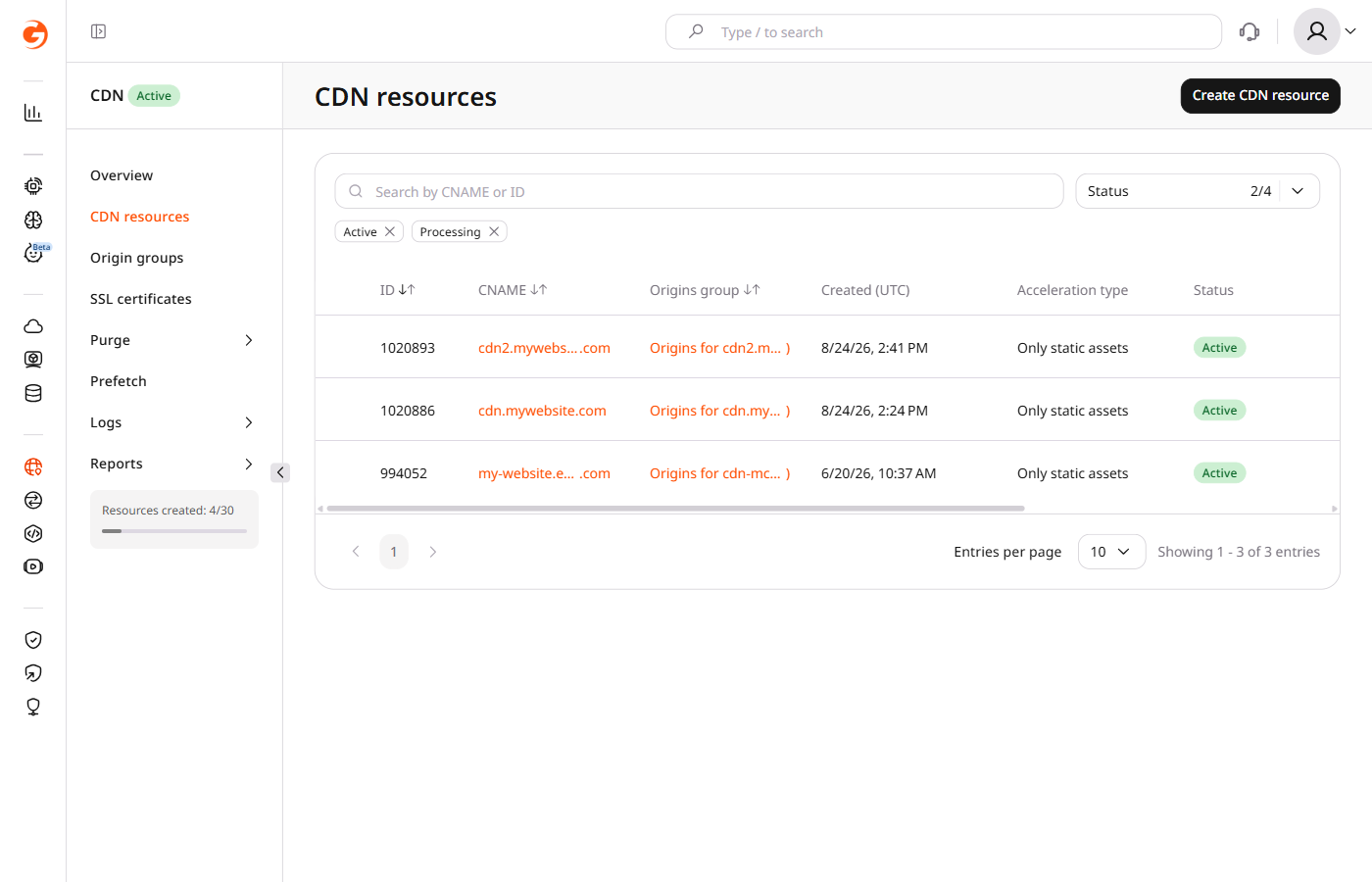
By default, when the origin returns a redirect, CDB caches and serves that redirect, while Redirection from origin makes the CDN follow selected codes, fetch the target, and cache it instead.
Redirection from origin
Turn the option on for the redirect codes the CDN should follow.
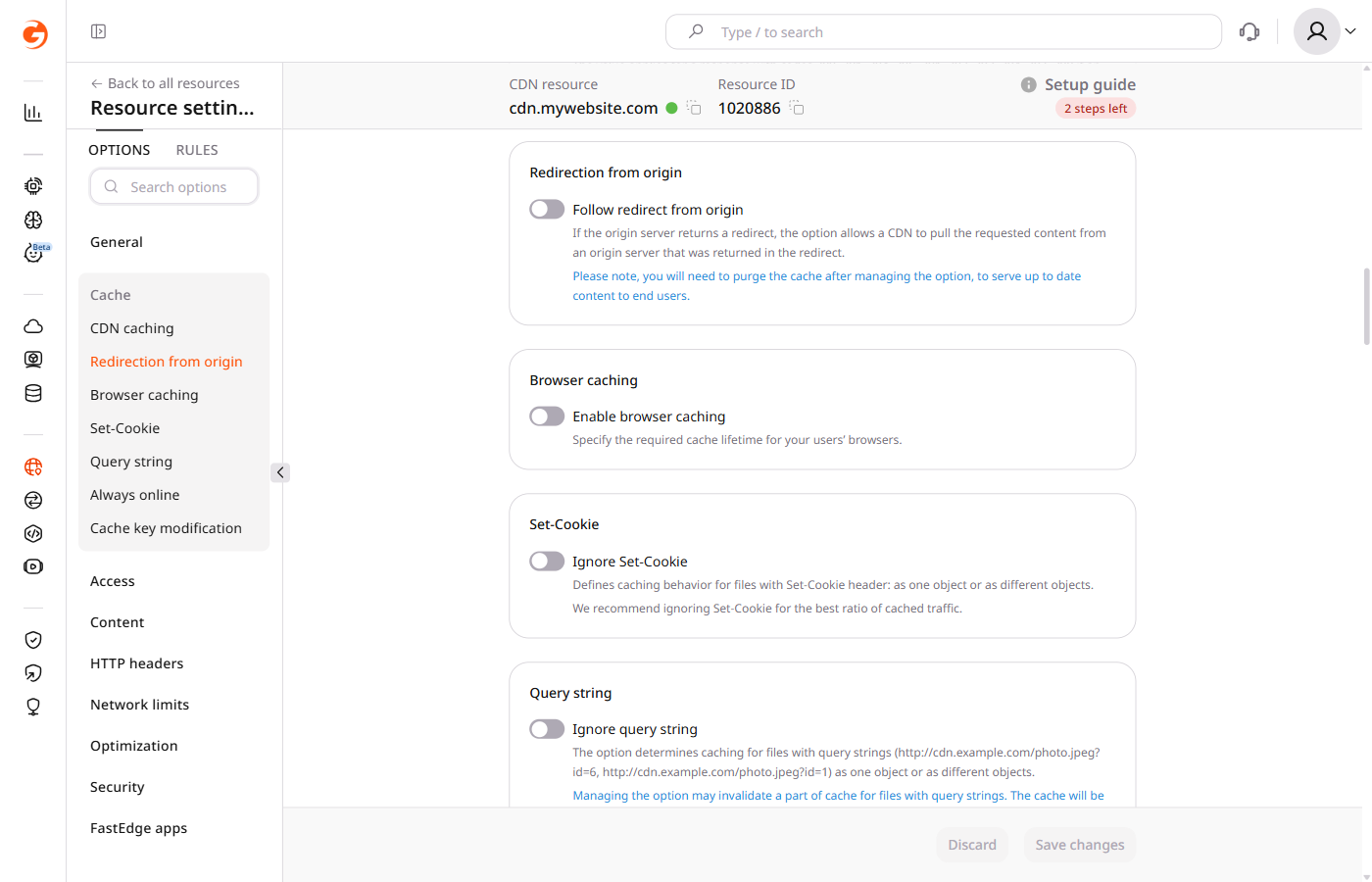
In the sidebar, under the Cache section, select Redirection from origin.
3
Enable origin redirects
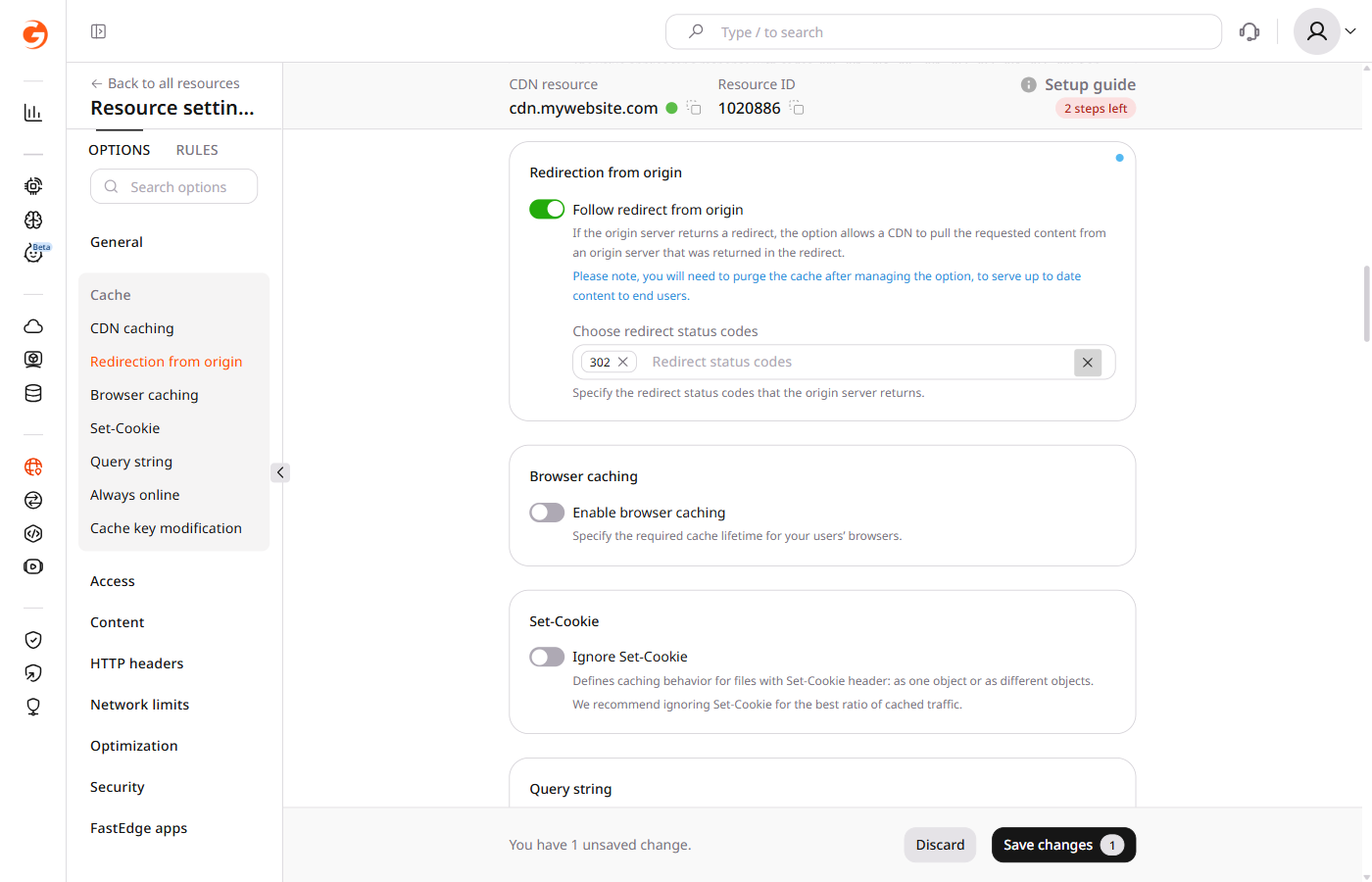
Enable the Follow redirect from origin toggle.
4
Select redirect codes
In the Choose redirect status codes field, select one or more codes: 301, 302, 303, 307, or 308. Code 302 is selected by default.
5
Save the resource
Click Save changes. Allow at least 15 minutes for the change to take effect.
⚠️
Changing this option can leave a previously cached redirect or target response in cache. Purge the cache after saving.
When follow_origin_redirect is enabled for a selected status code, the CDN follows it, caches the target response, and serves that content instead of the redirect itself.
codes accepts 301, 302, 303, 307, 308, and 404. The Customer Portal lists 301, 302, 303, 307, and 308.
enabled and codes are both required, because an empty codes list returns HTTP 400.
⚠️
Changing this option can leave a previously cached redirect or target response in cache. Purge the cache after the update, and allow at least 15 minutes for the change to take effect.
Update the resource with follow_origin_redirect enabled for code 302.
Set follow_origin_redirect so the CDN follows selected origin redirect codes, fetches the target, and caches that response instead of the redirect, using the Terraform provider v2. By default the CDN caches and serves the redirect itself.
codes accepts 301, 302, 303, 307, 308, and 404. The Customer Portal lists 301, 302, 303, 307, and 308, and 302 is selected by default. enabled and codes are both required. An empty codes list returns HTTP 400. Leaving follow_origin_redirect out of options leaves the stored option unchanged. Run terraform apply after editing options, and allow at least 15 minutes for the change to take effect.
⚠️
Changing this option can leave a previously cached redirect or target response in cache. Purge the cache after the update.
Follow code 302
Set enabled to true and codes to 302. The CDN follows that redirect and caches the target response.