CDB Web Application and API Protection (WAAP) inspects HTTP traffic passing through a CDN resource and can block malicious requests before they reach the origin.
ℹ️
WAAP operates at the CDN resource level and protects all requests passing through the CDN, regardless of origin type. CDN resources that use CDB Object Storage as the origin require WAAP to be explicitly enabled in resource settings.
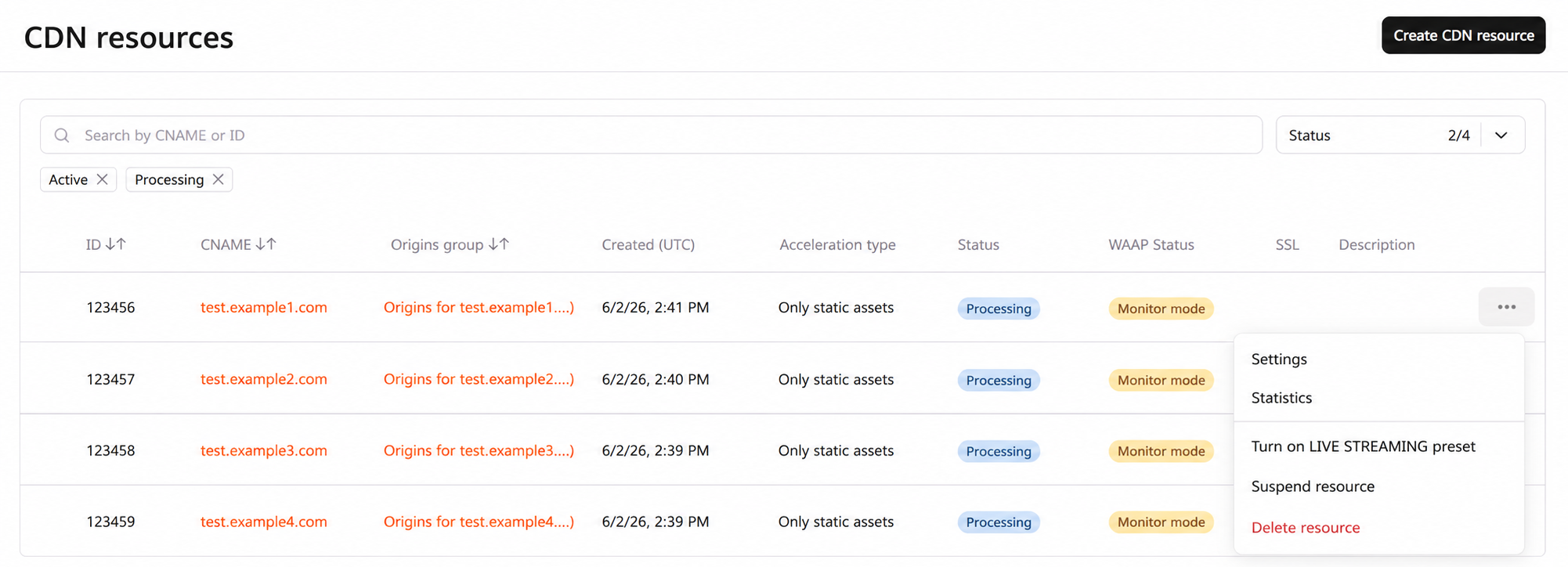
2. Next to the resource that you want to protect with WAAP, click the three-dot icon and select Settings.
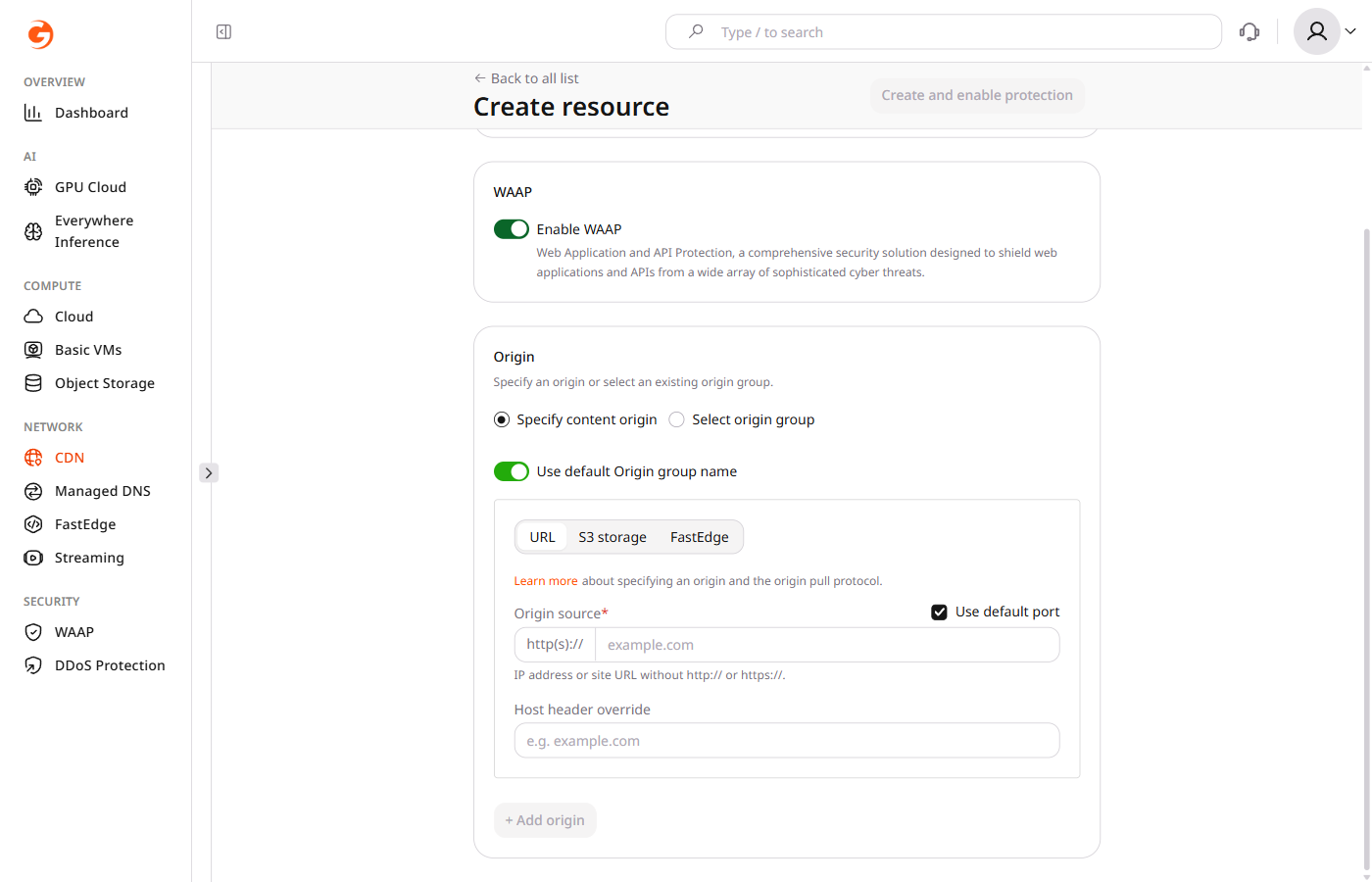
3. Scroll down the page and find the Security section.
4. Enable the WAAP toggle to activate Web Application and API Protection for your CDN resource.
5. Click Save to apply the changes.
It can take up to 20 minutes for HTTP traffic to start passing through WAAP after activation.
What to do if WAAP blocks content that shouldn't be blocked?
Instead of disabling WAAP protection for the whole resource, you can create a rule with an exception:
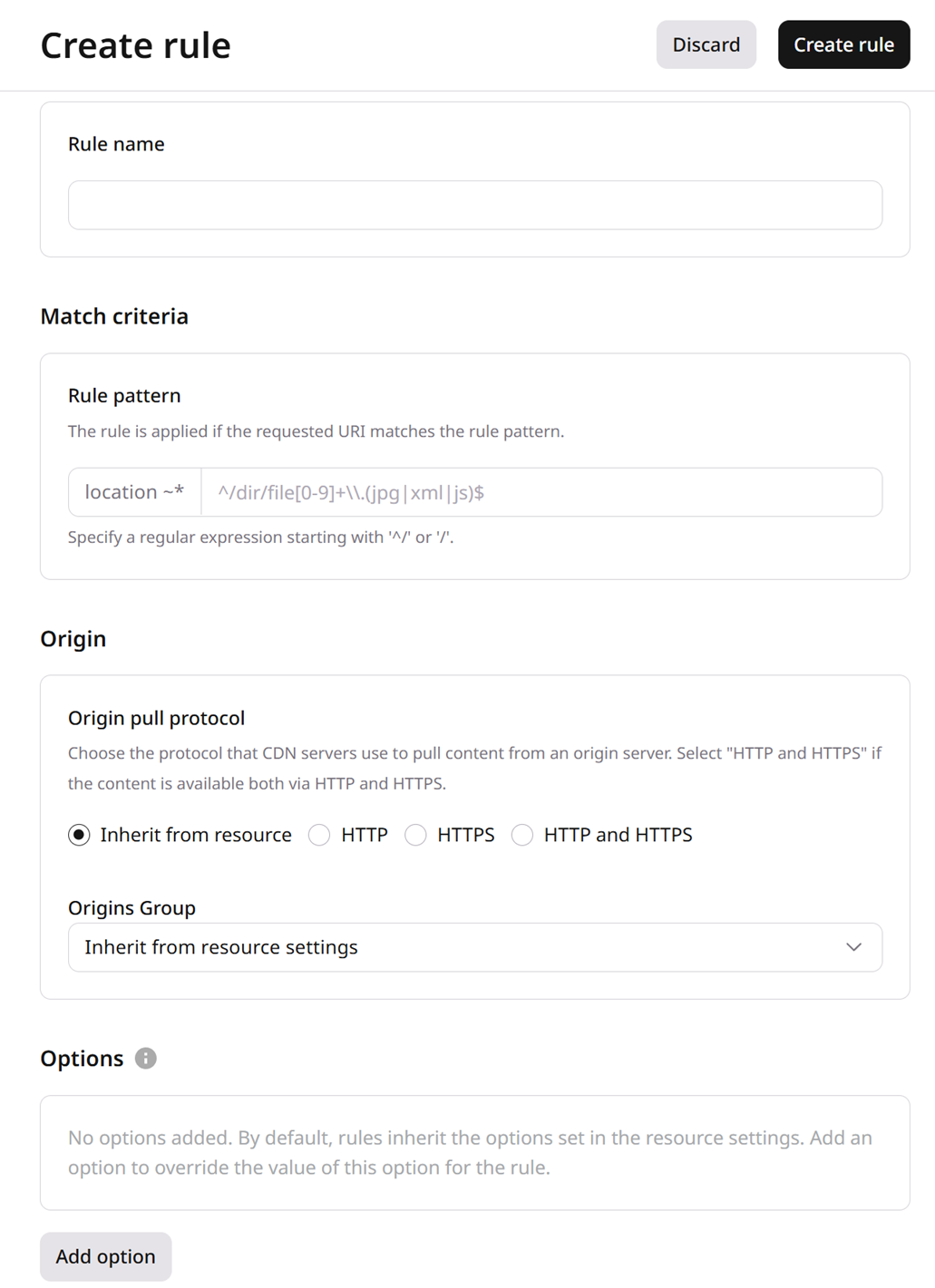
1. In the CDN resource settings, open the Rules tab.
2. Click Create rule > Create blank rule.
3. Give your rule a name.
4. In the Match criteria section, specify the URLs or a regular expression of files blocked by WAAP.
5. Set the origin pull protocol to Inherit from resource.
6. In the Options section, click Add option.
7. Find WAAP and then turn it off for the selected URL rule pattern.
8. Click Create rule.
WAAP is disabled for requests that match the rule pattern.
WAAP checks requests that pass through a Orange's CDN resource and can block attacks before they reach the origin. The switch is the waap option on the resource. A rule can turn that check off for one URL pattern.
The resource response also includes waap_domain_id. A resource that uses CDB Object Storage as the origin needs this call. HTTP traffic can take up to 20 minutes to start passing through WAAP.
Turn WAAP off for one path
A rule turns WAAP off for paths that match ^/public/.*. ruleType 0 is a regular expression and must start with ^/ or /.
enabled true and value false turn WAAP off for that pattern. The resource setting stays on.
WAAP checks requests that pass through a CDN resource and can block attacks before they reach the origin. Declare the check with the Terraform provider v2. The waap option requires enabled and value, and HTTP traffic can take up to 20 minutes to start passing through WAAP after the option is stored.
Turn WAAP on
Set enabled and value to true so WAAP checks every request on the CDN resource, then run terraform apply. A resource that uses CDB Object Storage as the origin needs this option. The resource stores waap_domain_id.
A rule turns WAAP off for paths that match ^/public/.* while the CDN resource stays on. rule_type 0 is a regular expression and must start with ^/ or /. enabled true and value false store the exception. Run terraform apply. WAAP is disabled for requests that match the rule pattern.