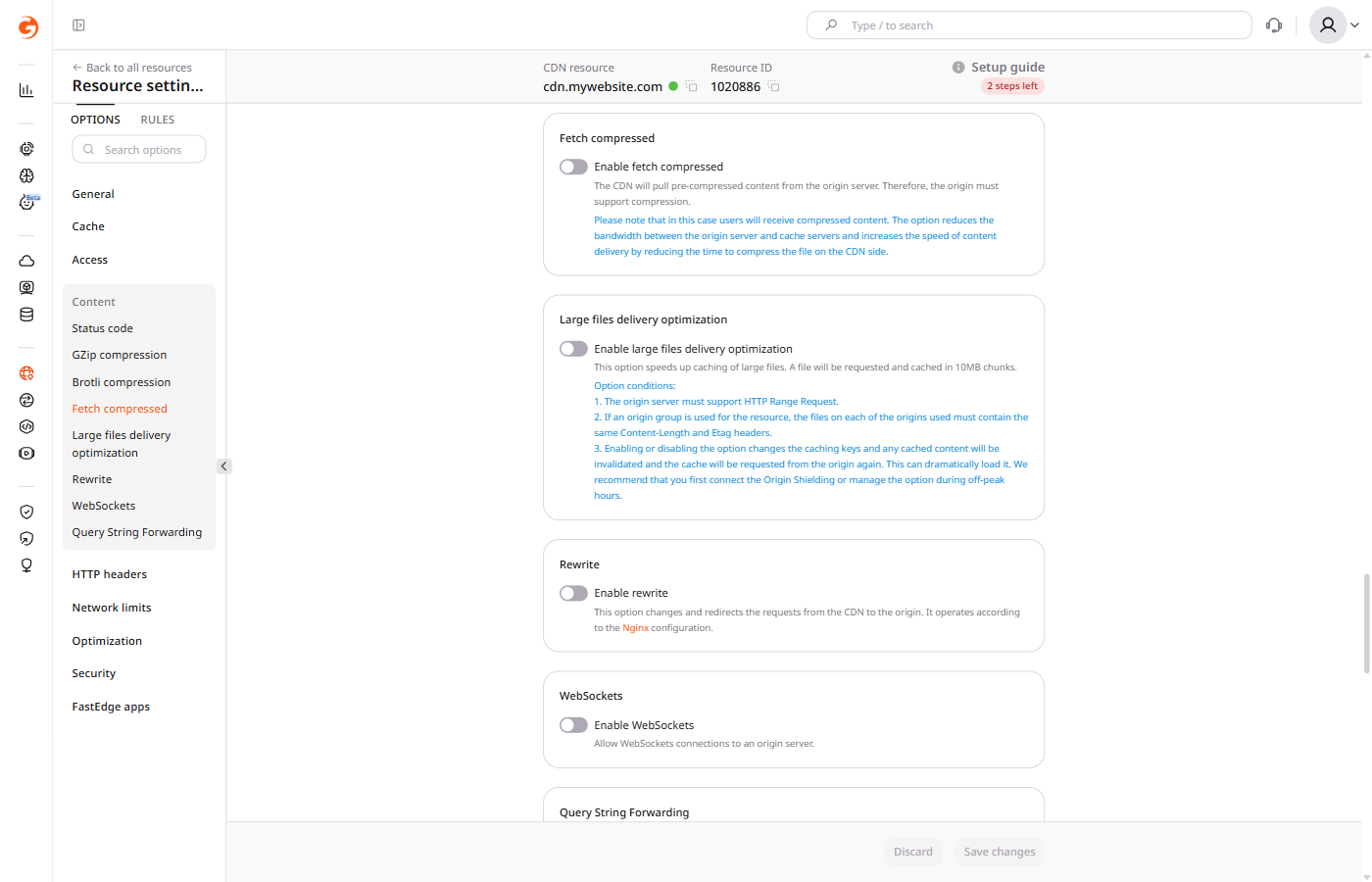
The Fetch compressed option tells CDN servers to pull already-compressed content from the origin instead of requesting uncompressed files. The origin must return GZip-encoded responses.
Click the CNAME of the resource to open its settings.
3
Open Fetch compressed
Open the OPTIONS tab and scroll to the Content section. Click Fetch compressed in the left sidebar.
4
Enable Fetch compressed
Turn on the Enable fetch compressed toggle.
5
Save the resource
Click Save changes.
Behavior when enabled
With Fetch compressed enabled, the CDN stores and serves the encoded response from the origin without decompressing it. Clients receive that compressed response even when the browser does not accept the encoding.
The CDN requests a GZip-encoded response from the origin. An origin that compresses only with Brotli returns uncompressed content, so configure it to return a Brotli file for that GZip request.
Fetch compressed cannot be used together with GZip compression, Brotli compression, or Slice.
Origin encoding
Leave Fetch compressed disabled when each viewer needs a response that matches the Accept-Encoding header. Set Vary: Accept-Encoding on the origin, because without that header the CDN can cache the first version and serve it to a client that needed the other version.
When fetch_compressed is on, the CDN requests a GZip-encoded response from the origin and serves it without decompressing it. The origin must return GZip-encoded responses.
An origin that compresses only with Brotli returns uncompressed content, so configure it to return a Brotli file when the CDN requests GZip encoding.
Clients receive that compressed response even when the browser does not accept the encoding.
Enable Fetch compressed by setting both enabled and value to true.
The call returns HTTP 400 when gzipOn, brotli_compression, or slice is already enabled. Clear that option, then send fetch_compressed.
Leave fetch_compressed off when each viewer needs a response that matches Accept-Encoding. Set Vary: Accept-Encoding on the origin, because without that header the CDN can cache the first version and serve it to a client that needed the other version.
Send fetch_compressed with enabled and value set to true.
Set fetch_compressed so the CDN requests a GZip-encoded response from the origin and serves it without decompressing it, using the Terraform provider v2. The origin must return GZip-encoded responses. Clients receive that compressed response even when the browser does not accept the encoding.
An origin that compresses only with Brotli returns uncompressed content, so configure it to return a Brotli file when the CDN requests GZip encoding. Enabling gzip_on while fetch_compressed is enabled returns HTTP 400. Clear gzip_on, brotli_compression, or slice before setting fetch_compressed. Leave fetch_compressed off when each viewer needs a response that matches Accept-Encoding. Set Vary: Accept-Encoding on the origin, because without that header the CDN can cache the first version and serve it to a client that needed the other version. Run terraform apply after editing options.
Fetch compressed
Set enabled and value to true. The CDN stores the encoded origin response and serves it without decompressing it.