Orange's CDN supports Gzip and Brotli edge compression. When Fetch Compressed does not apply to the request, the CDN requests uncompressed content from the origin, compresses it at the edge, and caches the compressed response. Browsers that support compression receive that response even when the origin does not compress it.
📝
JPEG, PNG, video formats, and PDF are already compressed. These formats provide little or no size reduction from Gzip or Brotli and may increase file size.
Gzip and Brotli can be enabled together. When both are available, Brotli takes precedence for a client that sends Accept-Encoding: br. If the client does not support Brotli, CDN uses Gzip. A request without Accept-Encoding, or without gzip or br in that header, is delivered uncompressed.
Brotli requires Origin Shielding. Enable Origin Shielding for the CDN resource before enabling Brotli. Without it, the Brotli option has no effect. The smallest file Brotli compresses is 128 bytes.
Gzip and Brotli cannot be enabled together with Fetch Compressed or large files optimization in the same scope, whether that scope is the resource settings or one rule.
📝
Gzip and Brotli in the resource settings can be combined with Fetch Compressed in a rule. Edge nodes then compress all requests, and the origin compresses the requests that match the rule.
⚠️
The reverse combination is not supported. When Fetch Compressed is enabled in the resource settings, Gzip and Brotli cannot be enabled in a rule.
Configure Gzip and Brotli
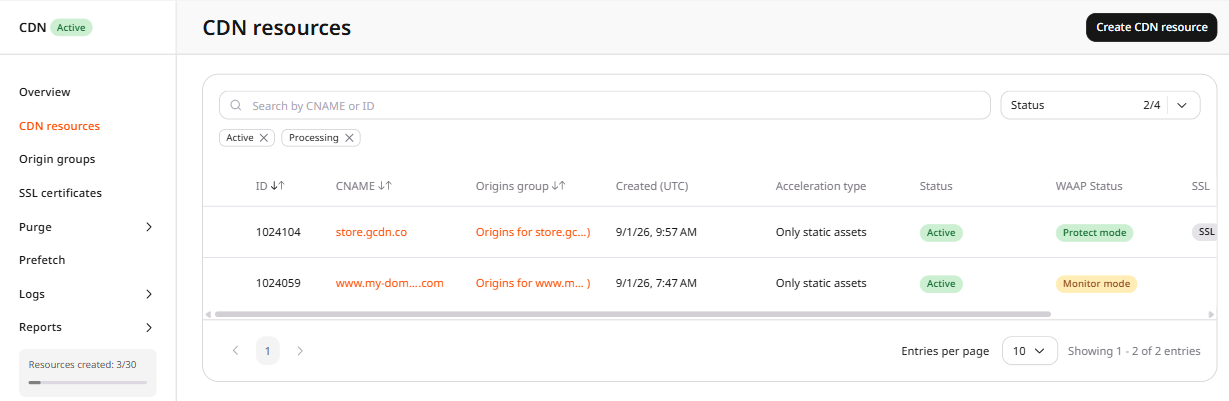
1. Navigate to the CDN resources list and click the CDN resource to configure.
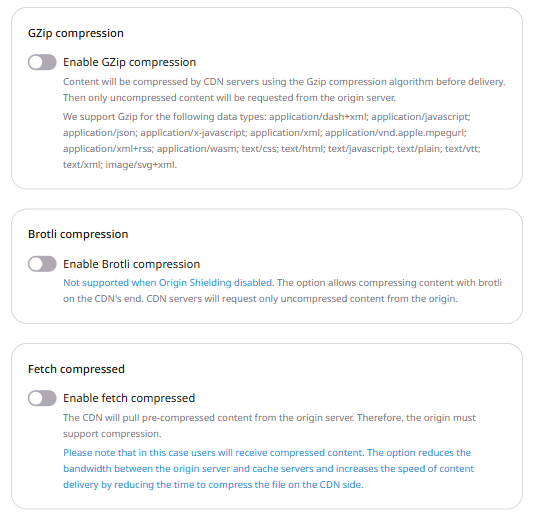
2. In the sidebar, under the Content section, click GZip compression. Brotli compression is on the same page.
3. Turn on the toggle for Enable GZip compression to enable the option.
4. Turn on the toggle for Enable Brotli compression to enable the option. In the Content types area, select the MIME types to compress. text/html stays selected.
application/javascript. Selected by default.
application/json. Selected by default.
application/x-javascript. Selected by default.
application/xml. Selected by default.
application/xml+rss. Selected by default.
text/css. Selected by default.
text/html. Selected by default. Cannot be deselected.
text/javascript. Selected by default.
text/plain. Selected by default.
text/xml. Selected by default.
application/vnd.ms-fontobject. Not added by default.
application/x-font-ttf. Not added by default.
image/x-icon. Not added by default.
image/svg+xml. Not added by default.
application/wasm. Not added by default.
5. Click Save changes.
6. Purge the CDN resource cache. Content cached before compression was enabled is not recompressed automatically.
7. Request a file with Accept-Encoding and read Content-Encoding in the response.
Enable Gzip or Brotli compression for a CDN resource. Gzip is a boolean. Brotli takes the MIME types to compress, and that list must include text/html. Brotli compression requires origin shielding.
ℹ️
An API token is required. The CDN resource ID is visible under CDN → CDN Resources, or from the resources list call.
A resource update sets options.gzipOn, options.brotli_compression, or both in one request. Do not enable either option in the same scope as fetch_compressed or large files optimization. That scope is the resource settings or one rule. Enabling either option while fetch_compressed is enabled in that scope returns HTTP 400. Gzip and Brotli on the resource can be combined with Fetch Compressed in a rule. When fetch_compressed is enabled on the resource, Gzip and Brotli cannot be enabled in a rule.
Open a terminal and export the required variables:
Set brotli_compression.value to the MIME types to compress. text/html is required. A list without it returns HTTP 400. The saved list can come back in a different order.
Set gzip_on and brotli_compression so the CDN compresses a response at the edge, using the Terraform provider v2. A client that sends Accept-Encoding: br receives Brotli. A client that supports only Gzip receives Gzip. A request without gzip or br in Accept-Encoding is delivered uncompressed.
Brotli requires origin shielding. brotli_compression.value must include text/html. A list without text/html returns HTTP 400. The saved list can come back in a different order. Do not set gzip_on or brotli_compression in the same scope as fetch_compressed or large files optimization. That scope is the resource settings or one rule. Those options on the resource can be combined with Fetch Compressed in a rule. When fetch_compressed is enabled on the resource, do not enable Gzip or Brotli in a rule. Run terraform apply after editing options. Content cached before compression was enabled is not recompressed. Purge the cache after the update.
Enable Gzip
Set enabled and value to true. When Fetch Compressed does not apply to the request, the CDN requests uncompressed content from the origin and serves a Gzip response when the client accepts gzip.
Keep gzip_on enabled and set brotli_compression to the MIME types to compress. With text/html and text/css, a client that sends Accept-Encoding: br receives Brotli for those types.