Specify HTTP methods allowed for content requests from the CDN
By default, a CDN resource accepts all standard HTTP methods. The Enable HTTP methods option restricts which methods the CDN accepts, returning 405 Method Not Allowed for all others before the request reaches the origin.
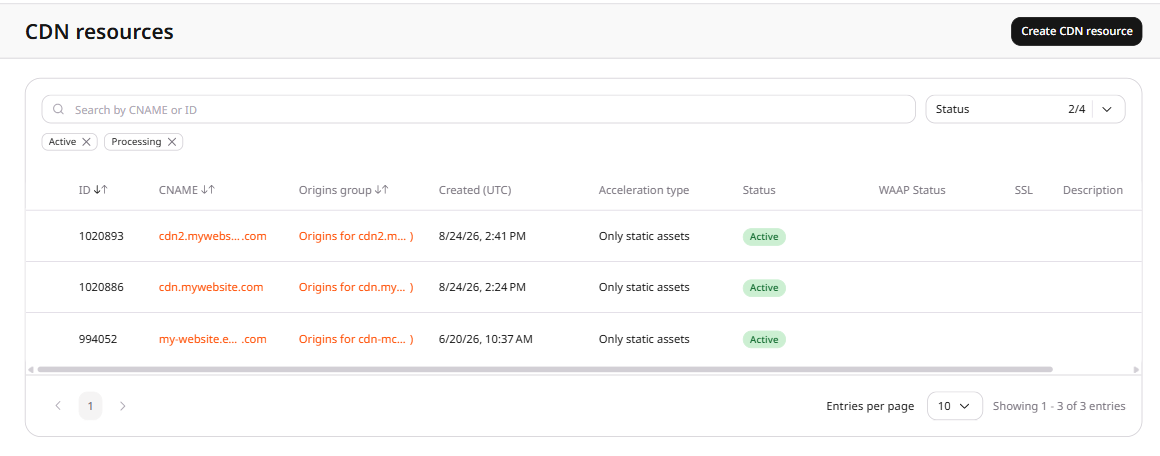
2. Click the CNAME of the resource to open its settings.
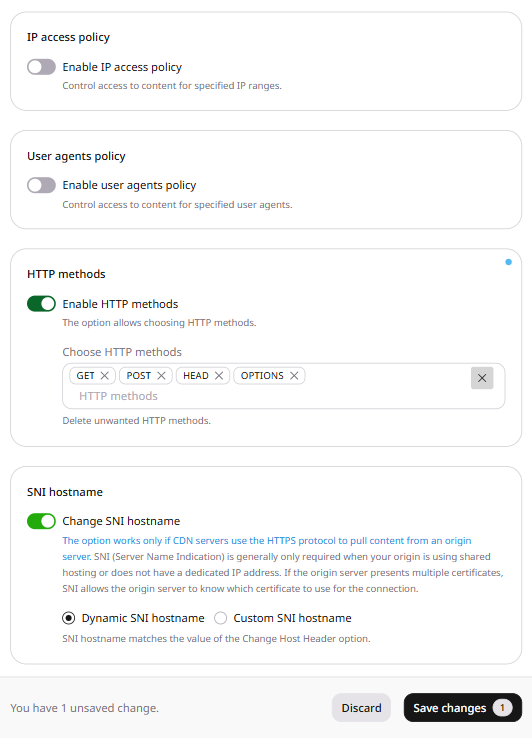
3. On the OPTIONS tab, scroll to HTTP methods and click the Enable HTTP methods toggle.
4. In the Choose HTTP methods field, add the methods the CDN should accept. Remove any method tag to block that method.
5. Click Save changes.
For most static content delivery, GET and HEAD are sufficient. Allow POST as well if the resource serves dynamic requests, form submissions, or API calls.
6. Confirm a method that is not in the list:
curl -I -X POST https://cdn.example.com/file.css
The CDN returns 405 Method Not Allowed and does not forward the request to the origin. A GET request is accepted, and its status is the origin response.
When allowedHttpMethods is enabled, the CDN accepts only the methods in value, so any other method returns HTTP 405.
When the field is absent, the CDN does not apply this limit.
Restrict the HTTP methods a CDN resource accepts with the Terraform provider v2. When allowed_http_methods is enabled, the CDN accepts only the methods in value, so any other method returns 405 Method Not Allowed before the request reaches the origin.
value accepts GET, HEAD, POST, PUT, PATCH, DELETE, and OPTIONS. The names are case sensitive. GET and HEAD cover static delivery. Add POST when the resource serves dynamic requests, form submissions, or API calls. An empty value while enabled is true returns HTTP 400 and the message This list should not be empty while option is enabled. Run terraform apply after editing options.
Allow GET and HEAD
Set enabled to true and value to GET and HEAD. A client that sends another method receives 405 Method Not Allowed.