Extend CDN functionality with CDB EdgeCompute

CDB EdgeCompute CDN applications run inside the CDN request pipeline, modifying requests and responses before they reach the origin or end users.

A CDN resource configured for the origin is required. To create one, follow the CDN resource guide.

Request lifecycle

The CDN runtime invokes a CDN application at five stages:

  • On request headers (before cache): when the CDN receives request headers, before the cache is checked.
  • On request headers (after cache): when the CDN receives request headers, after the cache is checked.
  • On request body: when the CDN receives the request body.
  • On response headers: before the CDN sends response headers to the client.
  • On response body: before the CDN sends the response body to the client.
CDN applications are built on the Proxy-Wasm specification — an open standard for WebAssembly-based proxy extensions.

Each stage has an independent application slot.

Only one CDB EdgeCompute application can be attached to each processing stage.

Step 1. Create a CDB EdgeCompute application

Deploy an application from a predefined template or upload a custom binary. Custom binaries must conform to the Proxy-Wasm specification.

Several predefined templates are available for common use cases, including JWT authentication, basic HTTP authentication, and header manipulation. The JWT template verifies the JSON Web Token in the request Authorization header before the request reaches the origin.

  1. In the CDB Technical Web Portal, navigate to CDB EdgeCompute.
  2. Open the CDN Applications page and click Create new application.
CDN Applications page with Create new application button
  1. In the Create from a template section, select a template. For JWT authentication, select Validate JWT in Authorization header.
Create from a template section showing available template options
  1. Enter a name for the application and, optionally, a description.
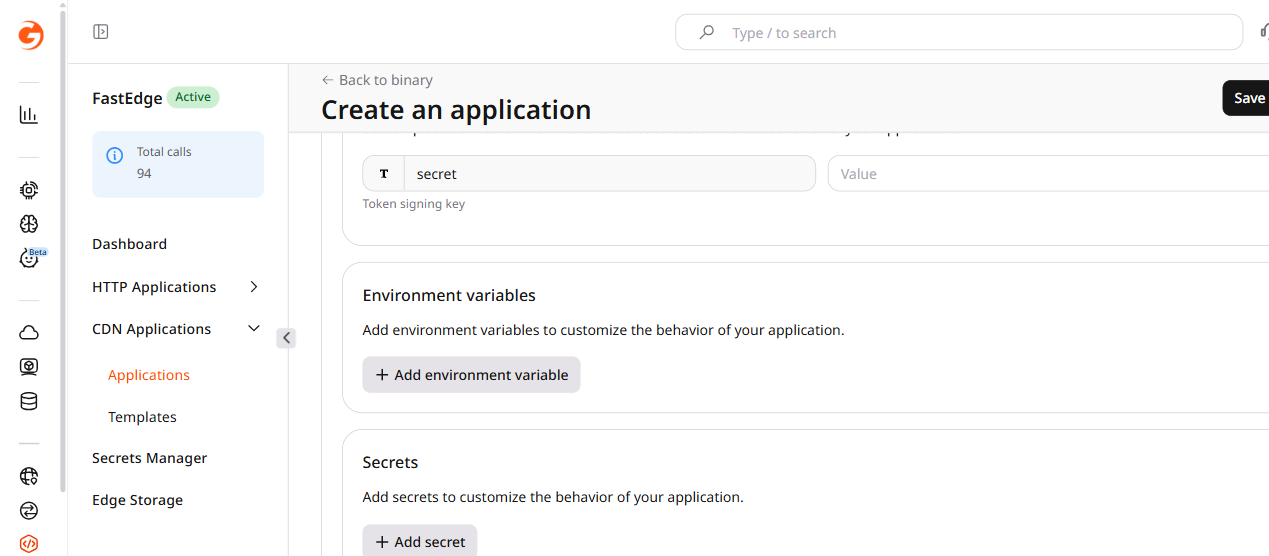
  2. Fill in the Template environment variables section. The variables are pre-defined by the template — for the JWT template, enter the token signing key in the secret field. Custom environment variables and secrets can be added in the Environment variables and Secrets sections.
JWT template configuration form with Name, template environment variables, and optional sections
  1. Click Save and deploy.

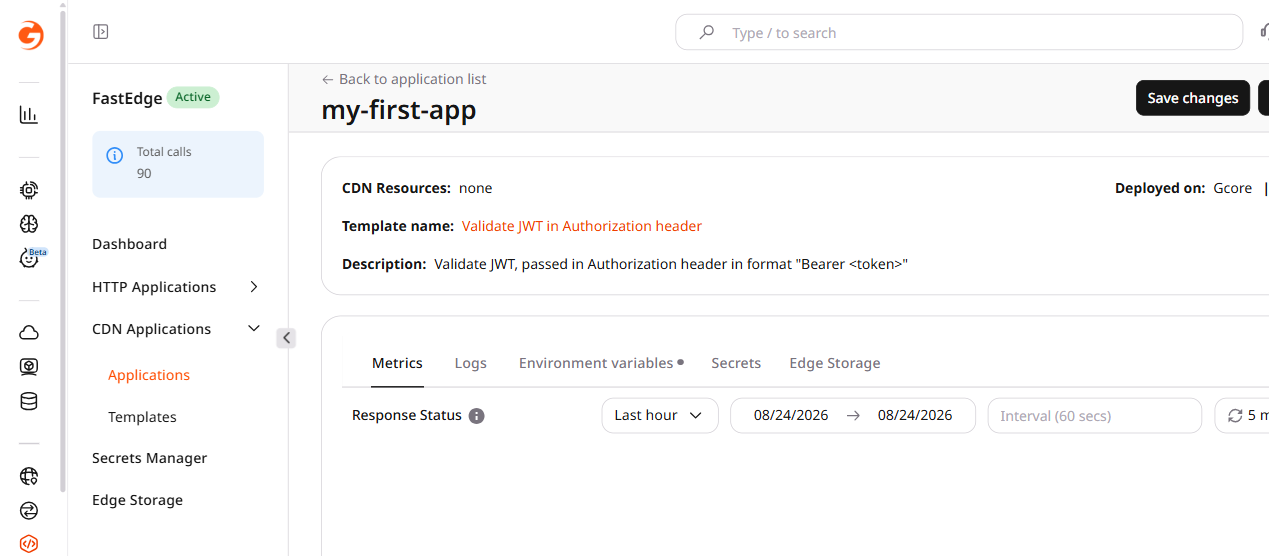
The application is deployed and ready to be linked to a CDN resource.

Application overview page showing active status

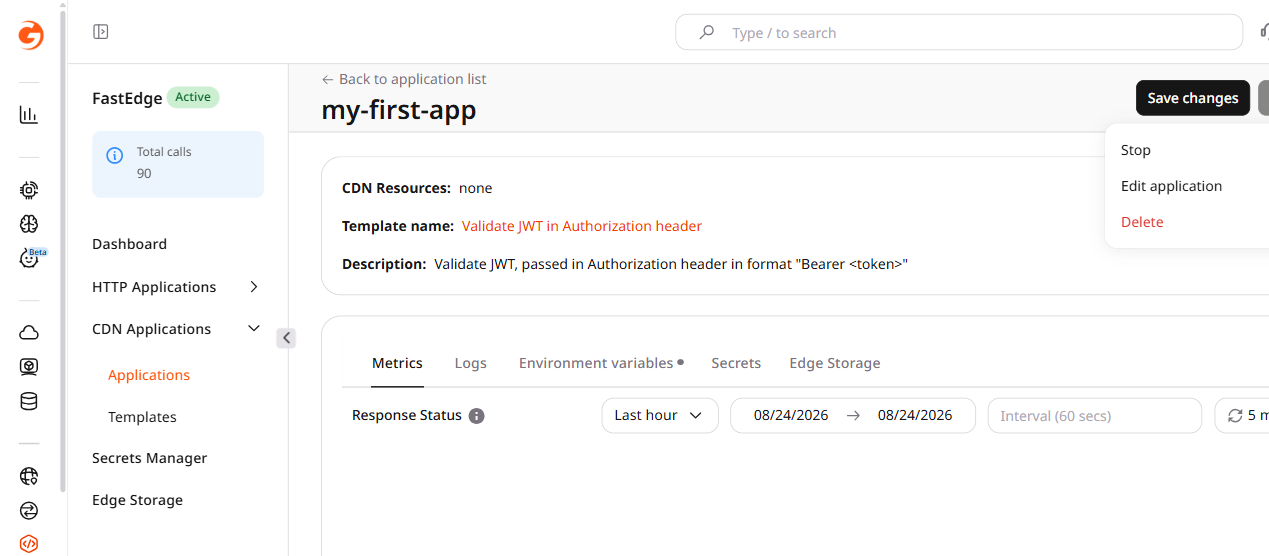
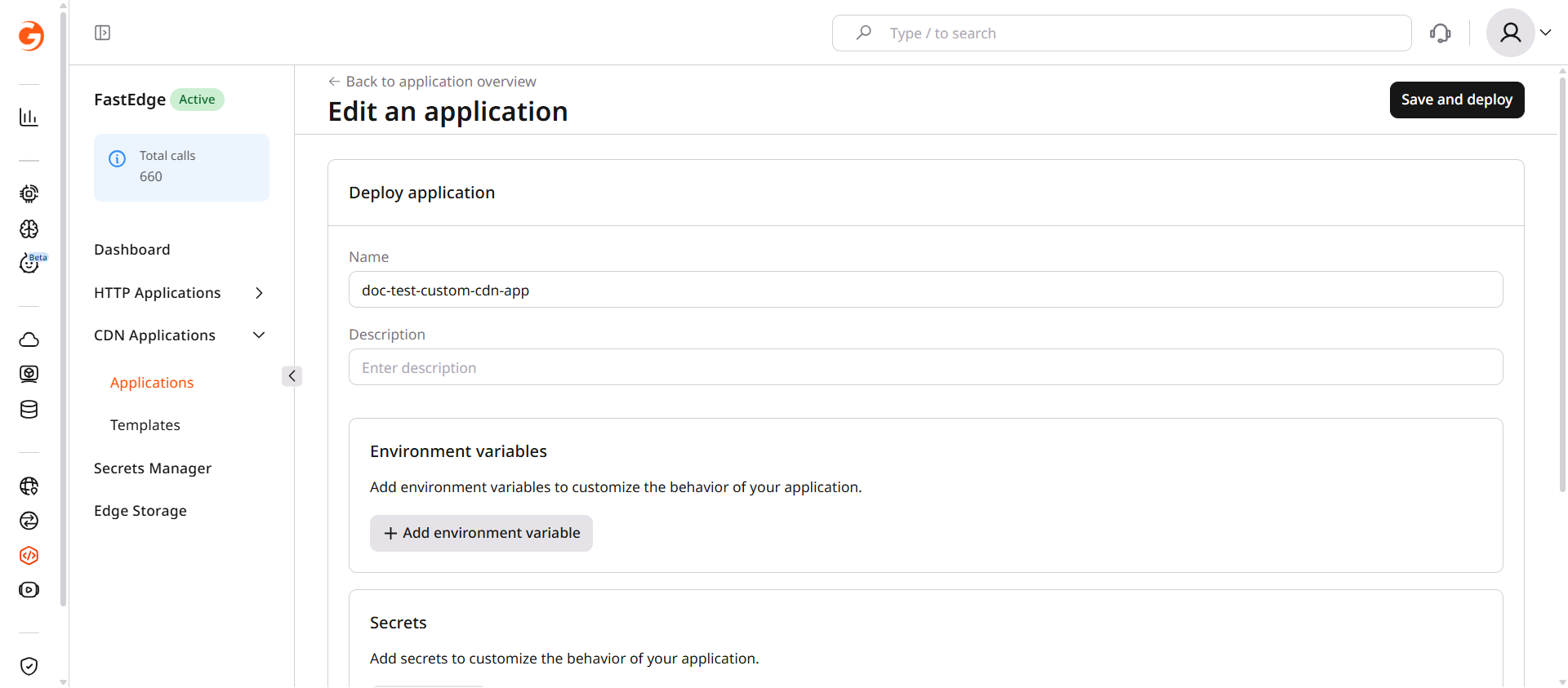
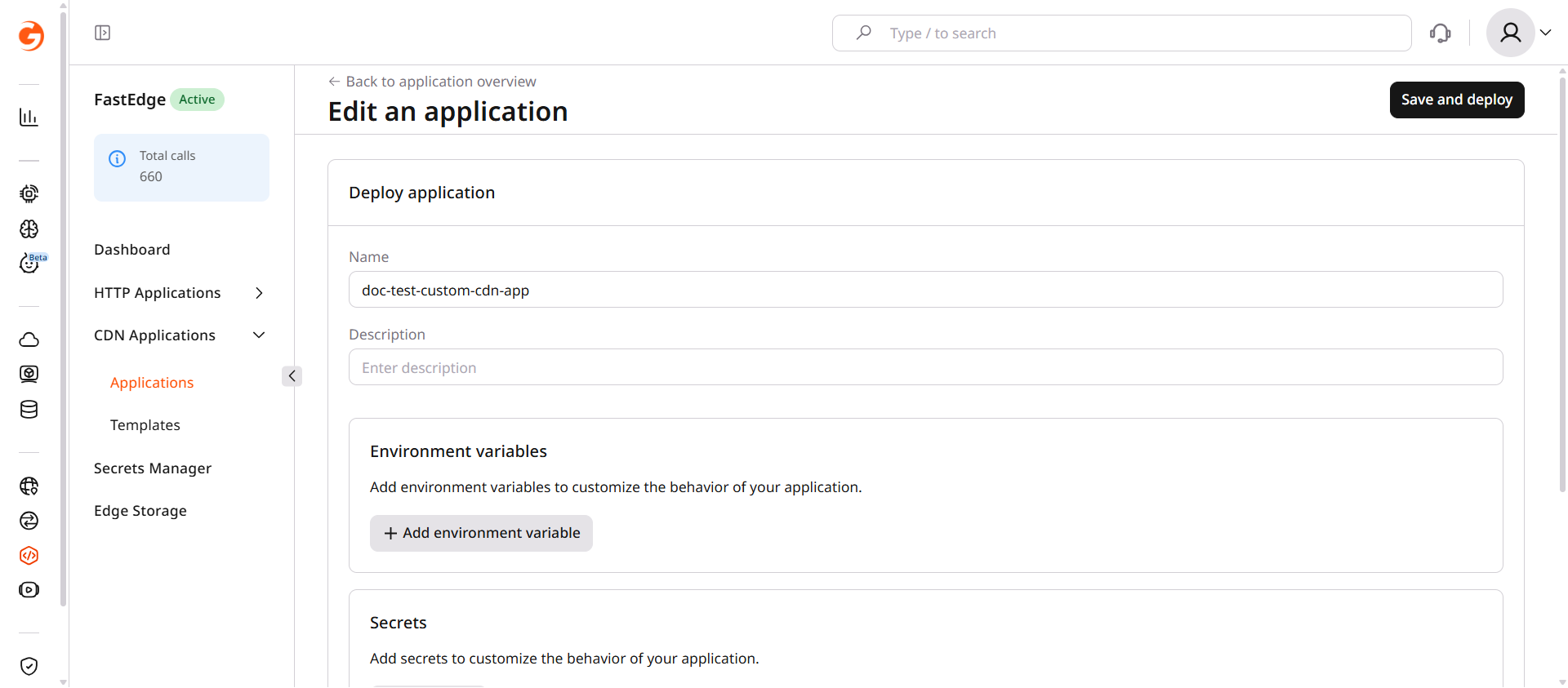
To adjust the configuration later, click the three-dot icon (...) next to the application, select Manage, then click Actions > Edit application.

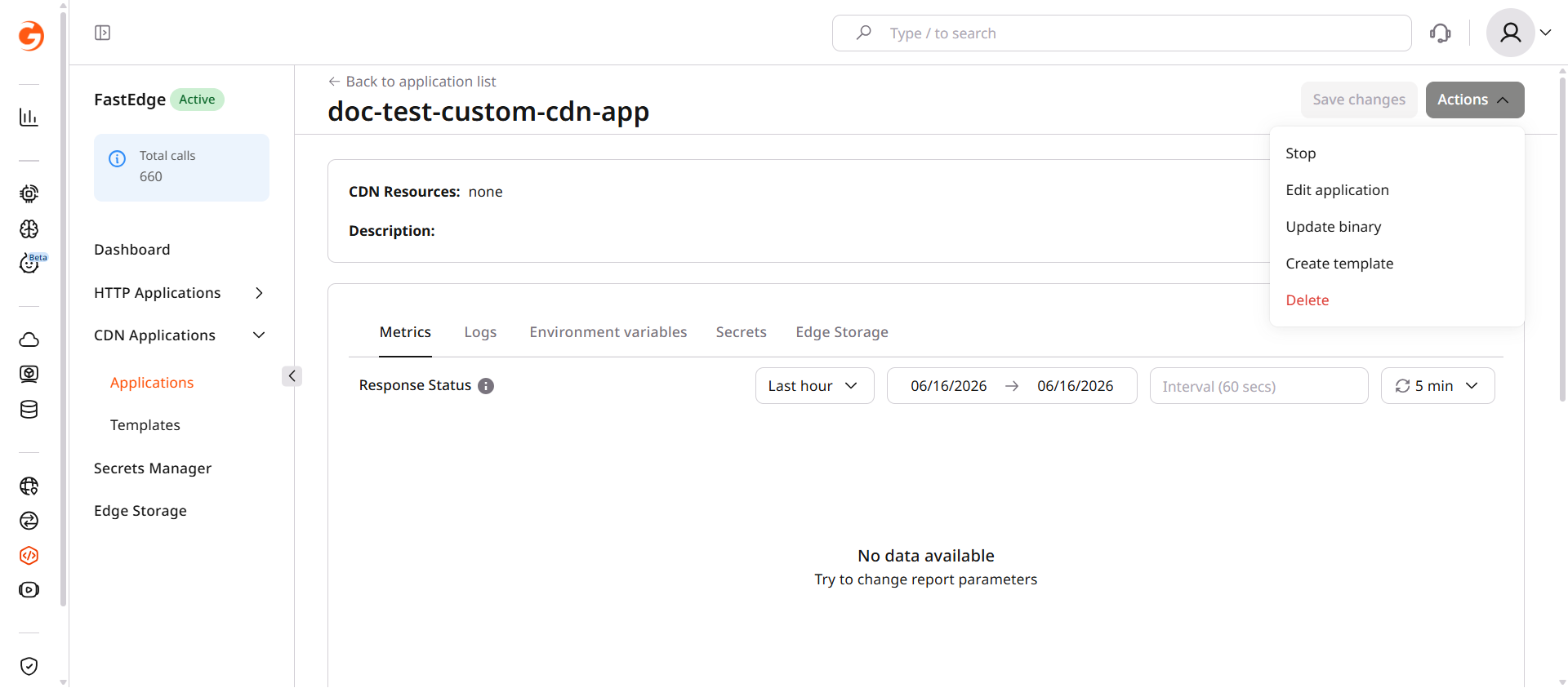
Application overview page with Actions menu showing Edit application option

Custom implementations are available in the CDB EdgeCompute SDK and proxy-wasm SDK repositories.

  1. In the CDB Technical Web Portal, navigate to CDB EdgeCompute.
  2. Open the CDN Applications page and click Create new application.
CDN Applications page with Create new application button
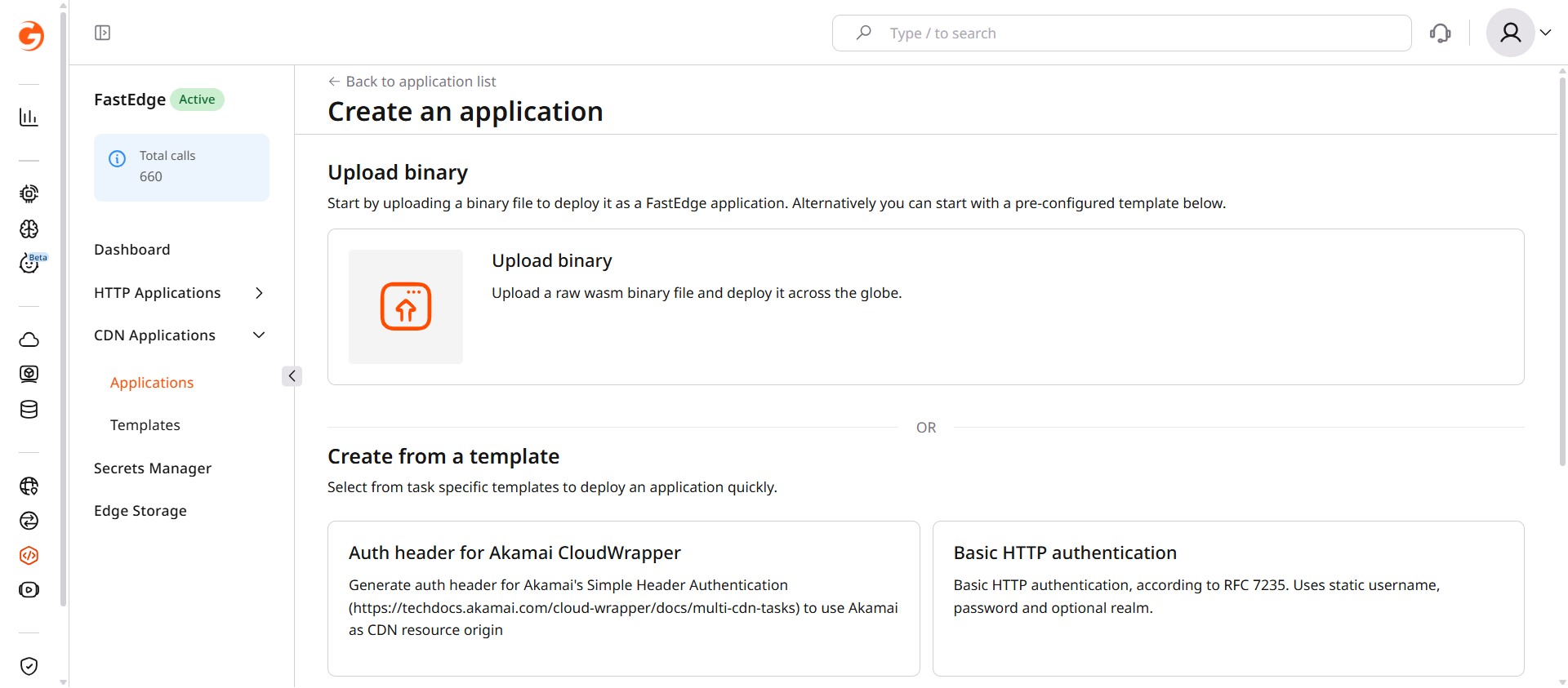
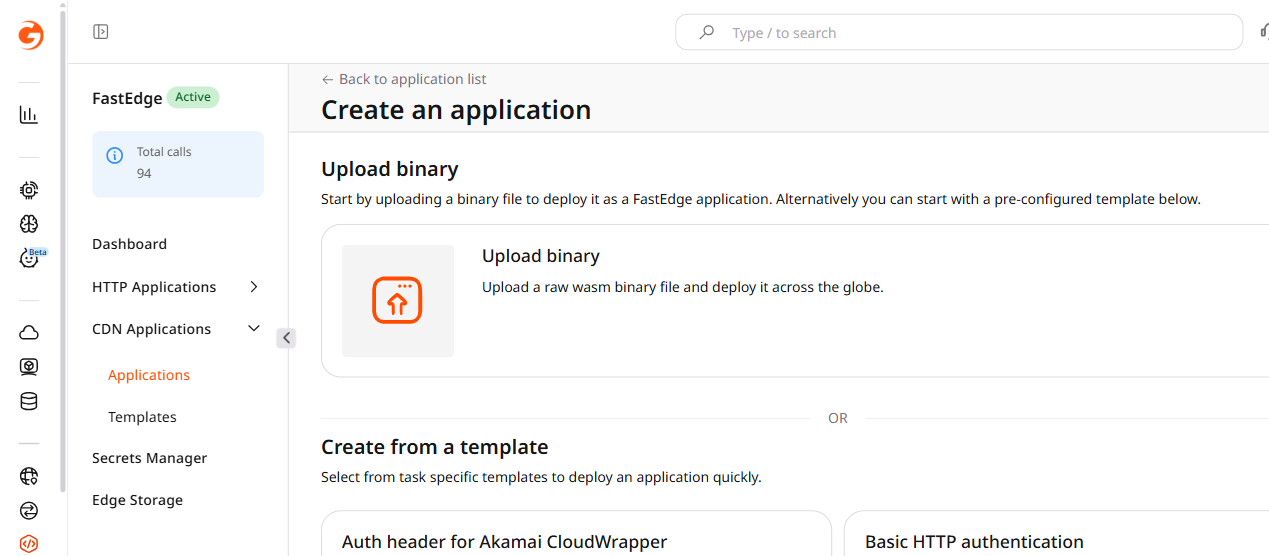
  1. Click Upload binary.
Create application page with Upload binary card
  1. Select the compiled .wasm file.
File selection dialog for uploading a binary
  1. Enter a name for the application and, optionally, a description.
  2. Add any required environment variables as key-value pairs. For sensitive values, click + Add Secret to store them in Secrets Manager instead.
Custom app configuration form with Name, environment variables, and Secrets fields
  1. Click Save and deploy.

The application is deployed and ready to be linked to a CDN resource. To adjust the configuration later, click the three-dot icon (...) next to the application, select Manage, then click Actions > Edit application.

Application overview page with Actions menu showing Edit application option

Step 2. Enable CDB EdgeCompute for a CDN resource

CDB EdgeCompute can be enabled for all requests on a CDN resource, or limited to specific URL paths using CDN rules.

  1. In the Customer Portal, navigate to CDN.
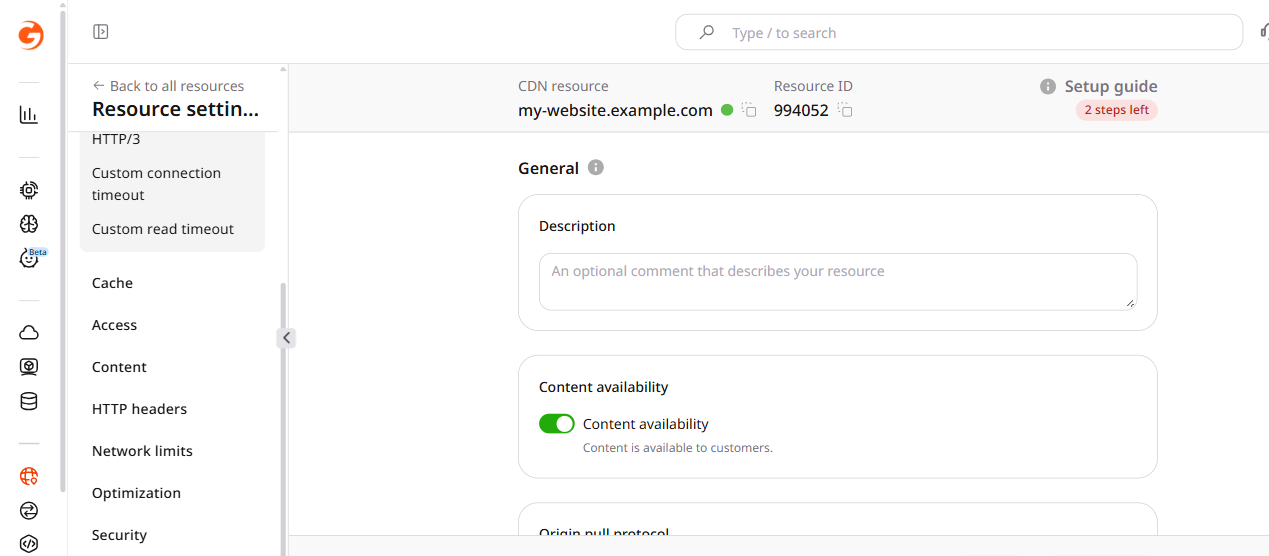
  2. Find the resource and open its settings.
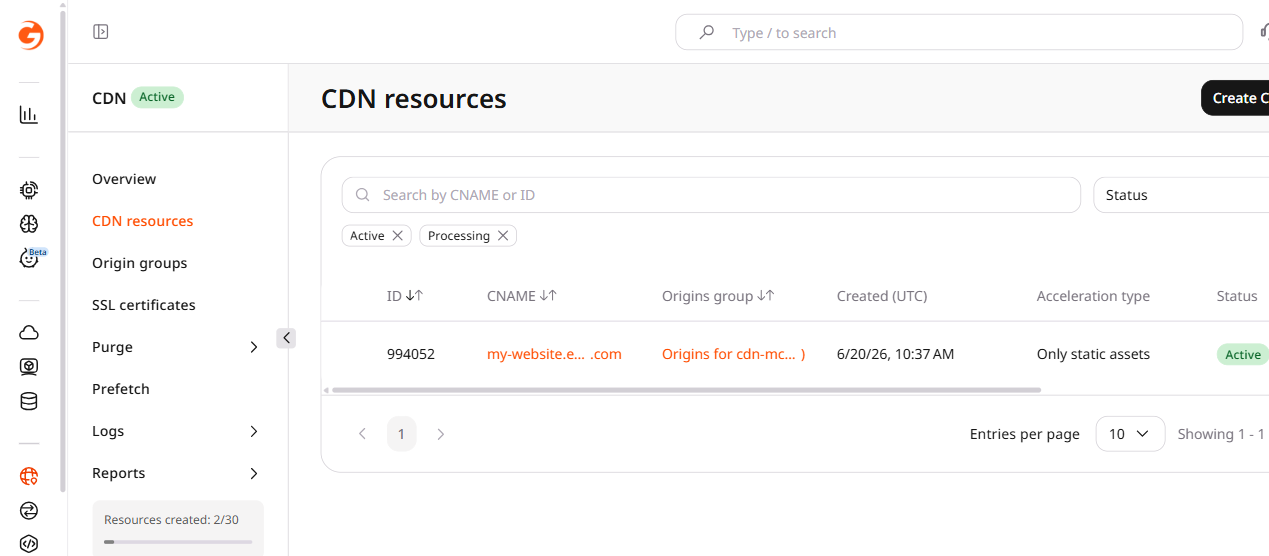
CDN resources list with resource settings button
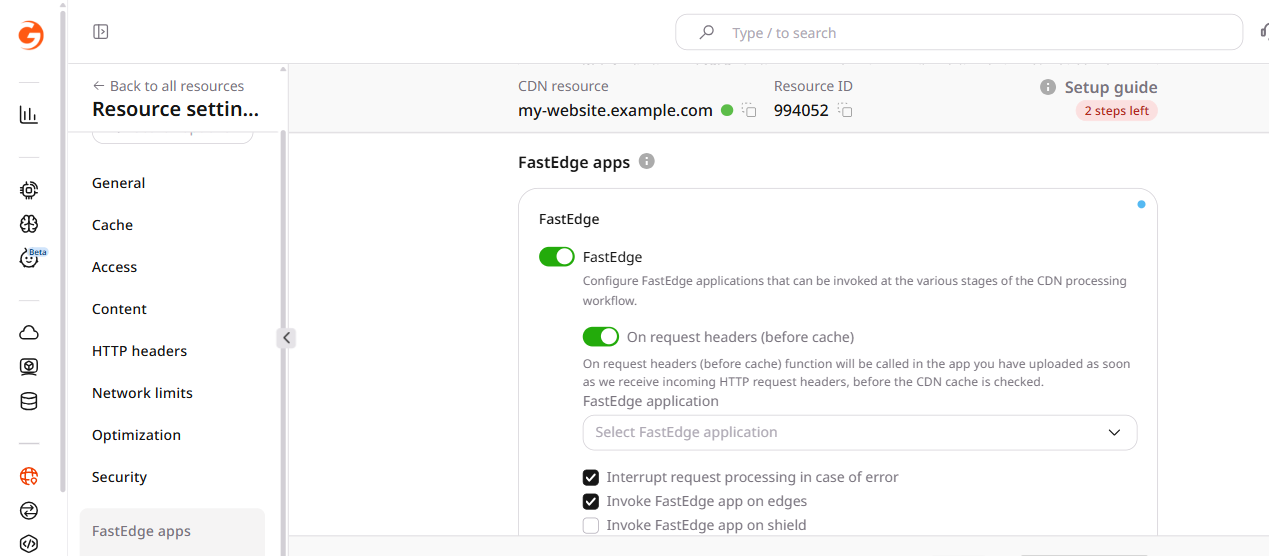
  1. Scroll to the CDB EdgeCompute apps section and enable the CDB EdgeCompute checkbox to activate the feature.
CDN resource settings showing CDB EdgeCompute apps section with the top-level CDB EdgeCompute checkbox
  1. Enable the checkbox for the required processing stage. For the most common use case, enable On request headers (before cache).
  2. Select the application from the dropdown.
CDB EdgeCompute apps section with On request headers enabled and application dropdown
  1. (Optional) Configure additional stage options:

    • Interrupt request processing in case of error — enabled by default. When active, errors on the CDB EdgeCompute side return the relevant response code to the client. When disabled, the CDN ignores the error and forwards the request to the origin. Keep this enabled for security-sensitive applications.
    • Invoke CDB EdgeCompute app on edges — enabled by default. Runs the application on CDN edge nodes.
    • Invoke CDB EdgeCompute app on shield — disabled by default. Runs the application on CDN shield (precache) nodes in addition to edge nodes.
  2. Click Save changes.

URL-specific rules apply CDB EdgeCompute logic only to certain paths — protecting /api/ with JWT validation while leaving static assets unaffected, for instance.

  1. In the Customer Portal, navigate to CDN.
  2. Find the resource and open its settings.
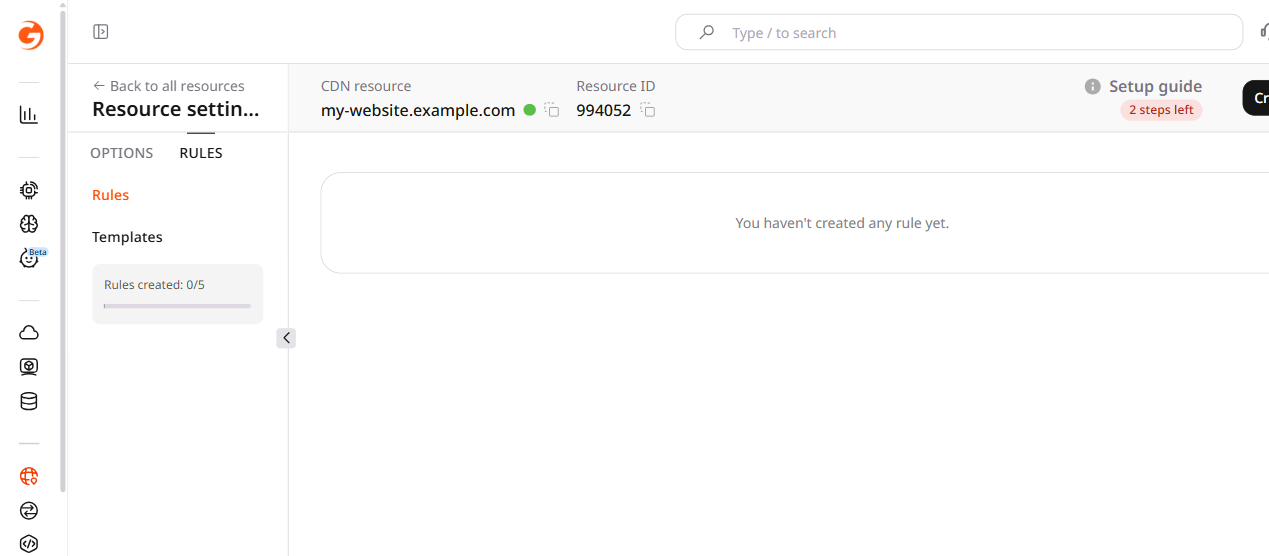
  3. Click Rules > Create rule.
CDN resource settings with Rules tab open
  1. Click Create blank rule.
  2. Enter a rule name.
  3. In the Match criteria section, specify the URL paths affected by the application.
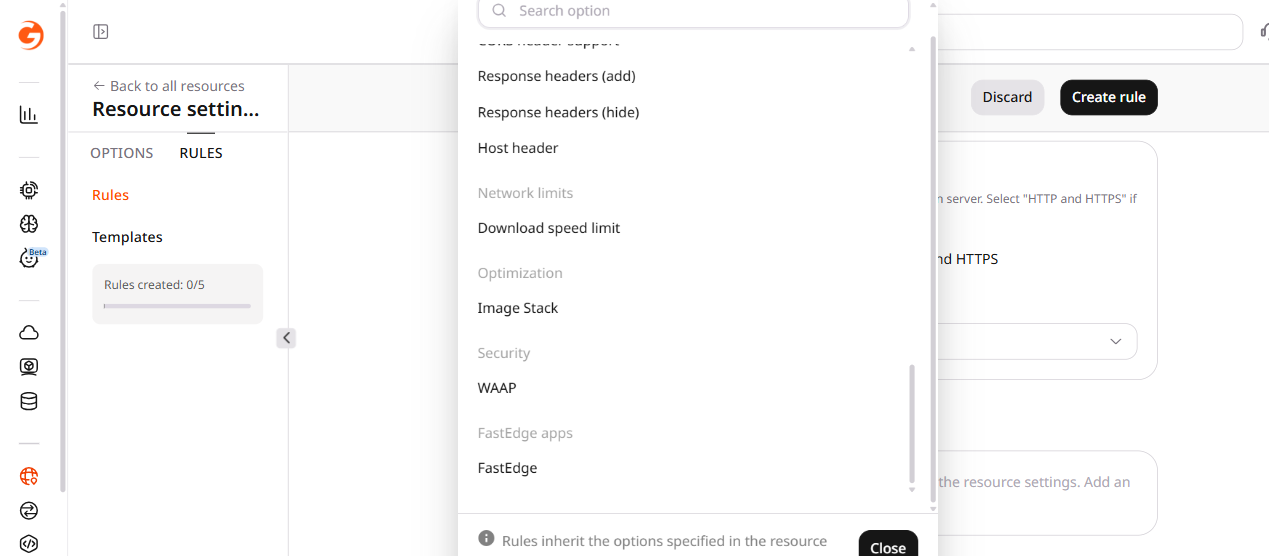
  4. In the Options section, click Add option.
  5. Scroll to the CDB EdgeCompute apps section.
Add option panel showing CDB EdgeCompute apps section
  1. Enable the checkbox for the required processing stage. For the most common use case, enable On request headers (before cache).

  2. Select the application from the dropdown.

  3. (Optional) Configure additional stage options:

    • Interrupt request processing in case of error — enabled by default. When active, errors on the CDB EdgeCompute side return the relevant response code to the client. When disabled, the CDN ignores the error and forwards the request to the origin.
    • Invoke CDB EdgeCompute app on edges — enabled by default. Runs the application on CDN edge nodes.
    • Invoke CDB EdgeCompute app on shield — disabled by default. Runs the application on CDN shield (precache) nodes in addition to edge nodes.
  4. Click Create rule.

Disconnect CDB EdgeCompute from CDN

To stop CDB EdgeCompute processing, clear the CDB EdgeCompute checkbox on the CDN resource, or disable the rule that attaches the application.

1. In the Customer Portal, navigate to CDN.

2. Find the resource and open its settings.

CDN resources list with resource settings button

3. To disable CDB EdgeCompute for the whole CDN resource, scroll to the CDB EdgeCompute apps section and clear the CDB EdgeCompute checkbox.

4. To disable CDB EdgeCompute for specific URL paths, open the Rules page and disable the relevant rule.

5. Click Save changes.

Delete a CDN application

An enabled CDB EdgeCompute application linked to a CDN resource cannot be deleted. Disconnect it from the CDN resource first.

1. In the Customer Portal, navigate to CDB EdgeCompute.

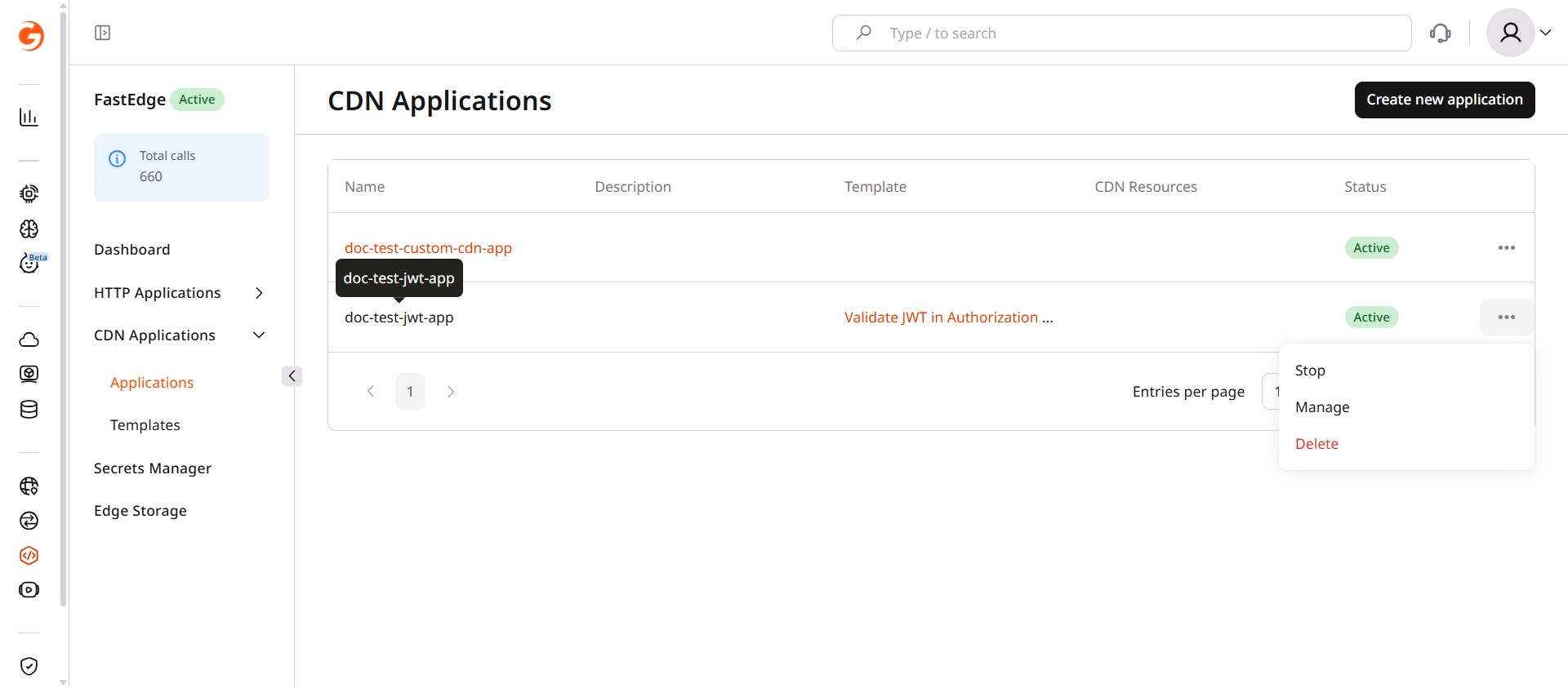
2. Open the CDN Applications page and click the three-dot icon next to the application.

CDN Applications list with three-dot menu open showing Delete option

3. Click Delete.

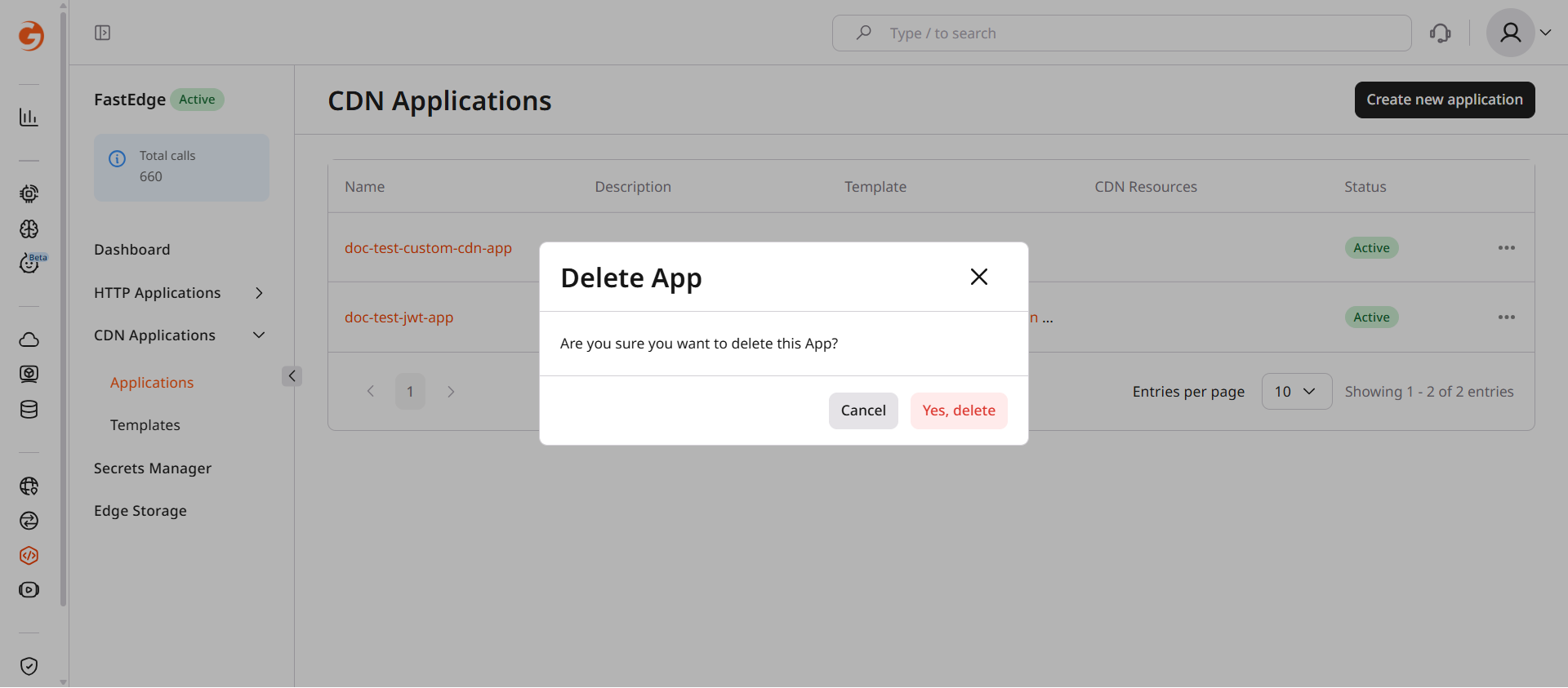
4. Confirm by clicking Yes, delete.

Delete app confirmation dialog

CDB EdgeCompute CDN applications run inside the CDN request pipeline, modifying requests and responses before they reach the origin or end users.

A CDN resource configured for the origin is required; the Create CDN resource endpoint covers the parameters.

Request lifecycle

The CDN runtime invokes a CDN application at five stages:

  • on_request_headers: when the CDN receives request headers, before cache.
  • on_request_headers_after_cache: when the CDN receives request headers, after cache.
  • on_request_body: when the CDN receives the request body.
  • on_response_headers: before the CDN sends response headers to the client.
  • on_response_body: before the CDN sends the response body to the client.
CDN applications are built on the Proxy-Wasm specification — an open standard for WebAssembly-based proxy extensions.

Each stage has an independent application slot.

Only one CDB EdgeCompute application can be attached to each processing stage.

These steps configure CDB EdgeCompute with the CDB EdgeCompute API and the CDN API.

An API token is required, along with the ID of an existing CDN resource.

Open a terminal and export these environment variables:

export GCORE_API_KEY="{YOUR_API_KEY}"
export CDN_RESOURCE_ID="{YOUR_CDN_RESOURCE_ID}"

Quickstart

Scripts that create a CDB EdgeCompute application from the JWT authentication template and enable it on a CDN resource.

import os
from gcore import CDB
from gcore.types.cdn import cdn_resource_update_params as cdn_params

client = CDB()
resource_id = int(os.environ["CDN_RESOURCE_ID"])

# Step 1. Find the JWT template and create an application
templates = list(client.edgecompute.templates.list())
jwt_template = next(t for t in templates if "validate jwt" in t.name.lower())

app = client.edgecompute.apps.create(
    name="my-cdn-app-1",
    template=jwt_template.id,
    status=1,
    env={"secret": "your-signing-key"},
)
print(f"app id={app.id}")

# Step 2. Enable CDB EdgeCompute on the CDN resource
client.cdn.cdn_resources.update(
    resource_id,
    options=cdn_params.Options(
        edgecompute=cdn_params.OptionsFastedge(
            enabled=True,
            on_request_headers=cdn_params.OptionsFastedgeOnRequestHeaders(
                app_id=str(app.id),
                interrupt_on_error=True,
            ),
        )
    ),
)
print(f"CDB EdgeCompute enabled on resource {resource_id}")
package main

import (
    "context"
    "fmt"
    "os"
    "strconv"
    "strings"

    gcore "github.com/G-Core/gcore-go"
    "github.com/G-Core/gcore-go/cdn"
    "github.com/G-Core/gcore-go/edgecompute"
)

func main() {
    client := gcore.NewClient()
    ctx := context.Background()
    resourceID, _ := strconv.ParseInt(os.Getenv("CDN_RESOURCE_ID"), 10, 64)

    // Step 1. Find the JWT template and create an application
    var templateID int64
    pager := client.Fastedge.Templates.ListAutoPaging(ctx, edgecompute.TemplateListParams{})
    for pager.Next() {
        t := pager.Current()
        if strings.Contains(strings.ToLower(t.Name), "validate jwt") {
            templateID = t.ID
            break
        }
    }
    if err := pager.Err(); err != nil {
        panic(err)
    }

    app, err := client.Fastedge.Apps.New(ctx, edgecompute.AppNewParams{
        App: edgecompute.AppParam{
            Name:     gcore.String("my-cdn-app-1"),
            Template: gcore.Int(templateID),
            Status:   gcore.Int(1),
            Env:      map[string]string{"secret": "your-signing-key"},
        },
    })
    if err != nil {
        panic(err)
    }
    fmt.Printf("app id=%d\n", app.ID)

    // Step 2. Enable CDB EdgeCompute on the CDN resource
    _, err = client.CDN.CDNResources.Update(ctx, resourceID, cdn.CDNResourceUpdateParams{
        Options: cdn.CDNResourceUpdateParamsOptions{
            Fastedge: cdn.CDNResourceUpdateParamsOptionsFastedge{
                Enabled: true,
                OnRequestHeaders: cdn.CDNResourceUpdateParamsOptionsFastedgeOnRequestHeaders{
                    AppID: strconv.FormatInt(app.ID, 10),
                },
            },
        },
    })
    if err != nil {
        panic(err)
    }
    fmt.Printf("CDB EdgeCompute enabled on resource %d\n", resourceID)
}

Step-by-step

Each step explains what the call does, which parameters matter, and what the response looks like.

Disable CDB EdgeCompute integration

Set edgecompute.enabled to false. On the CDN resource, leaving the stage out of the request keeps the stored stage, so set that stage's enabled to false as well. On a rule, edgecompute.enabled set to false removes the stage. Set FASTEDGE_APP_ID to the application id from the create call, and CDN_RULE_ID to the rule id from the create response. The calls below read those variables.

export FASTEDGE_APP_ID="{YOUR_FASTEDGE_APP_ID}"
export CDN_RULE_ID="{YOUR_CDN_RULE_ID}"
import os
from gcore.types.cdn import cdn_resource_update_params as cdn_params

resource_id = int(os.environ["CDN_RESOURCE_ID"])

client.cdn.cdn_resources.update(
    resource_id,
    options=cdn_params.Options(
        edgecompute=cdn_params.OptionsFastedge(
            enabled=False,
            on_request_headers=cdn_params.OptionsFastedgeOnRequestHeaders(
                app_id=os.environ["FASTEDGE_APP_ID"],
                enabled=False,
            ),
        )
    ),
)
_, err = client.CDN.CDNResources.Update(ctx, resourceID, cdn.CDNResourceUpdateParams{
    Options: cdn.CDNResourceUpdateParamsOptions{
        Fastedge: cdn.CDNResourceUpdateParamsOptionsFastedge{
            Enabled: false,
            OnRequestHeaders: cdn.CDNResourceUpdateParamsOptionsFastedgeOnRequestHeaders{
                AppID:   os.Getenv("FASTEDGE_APP_ID"),
                Enabled: gcore.Bool(false),
            },
        },
    },
})
curl -X PATCH https://api.cdb-staging.cdn.orange.com/cdn/resources/$CDN_RESOURCE_ID \
  -H "Authorization: APIKey $GCORE_API_KEY" \
  -H "Content-Type: application/json" \
  -d '{
    "options": {
      "edgecompute": {
        "enabled": false,
        "on_request_headers": {
          "app_id": "'"$FASTEDGE_APP_ID"'",
          "enabled": false
        }
      }
    }
  }'

On the rule, edgecompute.enabled set to false removes the stored stage.

curl -X PATCH "https://api.cdb-staging.cdn.orange.com/cdn/resources/$CDN_RESOURCE_ID/rules/$CDN_RULE_ID" \
  -H "Authorization: APIKey $GCORE_API_KEY" \
  -H "Content-Type: application/json" \
  -d '{
    "options": {
      "edgecompute": {
        "enabled": false
      }
    }
  }'

Delete a CDN application

An enabled CDB EdgeCompute application linked to a CDN resource or rule cannot be deleted. Set edgecompute.enabled to false on the resource and on every rule that references the application. On the resource, also set the stage enabled to false, because leaving the stage out keeps the stored stage.

import os

app_id = int(os.environ["FASTEDGE_APP_ID"])
client.edgecompute.apps.delete(app_id)
appID, err := strconv.ParseInt(os.Getenv("FASTEDGE_APP_ID"), 10, 64)
if err != nil {
    panic(err)
}
err = client.Fastedge.Apps.Delete(ctx, appID)
curl -X DELETE https://api.cdb-staging.cdn.orange.com/edgecompute/v1/apps/$FASTEDGE_APP_ID \
  -H "Authorization: APIKey $GCORE_API_KEY"

A 204 No Content response confirms the application was deleted.

CDB EdgeCompute CDN applications run inside the CDN request pipeline, modifying requests and responses before they reach the origin or end users. A CDN application is built on the Proxy-Wasm specification. Declare the application and the CDN resource with the Terraform provider v2.

The CDN option has five stage attributes: on_request_headers, on_request_headers_after_cache, on_request_body, on_response_headers, and on_response_body. Each stage holds one application. Set on_request_headers to run the application when the CDN receives request headers, before the cache is checked.

Only one CDB EdgeCompute application can be attached to each processing stage.

Deploy the application on a CDN resource

The JWT template checks the token in the Authorization header before the request reaches the origin. status set to 1 deploys the application, and the template reads the signing key from secret. Attach that application to the CDN resource, then run terraform apply. A stage created without interrupt_on_error, execute_on_edge, or execute_on_shield stores those fields as true, true, and false.

data "gcore_edgecompute_templates" "cdn" {
  api_type = "proxy-wasm"
}

resource "gcore_edgecompute_app" "jwt" {
  name = "my-cdn-app"
  template = one([
    for item in data.gcore_edgecompute_templates.cdn.items : item.id
    if item.name == "Validate JWT in Authorization header"
  ])
  status = 1
  env = {
    secret = "your-signing-key"
  }
}

resource "gcore_cdn_origin_group" "example" {
  name = "my-origin-group"

  sources = [
    {
      source  = "example.com"
      enabled = true
    }
  ]
}

resource "gcore_cdn_resource" "example" {
  cname           = "cdn.example.com"
  origin_group    = gcore_cdn_origin_group.example.id
  origin_protocol = "HTTPS"

  options = {
    edgecompute = {
      enabled = true
      on_request_headers = {
        enabled            = true
        app_id             = tostring(gcore_edgecompute_app.jwt.id)
        interrupt_on_error = true
        execute_on_edge    = true
        execute_on_shield  = false
      }
    }
  }
}

Limit the application to URL paths

A rule stores the stage for paths that match /api/.*. rule_type 0 is a regular expression and must start with ^/ or /. The CDN resource has no CDB EdgeCompute option, so the application runs only for those paths. Run terraform apply.

data "gcore_edgecompute_templates" "cdn" {
  api_type = "proxy-wasm"
}

resource "gcore_edgecompute_app" "jwt" {
  name = "my-cdn-app"
  template = one([
    for item in data.gcore_edgecompute_templates.cdn.items : item.id
    if item.name == "Validate JWT in Authorization header"
  ])
  status = 1
  env = {
    secret = "your-signing-key"
  }
}

resource "gcore_cdn_origin_group" "example" {
  name = "my-origin-group"

  sources = [
    {
      source  = "example.com"
      enabled = true
    }
  ]
}

resource "gcore_cdn_resource" "example" {
  cname           = "cdn.example.com"
  origin_group    = gcore_cdn_origin_group.example.id
  origin_protocol = "HTTPS"
}

resource "gcore_cdn_resource_rule" "api" {
  resource_id = gcore_cdn_resource.example.id
  name        = "edgecompute-api"
  rule        = "/api/.*"
  rule_type   = 0

  options = {
    edgecompute = {
      enabled = true
      on_request_headers = {
        enabled = true
        app_id  = tostring(gcore_edgecompute_app.jwt.id)
      }
    }
  }
}

Turn CDB EdgeCompute off

Set edgecompute.enabled to false and run terraform apply. On a CDN resource, leaving the stage out of the configuration keeps the stored stage, so set that stage's enabled to false as well. On a rule, edgecompute.enabled set to false removes the stage.

data "gcore_edgecompute_templates" "cdn" {
  api_type = "proxy-wasm"
}

resource "gcore_edgecompute_app" "jwt" {
  name = "my-cdn-app"
  template = one([
    for item in data.gcore_edgecompute_templates.cdn.items : item.id
    if item.name == "Validate JWT in Authorization header"
  ])
  status = 1
  env = {
    secret = "your-signing-key"
  }
}

resource "gcore_cdn_origin_group" "example" {
  name = "my-origin-group"

  sources = [
    {
      source  = "example.com"
      enabled = true
    }
  ]
}

resource "gcore_cdn_resource" "example" {
  cname           = "cdn.example.com"
  origin_group    = gcore_cdn_origin_group.example.id
  origin_protocol = "HTTPS"

  options = {
    edgecompute = {
      enabled = false
      on_request_headers = {
        enabled = false
        app_id  = tostring(gcore_edgecompute_app.jwt.id)
      }
    }
  }
}

resource "gcore_cdn_resource_rule" "api" {
  resource_id = gcore_cdn_resource.example.id
  name        = "edgecompute-api"
  rule        = "/api/.*"
  rule_type   = 0

  options = {
    edgecompute = {
      enabled = false
    }
  }
}

Delete the application

Remove every app_id that reads gcore_edgecompute_app.jwt.id, including the stage block on the CDN resource, and remove the gcore_edgecompute_app resource. The stage enabled is already false from the previous apply. Then run terraform apply. Deleting the application while a stage is still enabled fails because the application is used by the CDN. A CDN resource update that still sends the deleted application id is rejected.
resource "gcore_cdn_origin_group" "example" {
  name = "my-origin-group"

  sources = [
    {
      source  = "example.com"
      enabled = true
    }
  ]
}

resource "gcore_cdn_resource" "example" {
  cname           = "cdn.example.com"
  origin_group    = gcore_cdn_origin_group.example.id
  origin_protocol = "HTTPS"

  options = {
    edgecompute = {
      enabled = false
    }
  }
}

resource "gcore_cdn_resource_rule" "api" {
  resource_id = gcore_cdn_resource.example.id
  name        = "edgecompute-api"
  rule        = "/api/.*"
  rule_type   = 0

  options = {
    edgecompute = {
      enabled = false
    }
  }
}
terraform apply