On a CDN resource, a free Let's Encrypt certificate is the alternative to an uploaded certificate. Let's Encrypt certificates can only be issued for resources with a custom domain.
The certificate answers HTTPS requests to the CDN. Origin SSL validation is a separate setting: the edge checks the certificate presented by the origin against an uploaded CA certificate.
Attach a Let's Encrypt certificate
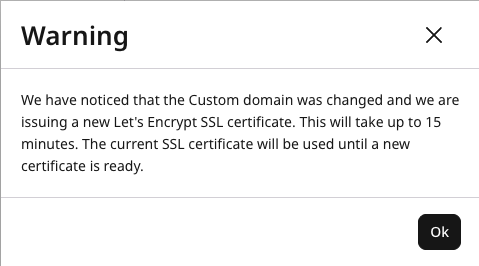
A wildcard domain cannot be issued a certificate. A Let's Encrypt certificate can be issued only for an existing resource, and only one Let's Encrypt certificate can be issued per resource. Changing the custom domain starts a reissue. The warning says issuance takes up to 15 minutes, and the current certificate stays in use until the new certificate is ready.
During resource creation
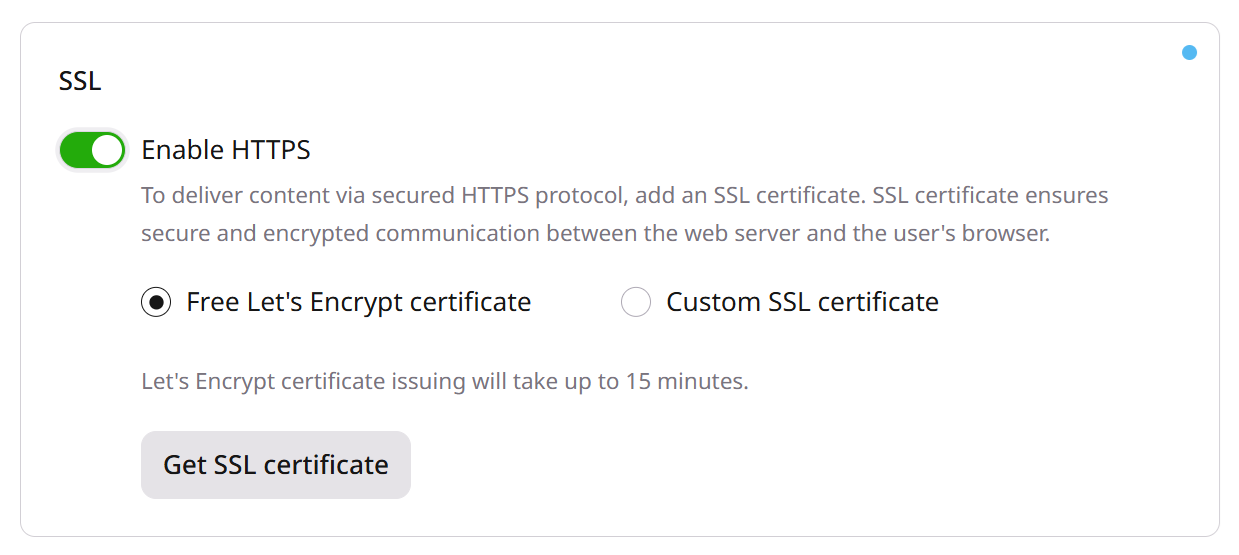
On the Set up initial configuration step, navigate to the SSL section, and turn on the toggle for Enable HTTPS. Then, select Get free Let's Encrypt certificate.
The certificate issuance may take up to 30 minutes after the resource is created. During this time, please do not:
disable the HTTPS option,
select another certificate,
interrupt the issuance of the current certificate.
For created resource
1. Navigate to CDN and select the CDN resource to configure.
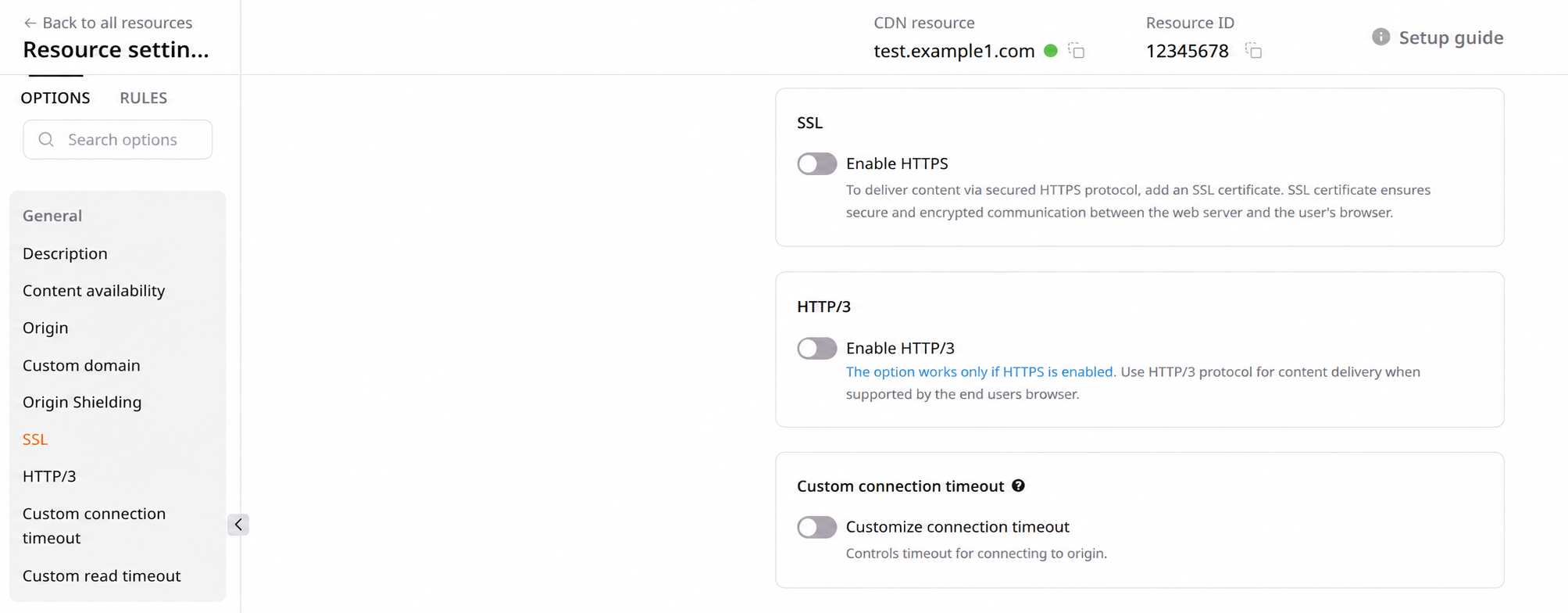
2. In the navigation panel, under the General section, click SSL.
3. In the SSL section, turn on the toggle for Enable HTTPS, select Get free Let's Encrypt certificate, and click Save changes. That button saves the SSL section. Issuing and revoking a Let's Encrypt certificate does not require a separate save of the rest of the resource settings.
Issuance time depends on when the CDN resource was created. A certificate for a recently created resource can take up to 30 minutes, because the configuration has not yet propagated to all CDN servers. A resource whose configuration is already propagated usually finishes in a few minutes.
Check issuance status
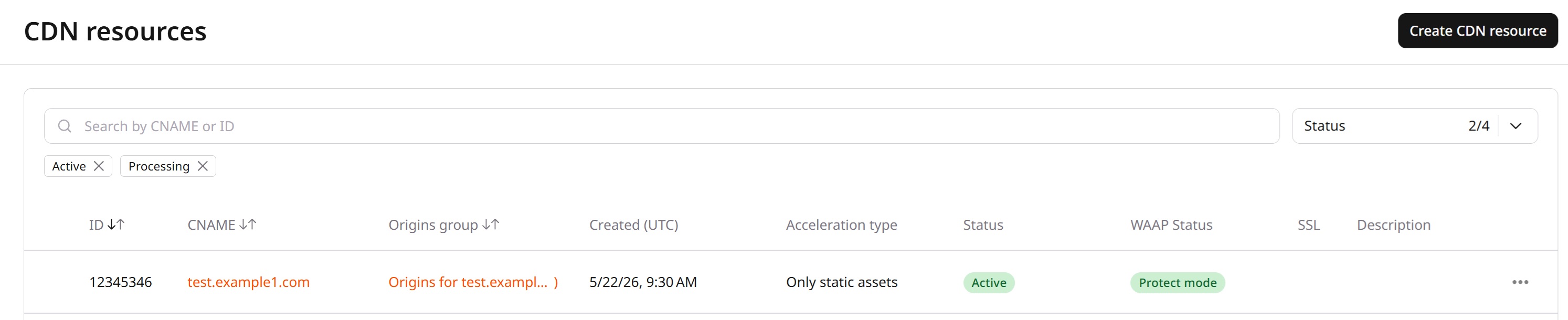
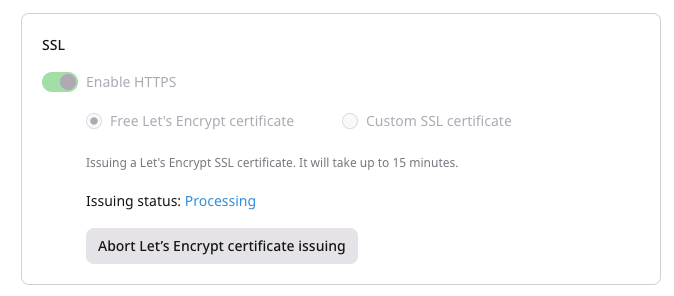
After Get free Let's Encrypt certificate is selected, a correct CDN resource configuration shows the Processing status in the Customer Portal while the certificate is being issued.
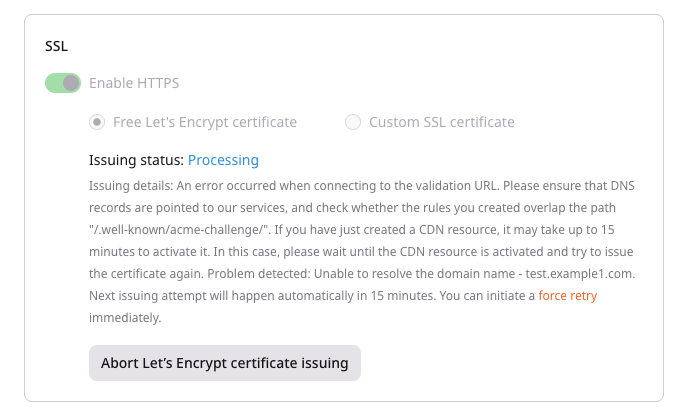
An ACME challenge problem shows an issuance error. The error can appear while a CDN resource is still being created. The next attempt occurs in 15 minutes. Click force retry to start the next attempt sooner.
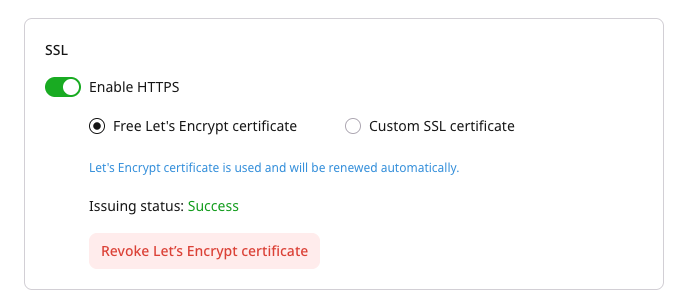
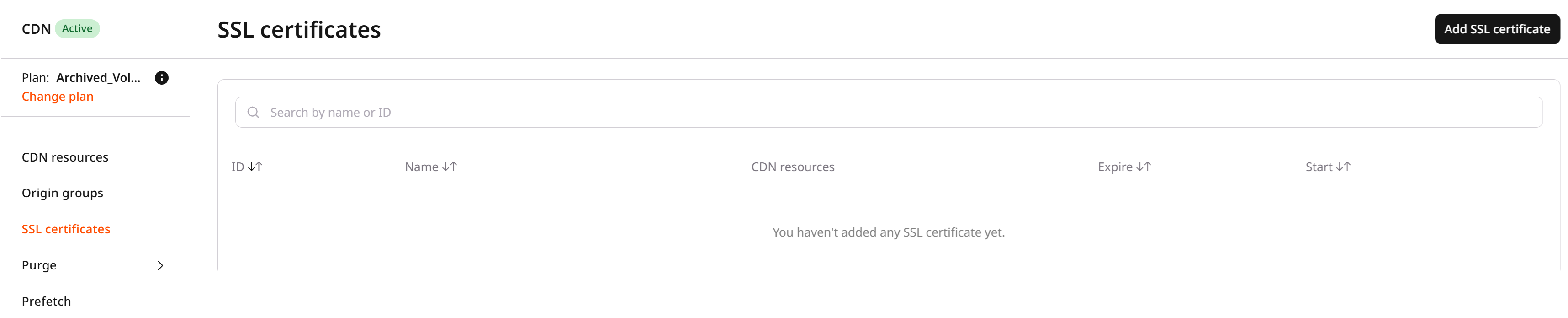
A successful challenge shows the status Success. The certificate is visible only in the settings of the resource for which it is issued. A Let's Encrypt certificate stays off the SSL Certificates page, and the certificate selector stays out of the resource settings.
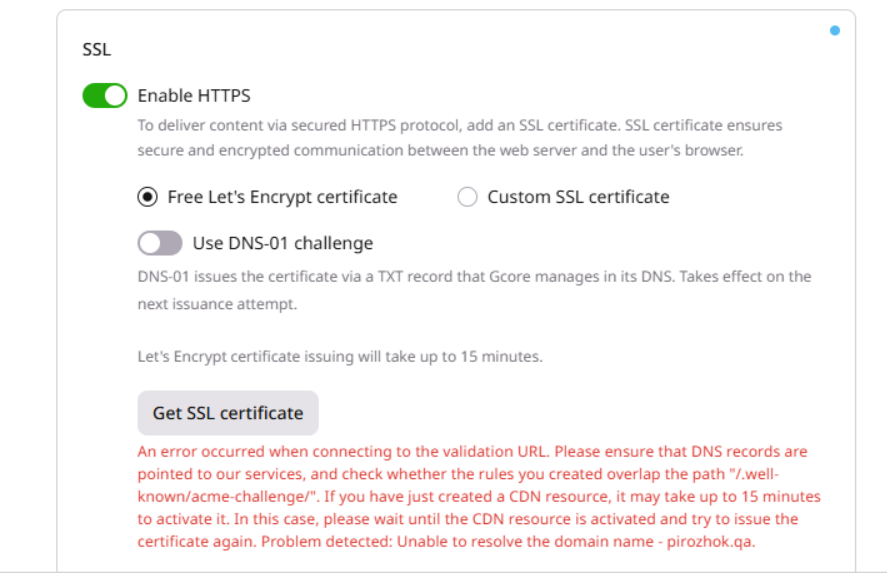
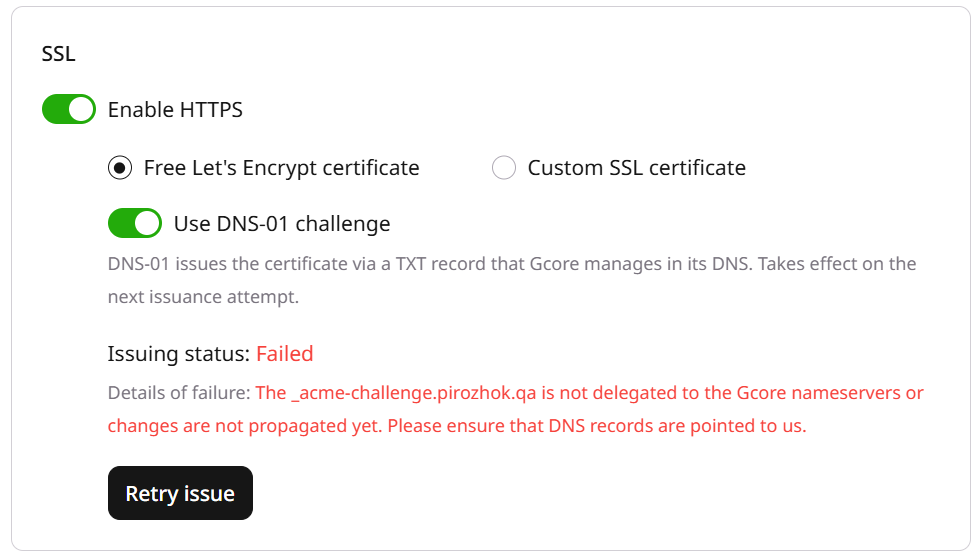
During initial issuance, the status changes to Failed after five unsuccessful attempts. An issuance error disables the Enable HTTPS toggle and sends a notification to the account email address. Click Retry issue to attempt issuance again. When the CDN resource domain cannot be ACME challenged, the message describes the issue and Get SSL certificate stays inactive.
Troubleshoot an HTTP-01 failure
⚠️
Certificate issuance fails when either condition is missed:
The CNAME record for the resource must point to the value shown in the setup guide.
No CDN rule may block requests to /.well-known/acme-challenge/. A catch-all rule /** or a broad regex pattern prevents Let's Encrypt from completing HTTP-01 validation.
Let's Encrypt places a temporary file at http://<CNAME>/.well-known/acme-challenge/<TOKEN> and requests that file over HTTP. Before adding a Let's Encrypt certificate, confirm that the CDN resource has no rules that block these requests. Rules that block issuance include:
A rule with /*. This rule will catch any strings and override the hidden rule that is necessary to obtain a certificate.
A rule with ((?!(jpeg|gif|png|pdf|jpg|css|js|woff|woff2|ttf)).)*$. This rule will catch all non-static files.
Compare resource rules in regex101. Delete or change a rule that blocks Let's Encrypt certificate issuance. The next Let's Encrypt request can then complete issuance. Issuance also fails when the origin source is not available. The same failure is covered in the dedicated guide.
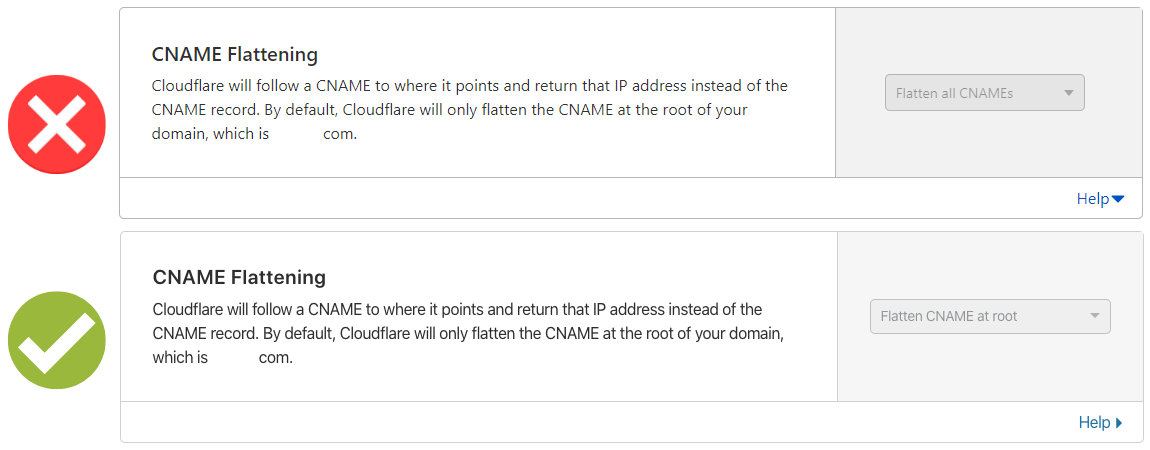
With Cloudflare DNS, set CNAME Flattening to Flatten CNAME at root. Flatten all CNAMEs makes Cloudflare return an A record instead of a CNAME and blocks Let's Encrypt issuance.
When a multi-CDN balancer answers the hostname with an address outside CDB, repeating the HTTP-01 checks does not issue the certificate. Enable use_dns01_le_challenge in DNS-01 validation.
Issue a free Let's Encrypt certificate for a CDN resource that already uses a custom domain, then read issuance status or retry a failed attempt. A wildcard hostname cannot receive a Let's Encrypt certificate, and one certificate object attaches to only one CDN resource.
An API token is required. The CDN resource ID is visible under CDN → CDN Resources, or from the resources list call.
For HTTP-01, the hostname CNAME must point at the CDN edge hostname from the custom domain setup, and no CDN rule may block /.well-known/acme-challenge/. HTTP-01 is the default challenge. A newly created resource can take up to 30 minutes before the first attempt succeeds. A resource that is already propagated usually finishes in a few minutes. CDB schedules the next attempt about 15 minutes after a failure. Leave HTTPS enabled and keep the same certificate attached while issuance is active.
Open a terminal and export the required variables:
Issuance is four calls in order: create the certificate object, pre-validate the resource, attach the certificate, then read the status until issuance finishes.
1. Create the certificate object
Create the certificate object before attaching it. automated must be true. The PEM fields stay null until issuance finishes. The Python and Go calls return no body, so the new ID comes from the certificate list filtered by name. The curl call returns the object, including id.
Parameter
Required
Description
name
Yes
Unique label for the certificate object
automated
Yes
true to issue the certificate through Let's Encrypt
from gcore import CDB

client = CDB()

client.cdn.certificates.create(
    name="cdn-le-certificate",
    automated=True,
)

created = next(
    item
    for item in client.cdn.certificates.list(automated=True)
    if item.name == "cdn-le-certificate"
)
print(created.id, created.automated, created.has_related_resources)
Check whether the hostname can be challenged before attaching the certificate. HTTP 201 with an empty object means the check passed. HTTP 400 returns an errors array describing the problem: a hostname that does not resolve, or an HTTP timeout on port 80. A failed check does not block the issue call. The status call then reports ValidationIssue.
import os

from gcore import CDB

client = CDB()
resource_id = int(os.environ["CDN_RESOURCE_ID"])

client.cdn.cdn_resources.prevalidate_ssl_le_certificate(resource_id)
curl -X POST "https://api.cdb-staging.cdn.orange.com/cdn/resources/$CDN_RESOURCE_ID/ssl/le/pre-validate" \
  -H "Authorization: APIKey $GCORE_API_KEY"
The API returns HTTP 201:
{}
3. Attach the certificate and start issuance
Set sslEnabled to true and sslData to the certificate ID. That PATCH starts issuance for every hostname on the resource. hasRelatedResources becomes true on the certificate object immediately, while cert_issuer and cert_subject_cn stay empty until the attempt reaches DONE. The default key type is ECDSA.
When HTTP-01 cannot reach the hostname, enable use_dns01_le_challenge in DNS-01 validation before this attach call.
Poll the certificate status until active is false. The first read can return latest_status as null and statuses as an empty array. After the attempt is recorded, latest_status.status is FAILED or DONE. finished stays null while retries remain scheduled. next_attempt_time is the next automatic attempt.
import os

from gcore import CDB

client = CDB()
certificate_id = int(os.environ["CDN_SSL_CERTIFICATE_ID"])

issuing = client.cdn.certificates.get_status(certificate_id)
print(issuing.active, issuing.attempts_count, issuing.finished)
if issuing.latest_status is not None:
    print(issuing.latest_status.status, issuing.latest_status.error)
A certificate that is not attached returns HTTP 400: Certificate is not attached to a resource.
Retry a failed attempt
Force the next attempt immediately instead of waiting for next_attempt_time. The call is valid while the latest attempt is FAILED and another attempt is already scheduled. The API returns HTTP 201 and an empty object.
import os

from gcore import CDB

client = CDB()
certificate_id = int(os.environ["CDN_SSL_CERTIFICATE_ID"])

client.cdn.certificates.force_retry(certificate_id)
curl -X POST "https://api.cdb-staging.cdn.orange.com/cdn/sslData/$CDN_SSL_CERTIFICATE_ID/force-retry" \
  -H "Authorization: APIKey $GCORE_API_KEY"
The API returns HTTP 201:
{}
Request an RSA certificate
The next issuance or renewal uses ECDSA unless use_rsa_le_cert is enabled first. Enable the option before Step 3 for the initial issuance, or before the renew call in certificate renewal.
Issue a Let's Encrypt certificate for a CDN resource with the Terraform provider v2.
The resource uses a custom domain. A wildcard hostname cannot receive a Let's Encrypt certificate, and one certificate object attaches to only one CDN resource. For HTTP-01, point the hostname CNAME at the CDN edge hostname, and keep /.well-known/acme-challenge/ free of CDN rules. A newly created resource can take up to 30 minutes before the first attempt succeeds. When the HTTP-01 hostname does not point at the CDN, the attempt fails, and cert_issuer and cert_subject_cn stay empty. The next attempt is about 15 minutes later. A forced retry is the force retry control in the SSL section.
When the hostname answers from an address outside CDB, enable use_dns01_le_challenge in DNS-01 validation before apply. Renewal stays in certificate renewal.
Issue the certificate
Create the certificate with automated set to true, and set ssl_enabled and ssl_data on the CDN resource. One terraform apply creates the certificate, attaches it, and starts issuance.