Renew or revoke a Let's Encrypt certificate that already shows Success on the CDN resource. Renewal runs while that certificate is still active.
Renew the certificate
While the resource is active, the certificate renews automatically. CDB makes one automatic renewal attempt 30 days before the current certificate expires.
That attempt is separate from initial issuance, which reaches Failed only after five unsuccessful attempts. If the certificate is not reissued, a notification is sent to the account email address.
After an unsuccessful reissue attempt, the current certificate stays active for another 30 days. After the certificate's end date, content is unavailable over HTTPS.
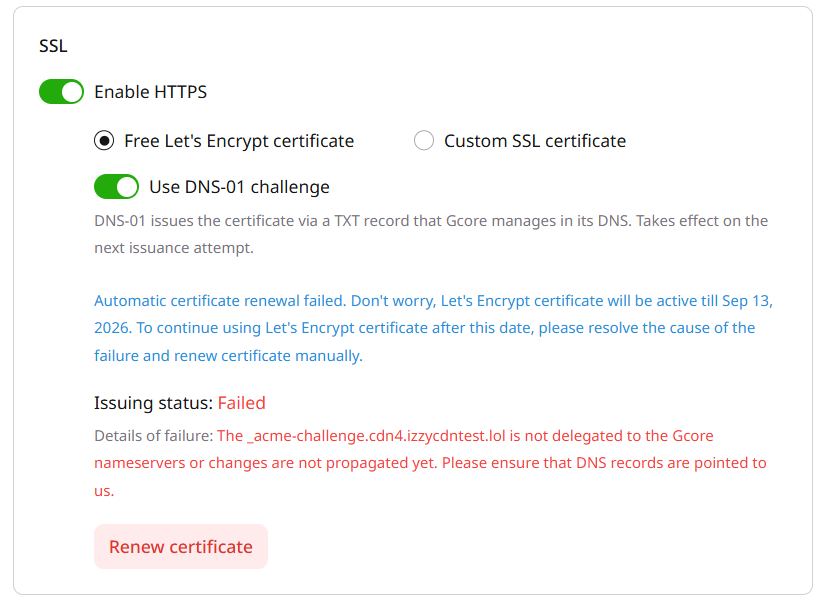
The Failed status also appears when automatic renewal does not complete. Correct the error, including the domain DNS records, and click Renew certificate while the current certificate is still active.
Renew certificate issues a new certificate and attaches it to the CDN resource. A later revoke and a new issuance turn HTTPS off until the new certificate is issued.
Revoke the certificate
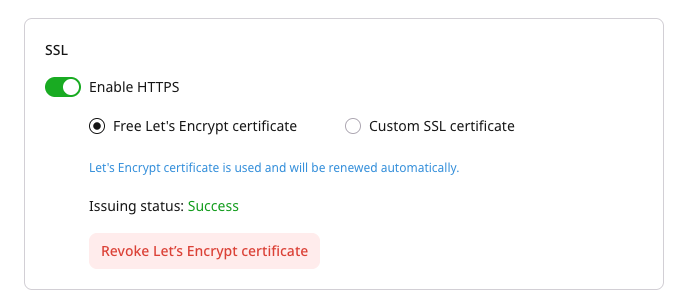
In the resource settings, open the SSL section and click Revoke Let's Encrypt certificate. Personal certificates are available for selection after the Let's Encrypt certificate is revoked.
An API request replaces the Let's Encrypt certificate with an uploaded certificate while HTTPS stays enabled.
Renew a Let's Encrypt certificate whose latest status is DONE and whose issuance is not active, or revoke it and delete the certificate object afterward. CDB also makes one automatic renewal attempt 30 days before validity_not_after.
ℹ️
An API token is required. The CDN resource ID is visible under CDN → CDN Resources.
Open a terminal and export the required variables:
While active is true, renewal returns HTTP 400: Certificate issuing process has already been launched.
The next issuance or renewal uses ECDSA unless use_rsa_le_cert is enabled first. Enable that option in the Let's Encrypt certificate article before the first attach or before this call.
import os

from gcore import CDB

client = CDB()
certificate_id = int(os.environ["CDN_SSL_CERTIFICATE_ID"])

client.cdn.certificates.renew(certificate_id)
Revoke an attached Let's Encrypt certificate with the Terraform provider v2, or delete the CDN resource and the certificate. Renewal is automatic, or the Renew certificate control in the SSL section starts it, and Terraform apply does not renew the certificate.
Revoke the certificate
Set ssl_enabled to false and ssl_data to null, then run terraform apply. HTTPS is off, the certificate object remains, and a later terraform plan shows ssl_data empty.