Low cache hit ratio troubleshooting
Cache hit ratio is the share of traffic served from CDN edge cache without an origin fetch. In the CDB Technical Web Portal, open CDN > Reports > Statistics, select the resource, then select Cache hit ratio.
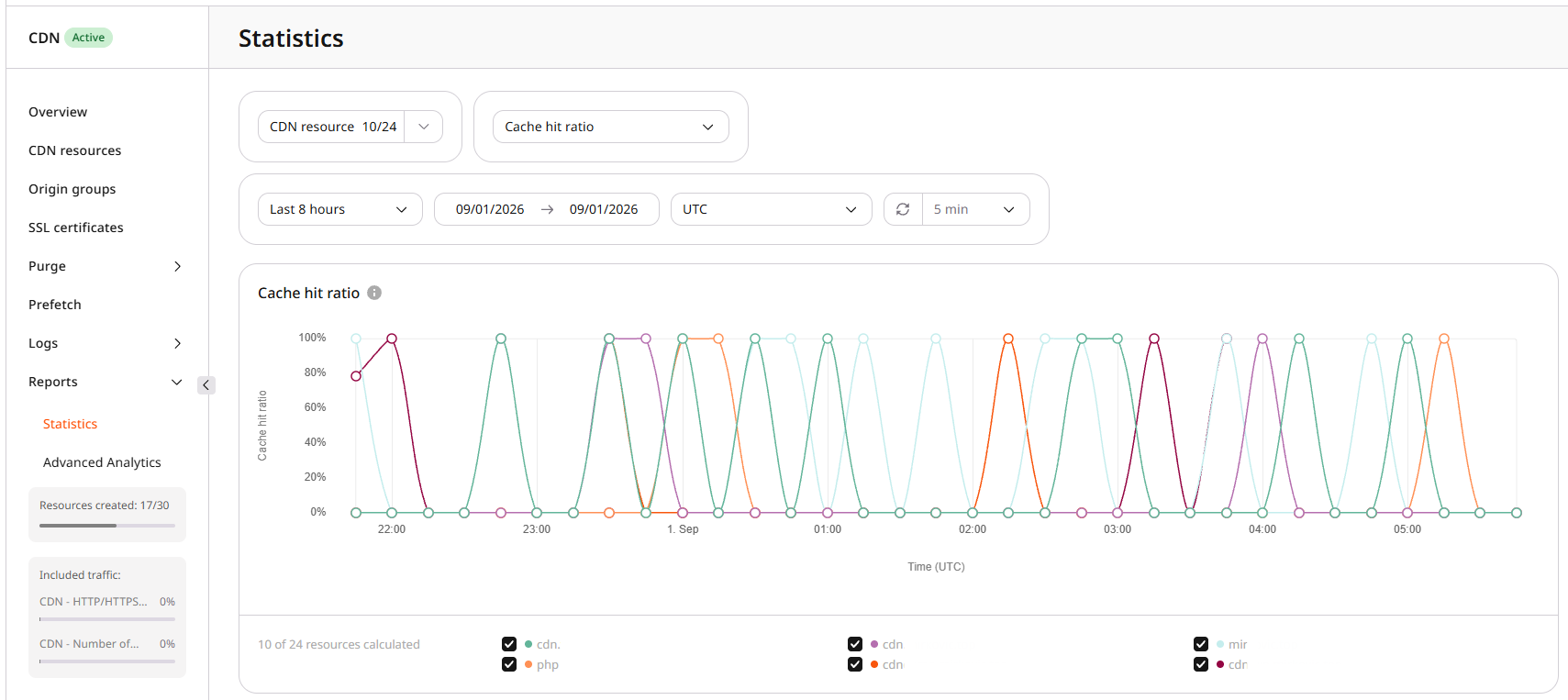
A higher ratio means more requests are served from cache, which lowers origin load and origin egress cost.
Expected cache hit ratio depends on the workload. Dynamic content that cannot be reused from cache is expected to show a low ratio. Static assets that are requested often usually show a higher ratio.
Effect of a low ratio
A low ratio means many requests are proxied to the origin instead of being served from cache. A cached request is served from the edge back to the client. An uncached request adds an origin fetch, so latency rises with that extra hop.
Checks for a low ratio
Work through the checks in order. Compare Cache hit ratio with Traffic and Requests in Statistics so a quiet period is not mistaken for a cache problem.
Complete Statistics data for a finished period is available at least two days after that period ends. Charts that are still in progress can show incomplete values. That reporting delay is separate from cache warm-up, which has no fixed duration.
Statistics marks cache hit rates below 60% in red on Overview as a visual highlight, not as a diagnostic cutoff. For this troubleshooting flow, start investigating when the ratio stays below about 80% after the cache has had time to fill, because that is where origin-bypass causes usually show up. The right target still depends on the workload.
- Inspect caching headers with
curl -I. Consecutive requests in the same region can land on different servers and mix HIT and MISS, so compareCache-ControlandCacheon the same object.
curl -I https://cdn.example.com/assets/sample-image.png
Focus on Cache-Control and Cache values that stop shared caching or force origin revalidation:
| Value | Meaning |
|---|---|
| Cache-Control: max-age=0 | The object is immediately stale, so the CDN revalidates with the origin before reuse. That extra origin contact lowers the hit ratio. In some workloads this value is intentional |
| Cache-Control: no-cache | Stored copies must be revalidated with the origin before reuse. On a shared CDN cache this often produces a MISS or revalidation on each request, which lowers the hit ratio. In some workloads this value is intentional |
| Cache-Control: no-store | The origin forbids storing the object, so the CDN cannot keep a reusable copy |
| Cache-Control: private | Shared caches must not store the object, so CDN edges fetch from the origin |
| Cache: MISS | The response came from the origin. If the response is cacheable, the first request is a MISS, and later requests for the same object on that edge should be HITs |
Those headers show whether the origin or the CDN is preventing a HIT. Arbitrary custom request headers do not create unique cache objects by themselves. They affect caching only when they are part of the cache key, listed in Vary, or used by a bypass rule.
-
Open the resource OPTIONS tab and check CDN caching under Cache. The option must be enabled. For CDN controlled, do not set cache expiry to
0. For Origin controlled,max-age=0,no-cache,no-store, orprivateon the origin reduce shared-cache HITs unless that behavior is required. -
In Cache, review Query string and Set-Cookie. Query parameters are part of the request URL;
Set-Cookieis a response header. When Ignore query string is off, each distinct query string is a separate cache object. When Ignore Set-Cookie is off, eachSet-Cookievalue is a separate cache object.
Enable Ignore query string or Ignore Set-Cookie only when those values do not change the response or personalize content. Ignoring a value that selects different content can serve the wrong cached object.
Ignore query string has three modes: Ignore all, Ignore all except, and Ignore only. Use Ignore all except or Ignore only when some parameters must remain in the cache key. Configuration is in the query string article.
If delivery is slow but the cache hit ratio is healthy, use the delivery speed checks instead.
Other causes of a low ratio
After the header and option checks above, these traffic patterns can still keep the ratio low.
| Cause | Solution |
|---|---|
| Traffic started recently, so the cache is still filling | Wait for enough requests to populate edges. Warm-up duration depends on request volume, how often each object is requested, and cache lifetime. There is no fixed two-day warm-up |
| Statistics for a finished period still look incomplete | Complete Statistics data is available at least two days after the selected period ends. Live charts update during the period and can differ from later totals |
| Content is requested too rarely, so per-edge cache stays cold | A low ratio is expected for unpopular objects, because they expire from cache before the next request. Use paid Origin shielding only when concentrating repeated origin pulls is operationally worthwhile. Low-traffic video is covered in video delivery |
| Cache key modification adds extra request attributes | Cache key modification supports $request_uri, $scheme, $uri, and $http_x_cdn_real_host. $request_uri keeps the query string in the key, and $http_x_cdn_real_host splits cache among aliases. Keep only the variables that must distinguish objects |
Origin sends Vary for headers that do not change the response | A meaningful Vary value keeps different representations in separate cache objects, which is correct when content actually varies. Remove or narrow Vary on the origin only when the response does not vary by those request headers. Response headers (hide) removes headers from responses to users and does not change how CDN cache processes Vary |