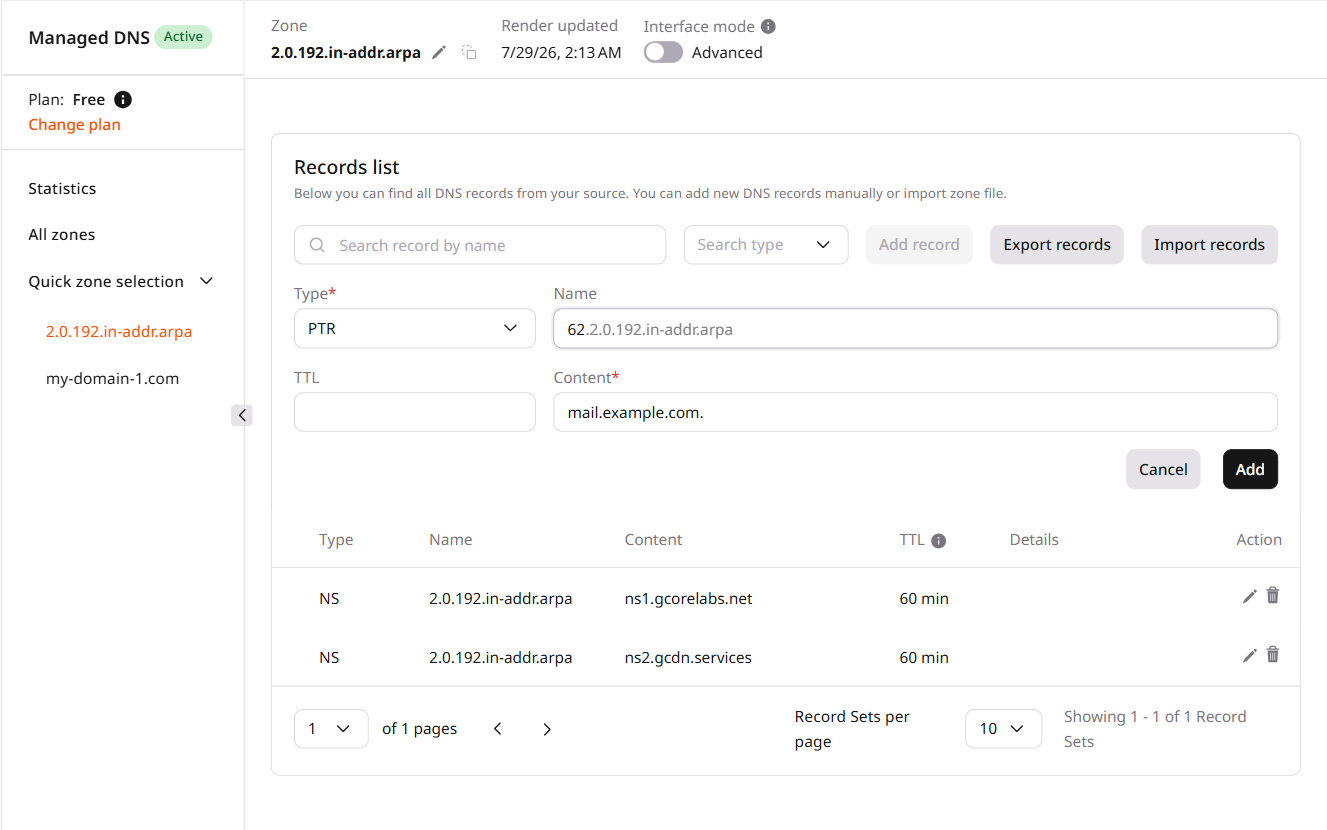
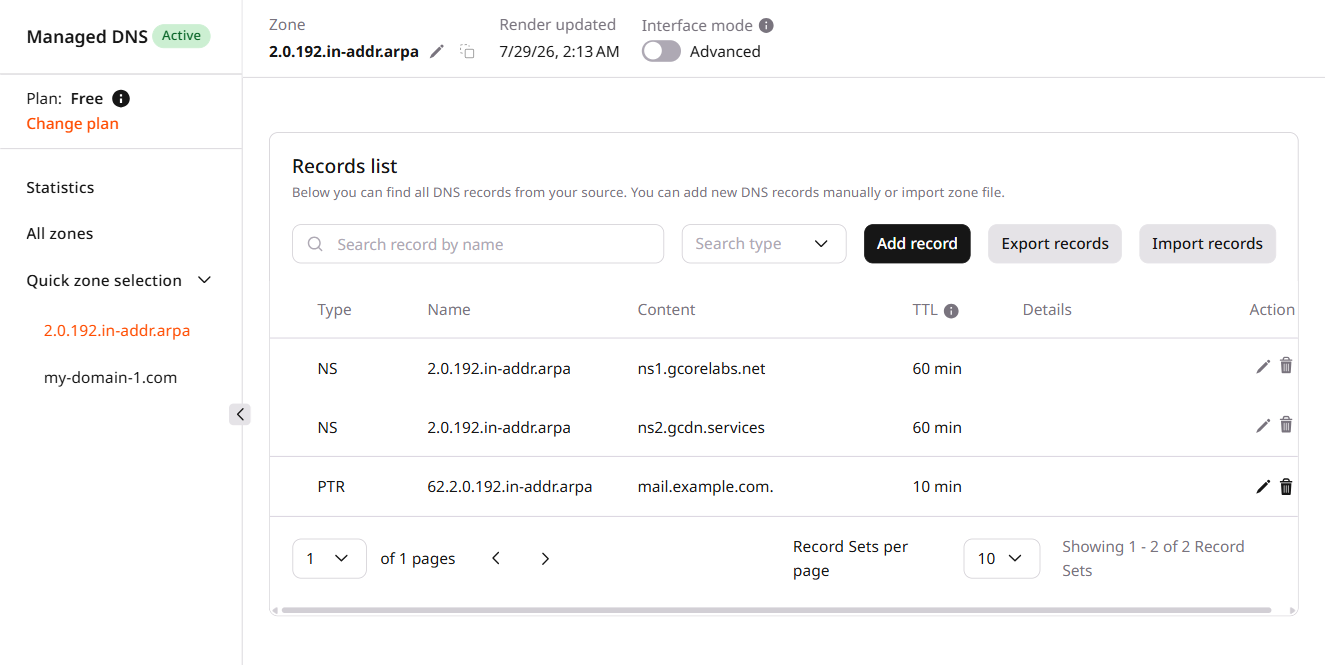
A PoinTeR (PTR) record maps an IP address to a domain name — the reverse of an A record. PTR records can only be created in reverse DNS zones.
ℹ️
PTR records can only be added to a reverse DNS zone (RDNS), not to a regular domain zone. The CDB Technical Web Portal does not include PTR in the list of DNS records available for forward domain zones.
PTR record use cases
As an anti-spam measure in email delivery, the destination mail server performs a reverse lookup on the sender IP and compares the result against the sender's domain. Mail servers often reject messages from IPs with no PTR record.
For dedicated subnet management, PTR records map raw IP addresses to human-readable names, making it easier to trace and monitor traffic across large subnets.
Reverse DNS lookup zone
A reverse DNS lookup zone maps IPv4 or IPv6 addresses to hostnames using PTR records.
PTR records must be created inside a reverse DNS zone — a special zone named *.in-addr.arpa (for IPv4) or *.ip6.arpa (for IPv6). Only after that zone is created can PTR records be added to it in the portal.
For IPv4, the octets are reversed under in-addr.arpa. The IP address 80.240.113.62 has the reverse DNS name 62.113.240.80.in-addr.arpa. For a /24 subnet — 203.0.113.0/24, for instance — the reverse DNS zone is 113.0.203.in-addr.arpa, and the PTR record for 203.0.113.1 is created at 1.113.0.203.in-addr.arpa. IPv6 follows the same reversal pattern under ip6.arpa.
Configure reverse DNS zone and PTR record
A dedicated IP space (IPv4 or IPv6) is required to configure a reverse DNS zone.
1
Request zone delegation
Contact the provider that manages the IP address space and request delegation of the subnet's reverse DNS zone to CDB nameservers (ns1.gcorelabs.net and ns2.gcdn.services).
2
Add the zone in the Customer Portal
Once delegation is confirmed, add the reverse DNS zone in the Customer Portal. The zone creation process is the same as for any other DNS zone.
💡
A subnet up to /24 bits can be added for the IP address.
3
Add PTR records
In the Customer Portal, open the added reverse zone and add PTR records. For each IP address, enter the full reversed address as the record name — for 203.0.113.1 in zone 113.0.203.in-addr.arpa, the name is 1.113.0.203.in-addr.arpa. Enter the target hostname with a trailing dot as the value: mail.sample-test.com.
4
Verify DNS propagation
After the PTR records are saved, run a reverse DNS lookup to confirm the records are resolving correctly. DNS cache propagation takes up to 24 hours, so the records may not be immediately visible from all locations.
dig -x 203.0.113.1
Create a reverse DNS zone and add PTR records to map IP addresses to hostnames.
ℹ️
An API token is required. Delegation of the reverse zone to CDB nameservers (ns1.gcorelabs.net and ns2.gcdn.services) is done by the IP address provider. The zone and PTR records can be created before that delegation; reverse lookups resolve after the provider delegates the zone.
Export these variables before running the commands:
The reverse zone name for an IPv4 /24 subnet is the three network octets reversed with .in-addr.arpa appended. For subnet 203.0.113.0/24, the zone name is 113.0.203.in-addr.arpa. The PTR rrset name for a host at 203.0.113.1 is 1.113.0.203.in-addr.arpa — the full reversed IP address.
Quickstart
Create the zone and add a PTR record.
import os
from gcore import CDB

client = CDB()
zone = os.environ["RDNS_ZONE"]  # e.g. 113.0.203.in-addr.arpa

# Step 1. Create the reverse DNS zone
client.dns.zones.create(name=zone)

# Step 2. Add a PTR record for the first host in the subnet
ptr_name = "1." + zone  # maps 203.0.113.1 -> mail.sample-test.com
rrset = client.dns.zones.rrsets.create(
    "PTR",
    zone_name=zone,
    rrset_name=ptr_name,
    ttl=300,
    resource_records=[{"content": ["mail.sample-test.com."]}],
)
print(rrset.type, rrset.name, (rrset.resource_records or [{}])[0].content)
package main

import (
    "context"
    "fmt"
    "os"

    gcore "github.com/G-Core/gcore-go"
    "github.com/G-Core/gcore-go/dns"
)

func main() {
    ctx := context.Background()
    client := gcore.NewClient()
    zone := os.Getenv("RDNS_ZONE") // e.g. 113.0.203.in-addr.arpa

    // Step 1. Create the reverse DNS zone
    _, err := client.DNS.Zones.New(ctx, dns.ZoneNewParams{Name: zone})
    if err != nil {
        panic(err)
    }

    // Step 2. Add a PTR record for the first host in the subnet
    ptrName := "1." + zone // maps 203.0.113.1 -> mail.sample-test.com
    rr, err := client.DNS.Zones.Rrsets.New(ctx, "PTR", dns.ZoneRrsetNewParams{
        ZoneName:  zone,
        RrsetName: ptrName,
        Ttl:       gcore.Int(300),
        ResourceRecords: []dns.ZoneRrsetNewParamsResourceRecord{
            {Content: []any{"mail.sample-test.com."}},
        },
    })
    if err != nil {
        panic(err)
    }
    fmt.Printf("%s %s %v\n", rr.Type, rr.Name, rr.ResourceRecords[0].Content)
}
Create the zone and PTR record
Step 1. Create the reverse DNS zone
The zone name must match the subnet's reversed notation — three octets reversed with .in-addr.arpa appended for a /24 subnet. For IPv6, the format is *.ip6.arpa.
Parameter
Required
Description
name
Yes
Reverse zone name: *.in-addr.arpa for IPv4 or *.ip6.arpa for IPv6
import os
from gcore import CDB

client = CDB()
zone = os.environ["RDNS_ZONE"]

client.dns.zones.create(name=zone)
print("Zone created:", zone)
Each PTR record maps one IP address to a hostname. The rrset name is the full reversed IP address — for 203.0.113.1 in zone 113.0.203.in-addr.arpa, the rrset name is 1.113.0.203.in-addr.arpa. The hostname in the content field requires a trailing dot.
Parameter
Required
Description
rrset_name
Yes
Full reversed IP in host.zone-name format, e.g. 1.113.0.203.in-addr.arpa
content[0]
Yes
Target hostname with a trailing dot: mail.sample-test.com.
ttl
Yes
Time-to-live in seconds
import os
from gcore import CDB

client = CDB()
zone = os.environ["RDNS_ZONE"]

# Add PTR for 203.0.113.1 -> mail.sample-test.com
rrset = client.dns.zones.rrsets.create(
    "PTR",
    zone_name=zone,
    rrset_name="1." + zone,
    ttl=300,
    resource_records=[{"content": ["mail.sample-test.com."]}],
)
print(rrset.type, rrset.name)
List all RRsets in the zone to confirm the PTR records are stored. After zone delegation is active, run a reverse lookup to confirm DNS propagation.
import os
from gcore import CDB

client = CDB()
zone = os.environ["RDNS_ZONE"]

page = client.dns.zones.rrsets.list(zone_name=zone)
for rr in page.rrsets or []:
    print(rr.type, rr.name)
package main

import (
    "context"
    "fmt"
    "os"

    gcore "github.com/G-Core/gcore-go"
    "github.com/G-Core/gcore-go/dns"
)

func main() {
    ctx := context.Background()
    client := gcore.NewClient()
    zone := os.Getenv("RDNS_ZONE")

    page, err := client.DNS.Zones.Rrsets.List(ctx, zone, dns.ZoneRrsetListParams{})
    if err != nil {
        panic(err)
    }
    for _, rr := range page.Rrsets {
        fmt.Printf("%s %s\n", rr.Type, rr.Name)
    }
}
For DNS propagation verification, run a reverse lookup once zone delegation is active:
dig -x 203.0.113.1
Create a reverse DNS zone and PTR records using gcore_dns_zone and gcore_dns_zone_rrset from the CDB Terraform provider v2.
ℹ️
Before applying this configuration, contact the provider that manages the IP address space and request delegation of the subnet's reverse DNS zone to CDB nameservers: ns1.gcorelabs.net and ns2.gcdn.services. Terraform creates the zone and records in CDB DNS, but reverse lookups resolve only after delegation is active.
Create a reverse DNS zone and PTR records
The reverse zone name is the subnet octets reversed with .in-addr.arpa appended — for 203.0.113.0/24, the zone is 113.0.203.in-addr.arpa. Each PTR record's rrset_name is the full reversed IP address. Hostnames in content require a trailing dot.
Remove the resource blocks — Terraform deletes each PTR record, then the zone, on the next terraform apply. Remove PTR records before the zone, or Terraform handles the dependency order automatically.
# Remove or comment out all blocks:
# resource "gcore_dns_zone_rrset" "ptr_1" { ... }
# resource "gcore_dns_zone_rrset" "ptr_2" { ... }
# resource "gcore_dns_zone" "rdns"        { ... }