A Sorted Set (ZSET) stores unique members, each with a numeric score. Members are ordered by score, making sorted sets ideal for leaderboards, rankings, and priority-based lists. Adding the same member value again updates its score; ties in score are broken lexicographically.
Create a sorted set
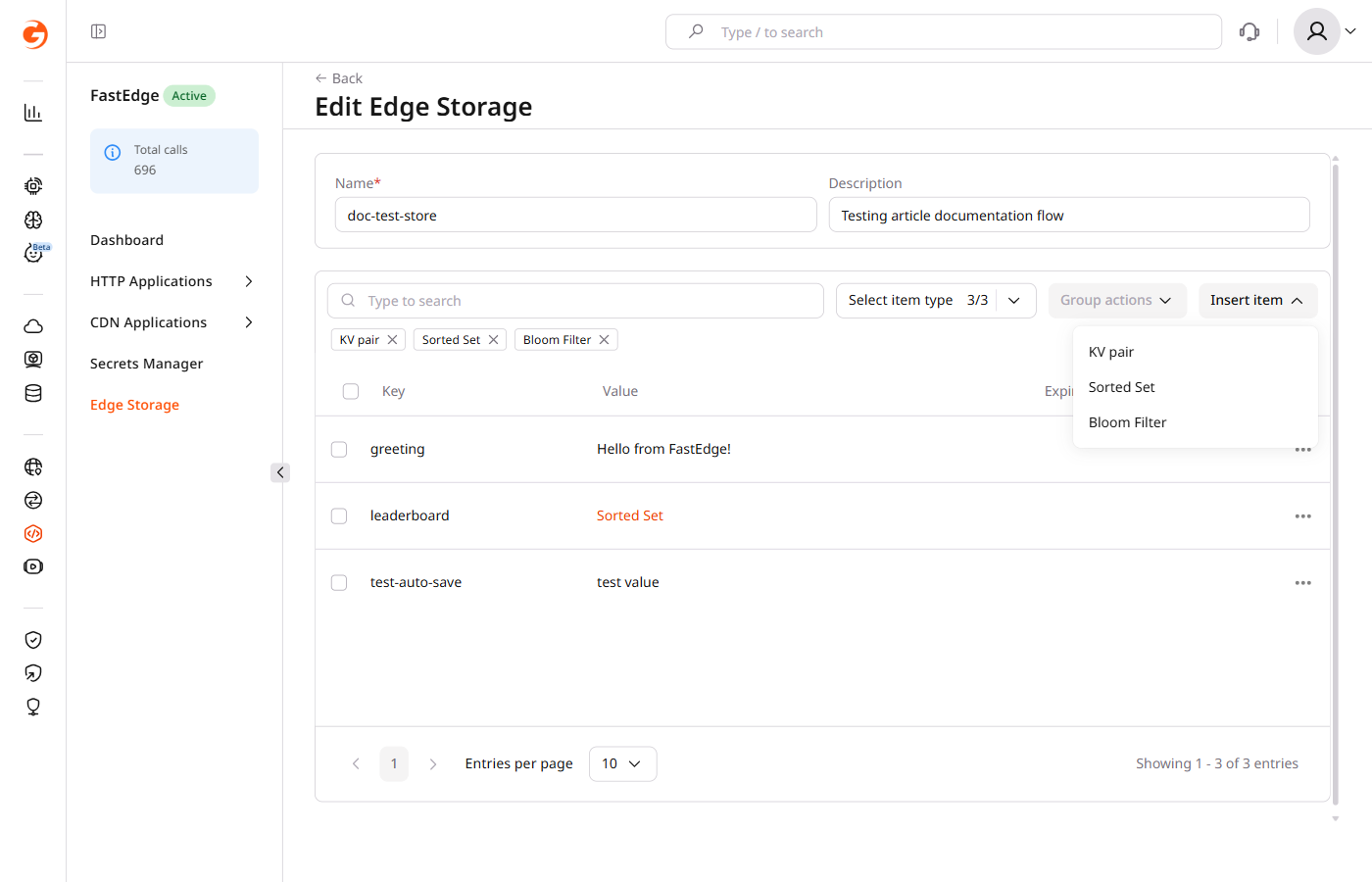
Open the CDB Technical Web Portal, navigate to Edgecompute, and select Edge Storage in the sidebar. Click the store name to open it.
- Click Insert item and select Sorted Set.
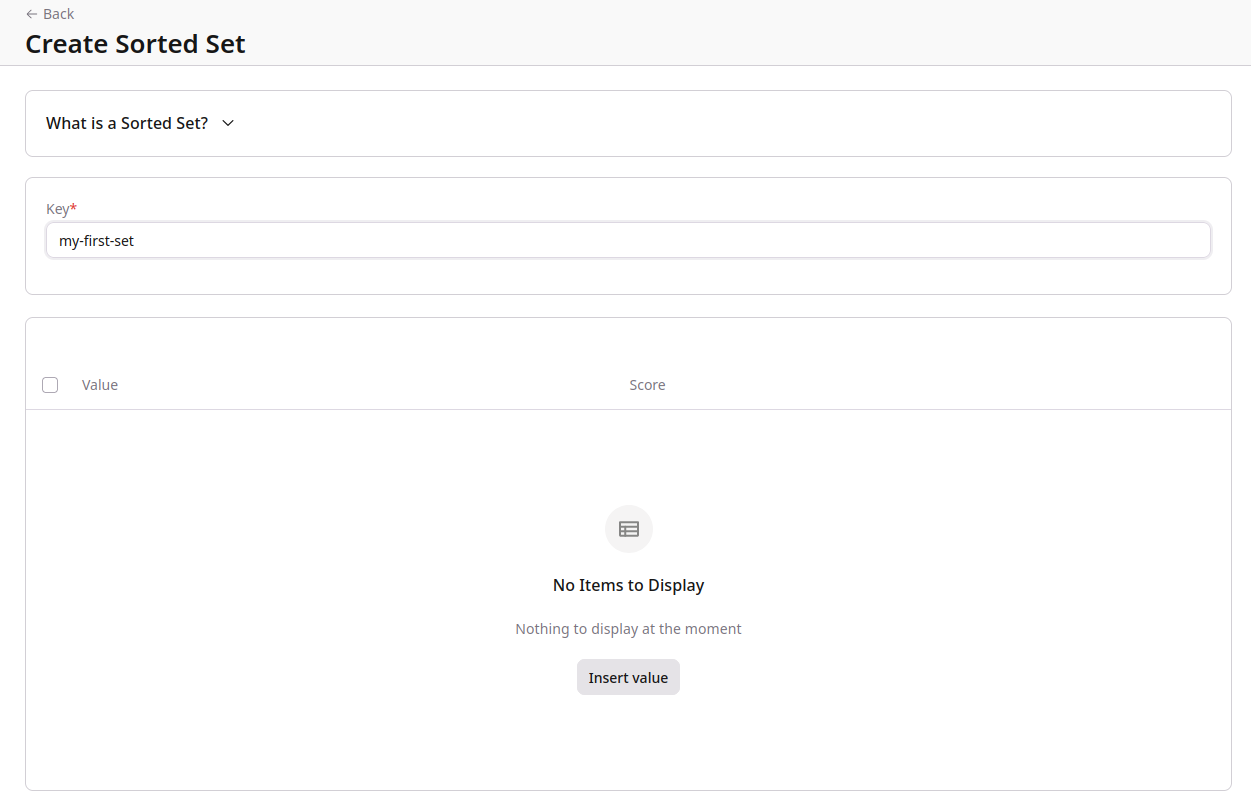
- Enter a key in the Key field.
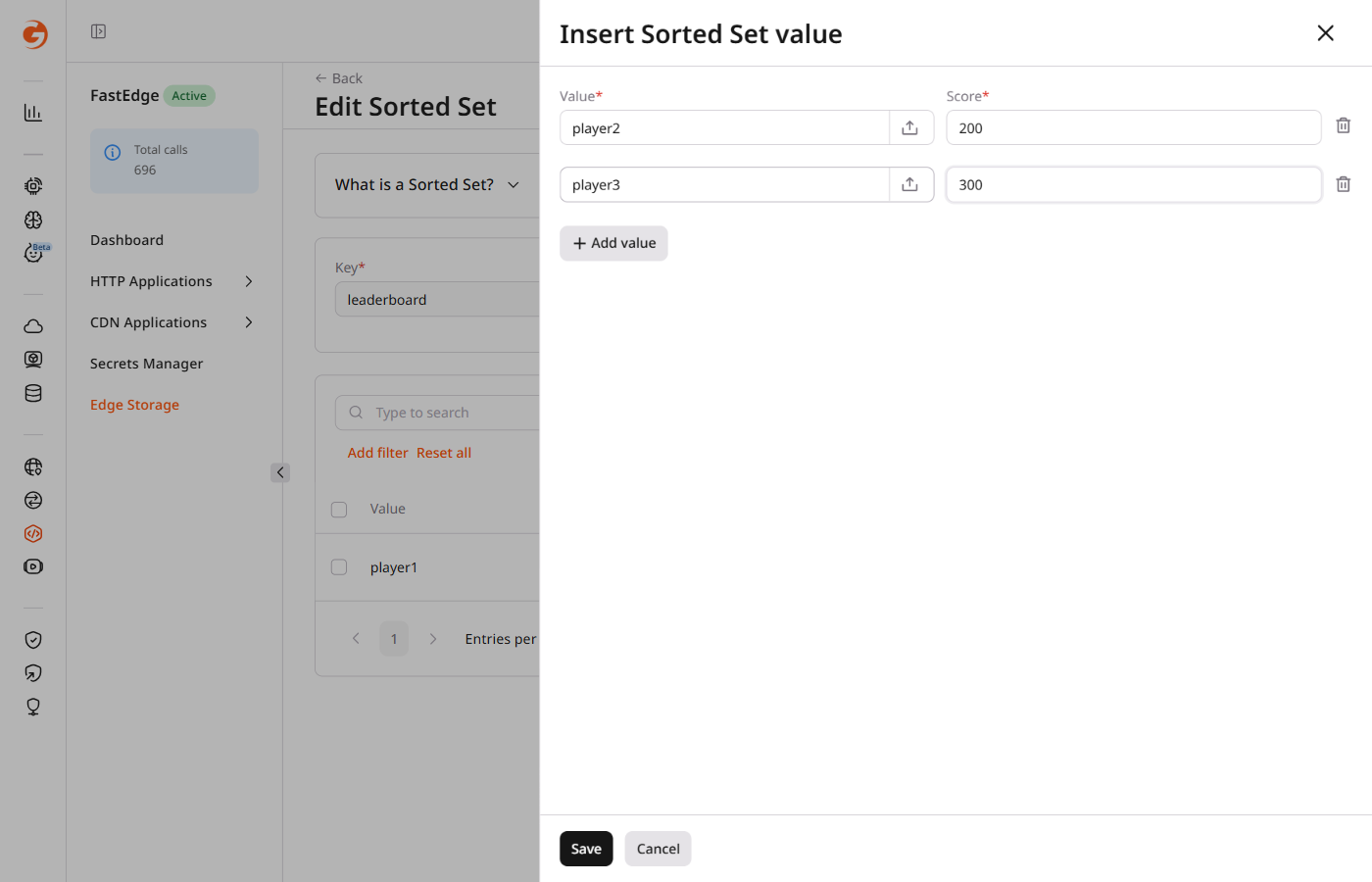
- Click Insert value. In the panel that opens, enter a value in the Value field and a numeric score in the Score field.
-
To add more members, click + Add value and fill in the fields.
-
Click Save to create the sorted set.
ℹ️Uploading a value from a file has a 1 MB size limit. File uploads replace the value in the portal with a hash of the file content.
Edit a sorted set
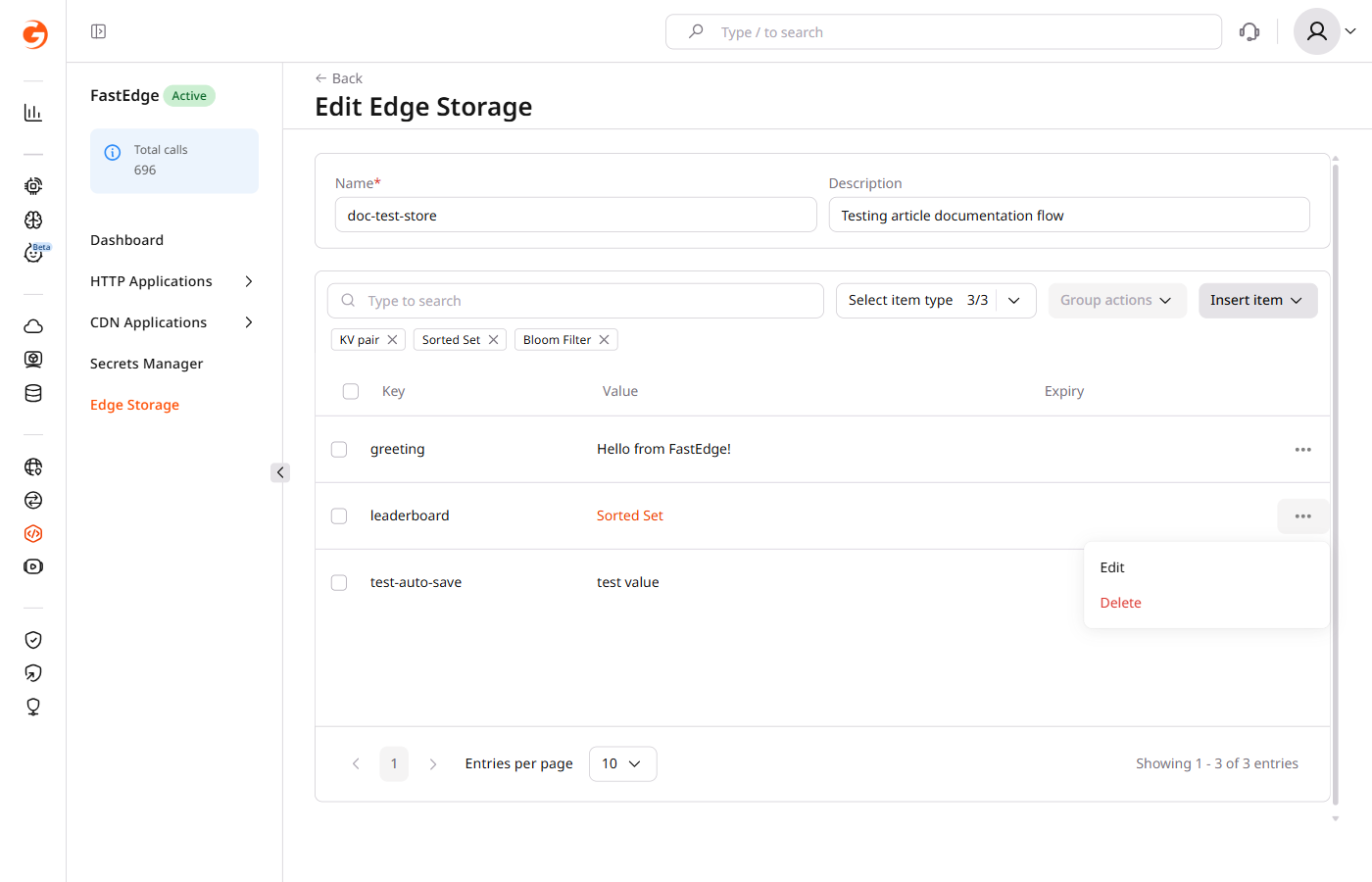
To edit a sorted set, open the store that contains it. In the item list, click the three-dot icon next to the sorted set and select Edit.
The editor lists all current members and their scores. Add new members with Insert value or remove existing ones using the delete icon in each row. Click Save Sorted Set to apply the changes.
Delete a sorted set
To delete a sorted set, open the store that contains it. Click the three-dot icon next to the sorted set and select Delete. Confirm the deletion when prompted.
Sorted sets are managed through the same data endpoint as key-value pairs. Use datatype: sorted_set in all operations.
ℹ️An API token is required. Use the store ID from the store creation response or from the list endpoint.
export GCORE_API_KEY="{YOUR_API_KEY}"
export STORE_ID="{YOUR_STORE_ID}"
Create a sorted set
A sorted set is stored as a single key inside an Edge Storage store. The key identifies the set, while the payload contains its members and scores.
Use PUT /docs/edgecompute/v1/kv/{store_id}/data with op: add to create a sorted set. The payload is an array of members, each with an encoding, a value, and a numeric score.
curl -X PUT "https://api.gcore.com/fastedge/v1/kv/$STORE_ID/data" \
  -H "Authorization: APIKey $GCORE_API_KEY" \
  -H "Content-Type: application/json" \
  -d '[
    {
      "op": "add",
      "key": "leaderboard",
      "datatype": "sorted_set",
      "payload": [
        { "encoding": "plain", "value": "player1", "score": 100 },
        { "encoding": "plain", "value": "player2", "score": 200 },
        { "encoding": "plain", "value": "player3", "score": 300 }
      ]
    }
  ]'
The API returns write statistics:
{
  "write_count": 3,
  "del_count": 0,
  "write_size": 78,
  "store_size": 91,
  "revision": 596
}
Read sorted set members
Retrieve the members of a sorted set with GET /docs/edgecompute/v1/kv/{store_id}/data/{key}:
curl "https://api.gcore.com/fastedge/v1/kv/$STORE_ID/data/leaderboard" \
  -H "Authorization: APIKey $GCORE_API_KEY"
The API returns the full member list with scores:
{
  "datatype": "sorted_set",
  "key": "leaderboard",
  "payload": [
    { "encoding": "plain", "value": "player1", "score": 100 },
    { "encoding": "plain", "value": "player2", "score": 200 },
    { "encoding": "plain", "value": "player3", "score": 300 }
  ],
  "count": 3
}
To list all entries in a store (including sorted sets), use GET /docs/edgecompute/v1/kv/{store_id}/data. Sorted sets appear with datatype: sorted_set but without member details in the list response.
Add or update members
Members are identified by value. If a member with the same value already exists, its score is replaced. Use the same PUT endpoint with op: add to add new members or update scores of existing ones.
curl -X PUT "https://api.gcore.com/fastedge/v1/kv/$STORE_ID/data" \
  -H "Authorization: APIKey $GCORE_API_KEY" \
  -H "Content-Type: application/json" \
  -d '[
    {
      "op": "add",
      "key": "leaderboard",
      "datatype": "sorted_set",
      "payload": [
        { "encoding": "plain", "value": "player4", "score": 150 }
      ]
    }
  ]'
Remove members
Use op: del_entries to remove individual members while keeping the sorted set itself. Use op: del_key to remove the entire sorted set — see Delete a sorted set below.
The payload for del_entries requires only the encoding and value fields — score is not needed for deletion.
curl -X PUT "https://api.gcore.com/fastedge/v1/kv/$STORE_ID/data" \
  -H "Authorization: APIKey $GCORE_API_KEY" \
  -H "Content-Type: application/json" \
  -d '[
    {
      "op": "del_entries",
      "key": "leaderboard",
      "datatype": "sorted_set",
      "payload": [
        { "encoding": "plain", "value": "player4" }
      ]
    }
  ]'
The API returns the number of deleted entries in del_count.
Delete a sorted set
Use op: del_key to delete the entire sorted set and all its members.
curl -X PUT "https://api.gcore.com/fastedge/v1/kv/$STORE_ID/data" \
  -H "Authorization: APIKey $GCORE_API_KEY" \
  -H "Content-Type: application/json" \
  -d '[
    {
      "op": "del_key",
      "key": "leaderboard",
      "datatype": "sorted_set"
    }
  ]'