CMCD Optimizer
Overview
CDN are mostly optimized around query strings based CMCD (Common Media Client Data) located in URLs to receive information from video players : bandwidth, buffer, rebuffering events etc... This is essential to get user information on the client-side. But this also generates changing URLs in requests that impact CDN performance. HTTP header based CMCD is emerging as a more efficient, resilient and secured alternative but is not natively supported by CDNs. This feature brings full support for CMCD delivered via HTTP headers by detecting and extracting these headers, turning them into standardized formats and recording them into logs to monitor your end-user experience with valuable analytics
Use cases
Many people are watching simultaneously a big sports game but their individual network conditions and by extension their CMCD data are all different. Without CMCD at header level, the exact same video segment will be requested through different specific new URLs that will not be recognized and generate cache misses. With CMCD at header level, the URL will remain the same allowing caches to remember it and match the requests. Cache-hit ratio is maximized, the origin server is protected, and everyone gets the segment with the lowest possible latency, ensuring resource optimization and good end-user experience.
Benefits
- Cache Efficiency and Performance: Using headers keeps the URL of your content clean and let caches focus on caching. This leads to higher cache-hit ratio with faster delivery and better experience for end-users.
- Relieve Origin Server: Handling CMCD at the edge means fewer requests reach your origin which frees up capacity for other performance-critical tasks that require additional resources.
- Data Analytics Sourcing: The CMCD in headers result into dedicated cmcd log fields that can be used to feed an adaptive bitrate loop
Solution description
We are looking on dedicated HTTP headers implemented by native platforms, including Apple, Android, and RDK environments:
- CMCD-Object
- CMCD-Request
- CMCD-Session
- CMCD-Status
When a request arrives on Edge on the On request header hook we:
- Detects all CMCD-related headers
- Extracts their values without semantic transformation
- URL-encodes the combined key-value pairs
- Concatenates them into a canonical representation
- Writes the result into a dedicated cmcd log field (edgecompute_field1)
Steps to implement CMCD Optimizer with CDB Edge Compute
Prerequisite CDB Edge Compute must be activated for your customer.
- Click on the CDB EdgeCompute icon on the left to switch to CDB EdgeCompute management.

- Select CDN Applications then Applications
- Click Create new application visible on top right

- In the Create from a Template section, click on Log CMCD headers.
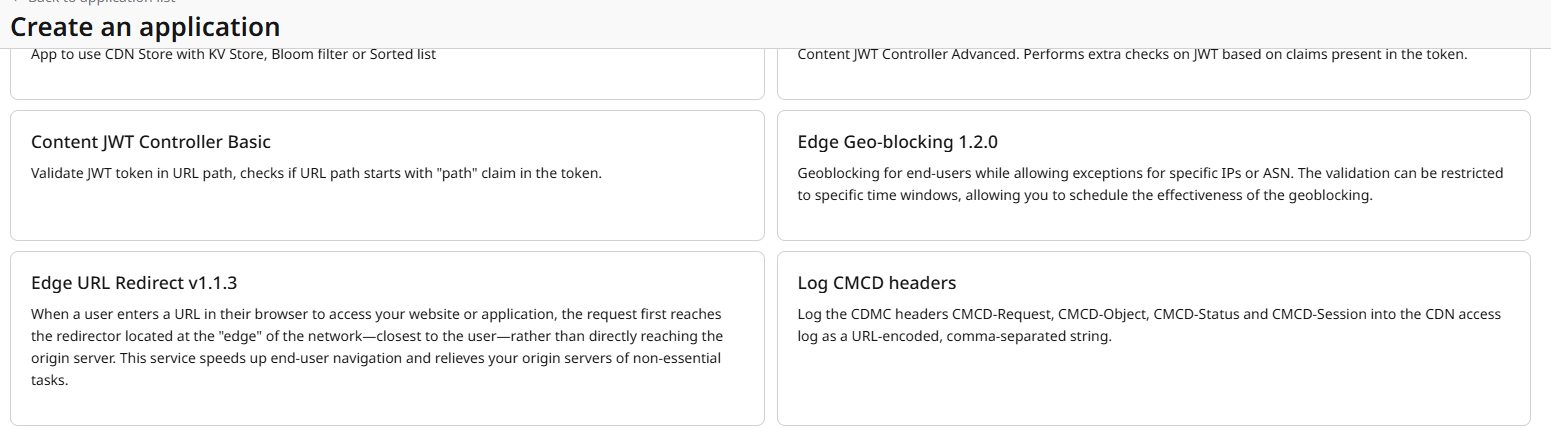
- Fill in the name, then click on Save and Deploy.
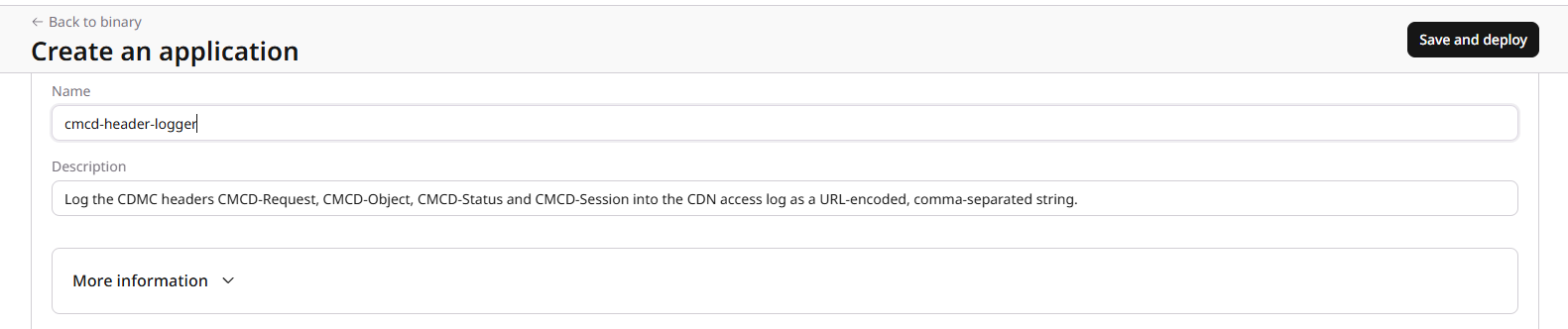
CDN Configuration
- Switch to the CDN management section on the left menu and select the CDN resource to which you want to apply the feature.
- You can apply it to the entire resource.
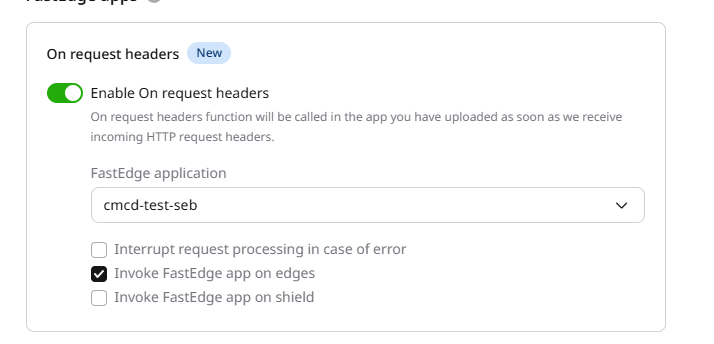
- You can apply it to the entire resource.
- Configure the log uploader policy to make sure edgecompute_field1 is part of the field exported.
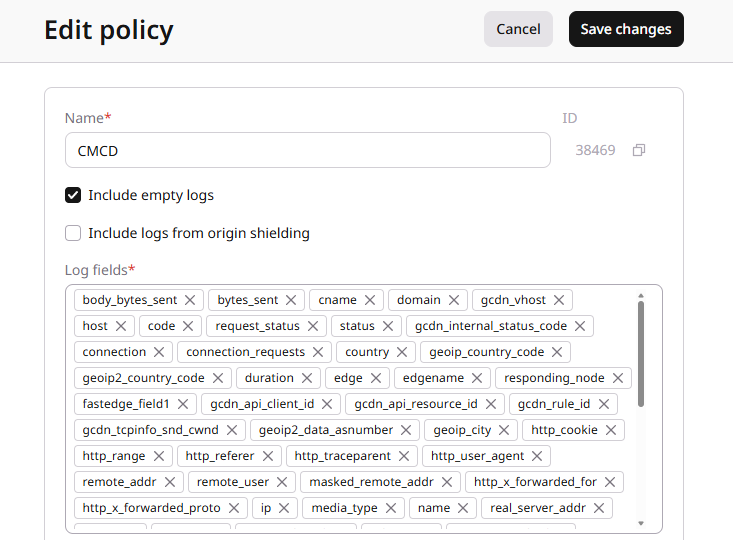
- You can configure through api to export the liog in Json or let it in raw format.
- This is an example of output logs:
