WAAP-protected domain management
After adding a domain to WAAP protection, it appears on the Domains page in the CDB Technical Web Portal. This page displays all domains and their statuses, provides access to CDN settings, and allows deletion of Disabled domains.
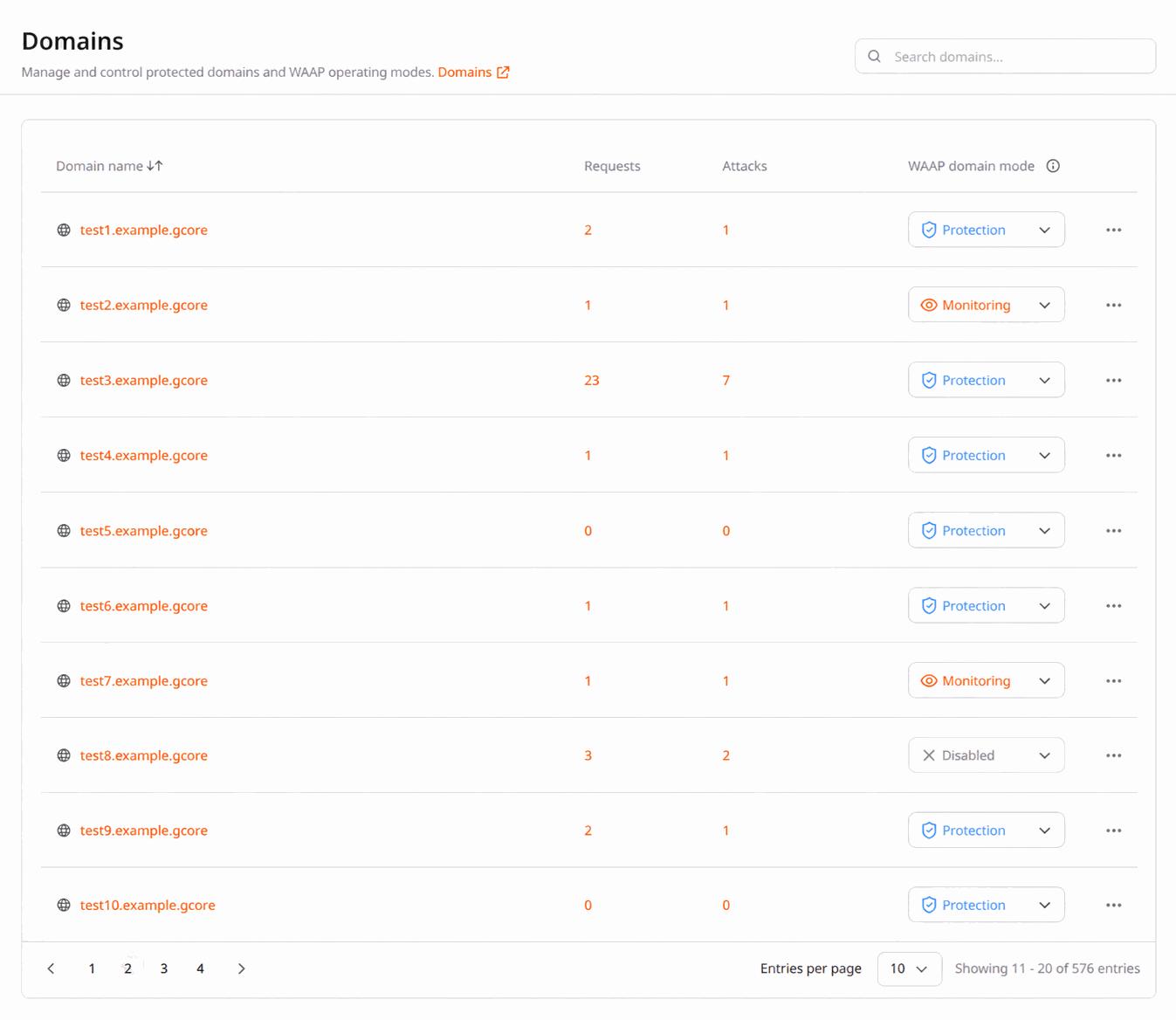
A domain in WAAP can have the following statuses:
-
Monitoring: WAAP monitors all traffic to the domain but does not enforce any actions on requests.
-
Protection: WAAP enforces all configured security settings for the domain.
-
Disabled: The domain is not protected because WAAP is disabled. You can always enable WAAP for Disabled domains from the WAAP Domains page. Note that Disabled domains are billed for the current billing month.
WAAP protection deactivation
A Disabled domain is counted for the current billing month. Starting from the next billing month, it no longer appears in usage metrics. To avoid being billed for a domain in a given month, disable it before that billing month begins.
To disable WAAP protection for a domain:
- 1
In the CDB Technical Web Portal, navigate to WAAP > Domains.
- 2
Find the domain in the list.
- 3
In the WAAP domain mode column, click the mode dropdown and select Disabled.
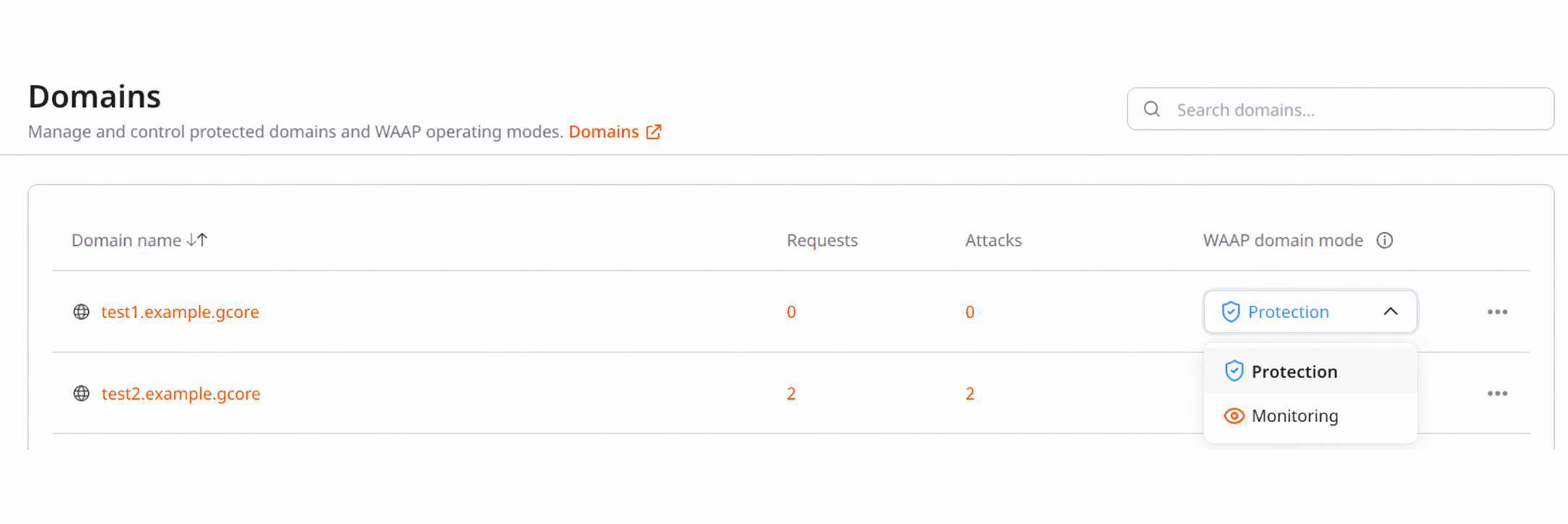
Changes can take up to 20 minutes to propagate across the system.
After you disable WAAP protection for a domain, requests continue through the CDN and its cache but bypass WAAP inspection. The domain status on the WAAP > Domains page changes to Disabled. All WAAP settings and configured rules remain intact and can be modified. The settings do not take effect while WAAP is disabled.
To activate WAAP protection again:
- 1
Navigate to WAAP > Domains.
- 2
Click the mode dropdown next to the domain.
- 3
Select Monitoring or Protection.
If the CDN resource is re-enabled through CDN > CDN resources rather than through WAAP > Domains, the WAAP mode resets to Monitoring. If you had Protection mode before, select it again from the WAAP > Domains mode dropdown after re-enabling.
Domain removal from WAAP
Deleting a domain permanently removes it from WAAP, including all configured rules, firewall settings, and other WAAP settings. This action cannot be undone.
A domain cannot be deleted while WAAP protection is enabled. To delete the domain, disable WAAP from the WAAP domain mode dropdown first. The domain status must change to Disabled.
To delete a Disabled domain:
- 1
In the CDB Technical Web Portal, navigate to WAAP > Domains.
- 2
Click the three-dot icon next to the domain that you want to remove.
- 3
Select Delete.
- 4
Confirm your action by clicking Delete.
The domain has been successfully removed from WAAP.
CDN resource suspension
If you suspend a CDN resource with enabled WAAP, the domain status changes to Disabled. The CDN resource is no longer serving traffic, so content is unavailable to customers.
A Disabled domain is counted for the current billing month. Starting from the next billing month, it no longer appears in usage metrics. To avoid being billed for a domain in a given month, disable it before that billing month begins.
While the CDN resource is suspended, WAAP settings remain intact. The resource can be reactivated within 90 days of suspension; after this period, it is deleted.
CDN resource deletion
If you follow the CDN resource deletion procedure for a resource with WAAP enabled, the associated domain and all its WAAP settings are automatically removed.