CDN resources can be suspended automatically by the system after 90 days of inactivity, or manually at any time from the resource settings.
Automatic CDN resource suspension
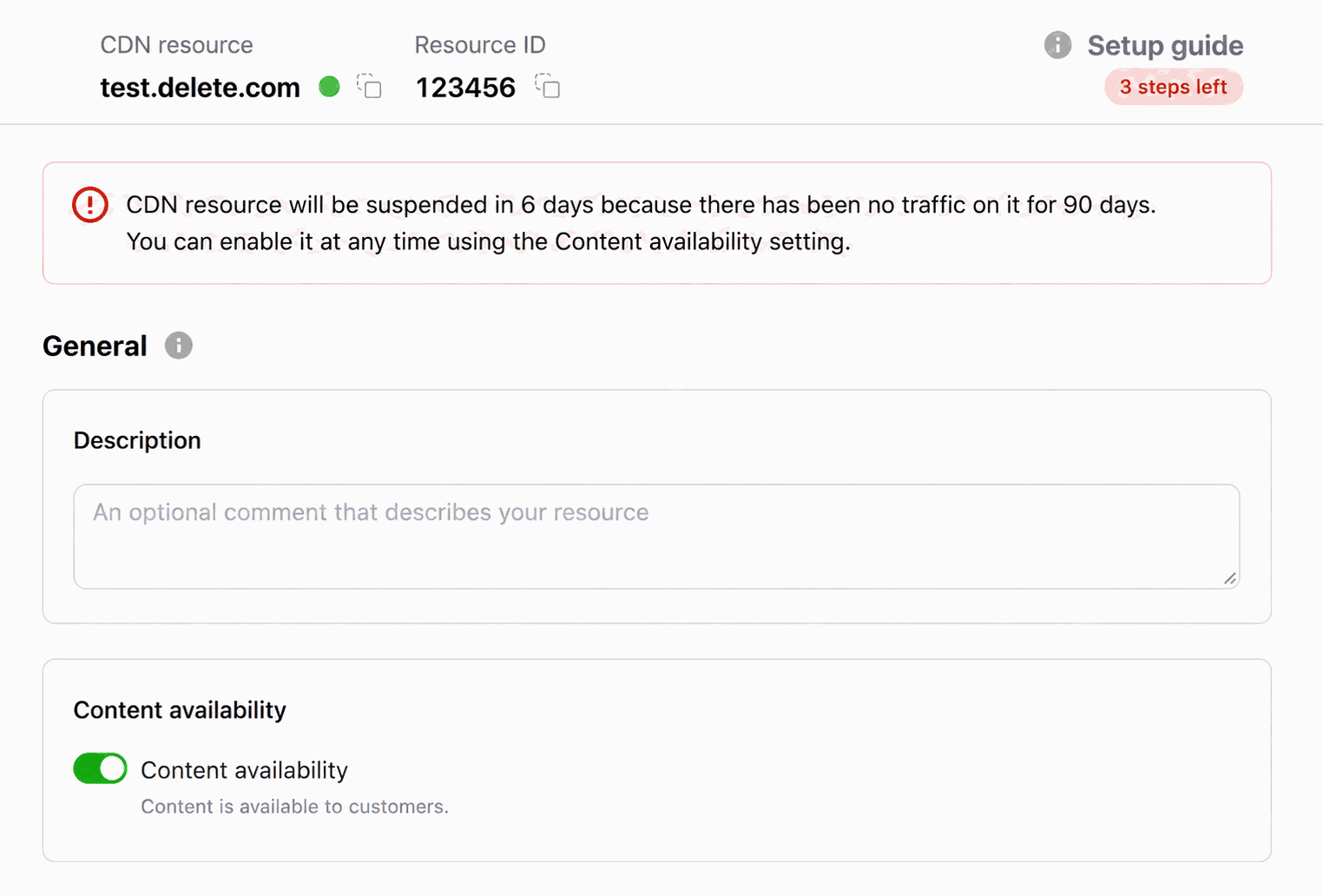
If a resource is active, but there has not been traffic in 90 days, it will be automatically suspended by the system.
All users with administrator and engineer roles will receive an email seven days before resource suspension, listing the resources scheduled for suspension.
The resource settings display the scheduled suspension date and time:
After the resource suspension, all users with the administrator and engineer roles will receive an email with a list of stopped resources.
📝
If traffic resumes on the resource after receiving the first email:
The second email about the suspension will not be sent.
The resource will not be suspended.
After re-enabling an automatically suspended resource, a notice appears explaining that it was suspended due to 90 days without traffic. Re-enabling a resource that was automatically suspended starts a seven-day grace period instead of a new 90-day inactivity period. If traffic does not resume during those seven days, the resource is suspended again.
To disable automatic suspension for specific resources, contact CDB Support.
Manual CDN resource suspension
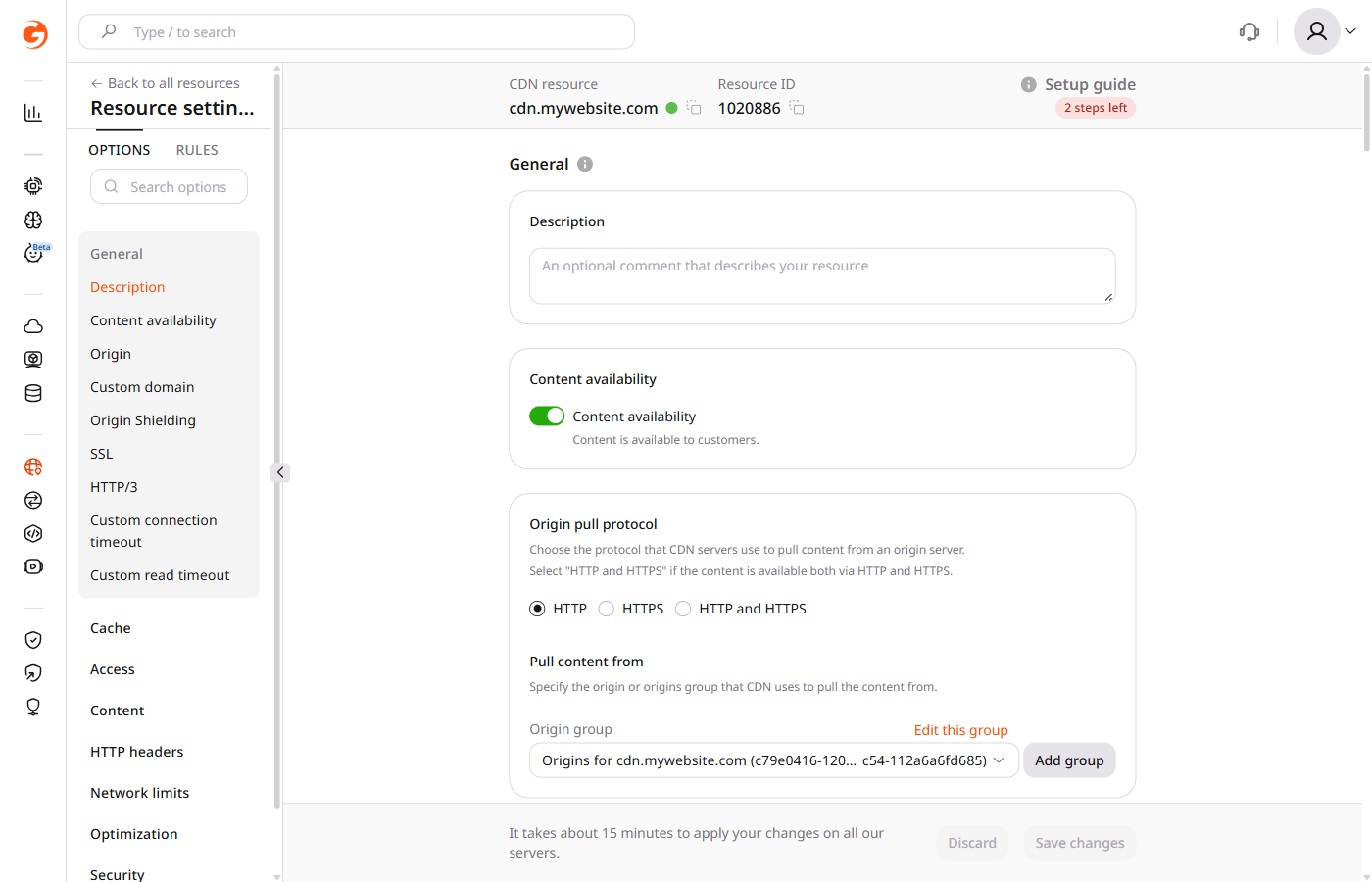
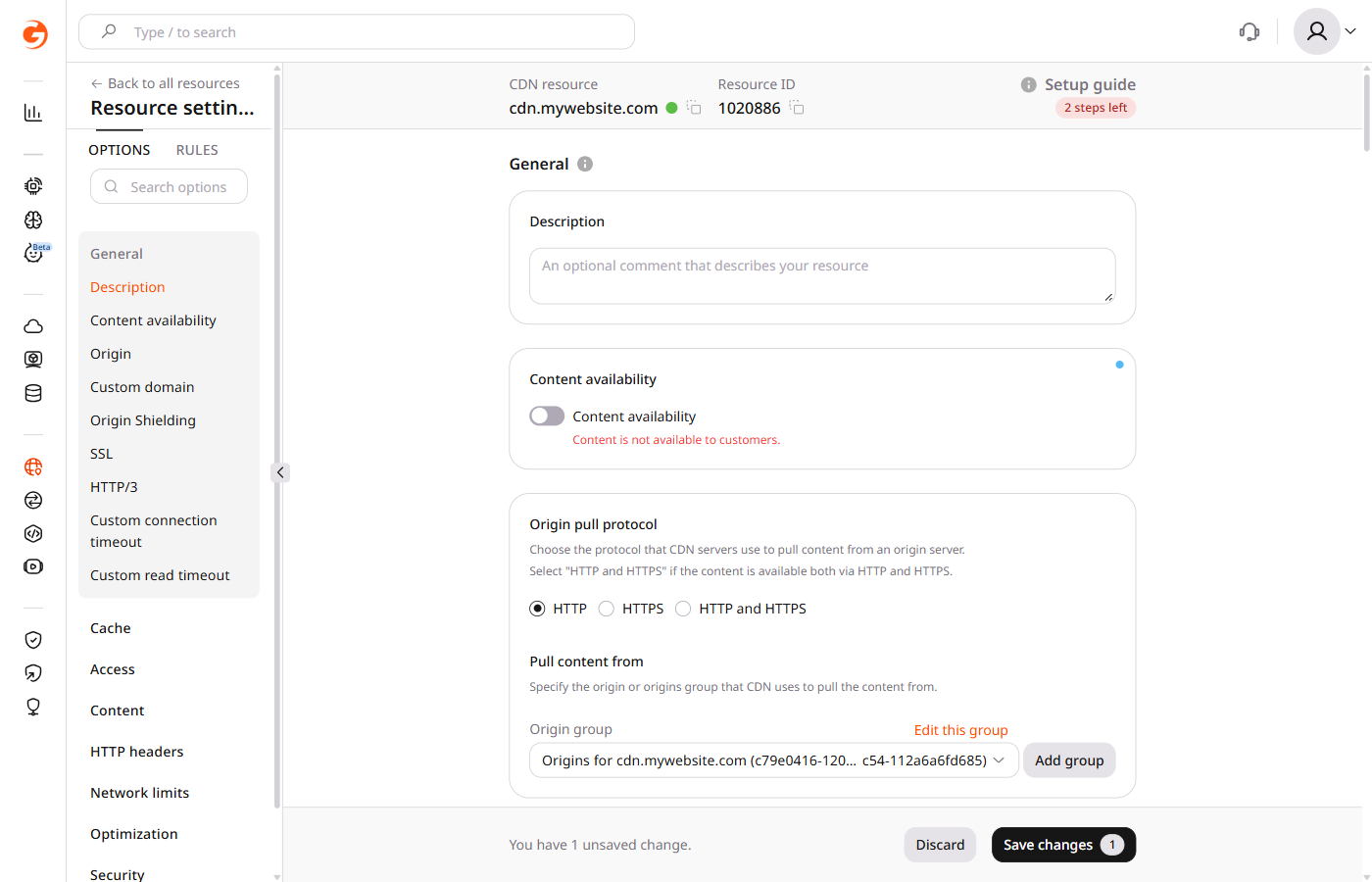
In the CDB Technical Web Portal, navigate to CDN > CDN resources. Click the resource name to open its settings.
Disable the Content availability toggle.
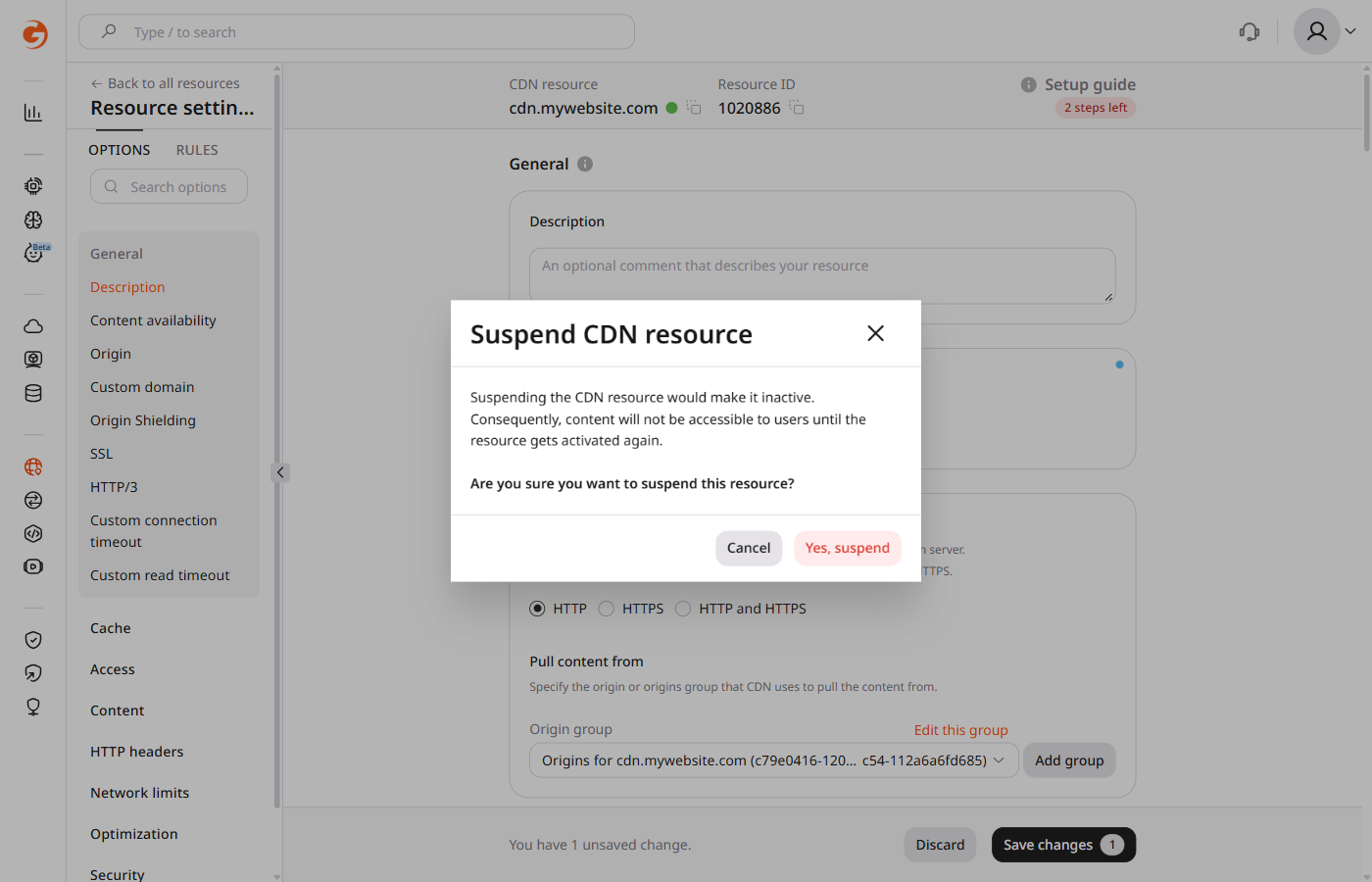
Then select Yes, suspend.
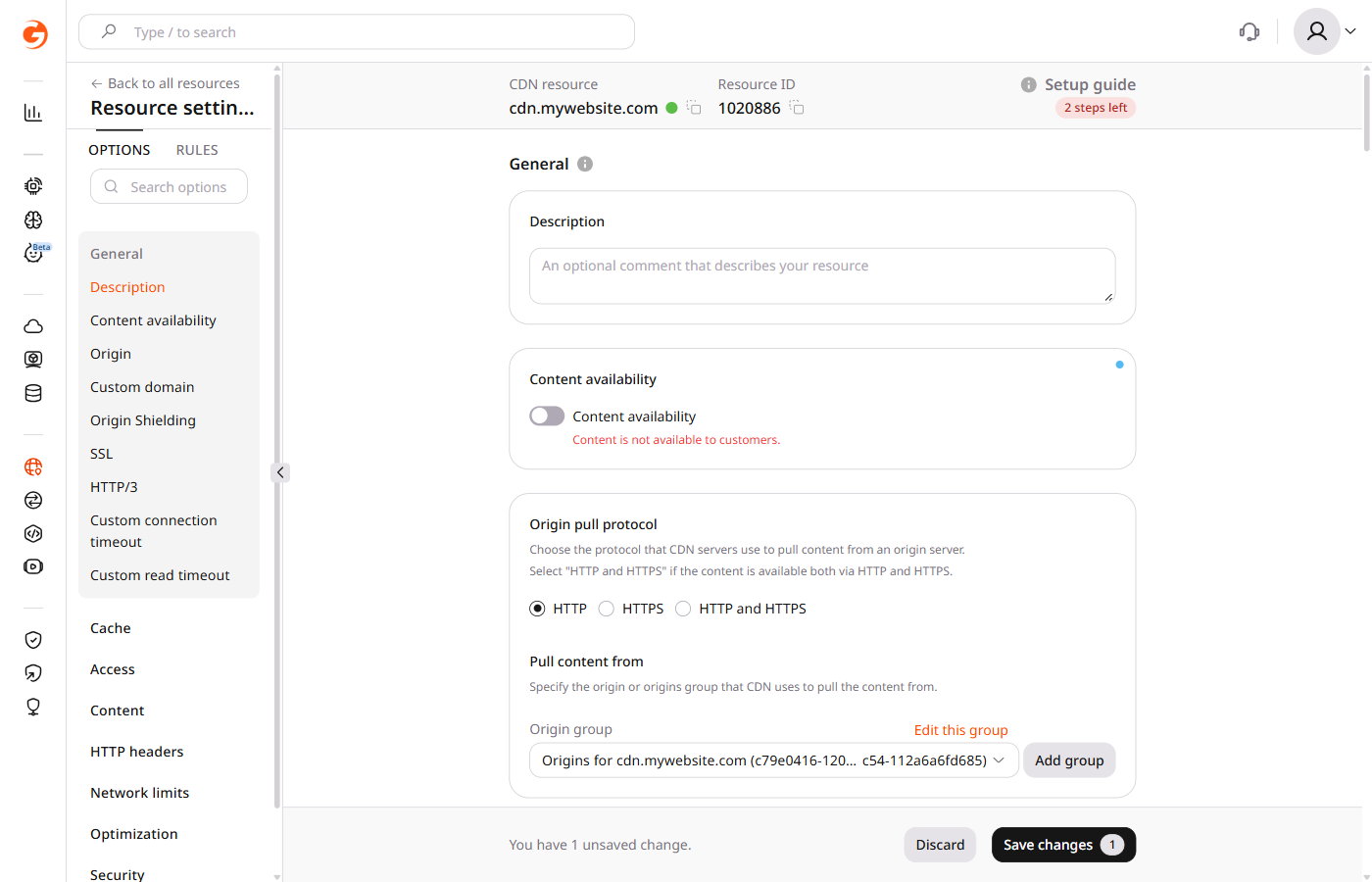
The Content availability toggle changes to the disabled state.
Click Save changes. The resource stops delivering content after the changes propagate, which takes about 15 minutes.
Suspend a CDN resource so it stops delivering content, or enable it again. A resource with no traffic for 90 days is suspended by the system. That automatic stop is not started by this call.
ℹ️
An API token is required. The CDN resource ID is visible under CDN → CDN Resources, or from the resources list call.
The API response reflects the configuration change immediately, while delivery on the edge can take about 15 minutes to catch up. Automatic inactivity suspension is managed by the system and cannot be disabled through this call. To exclude specific resources from automatic suspension, contact CDB Support.
Open a terminal and export the required variables:
Set active to false. Do not confuse status with suspended. status describes whether the resource is currently delivering content. suspended indicates whether the system automatically stopped it because of inactivity. A manual suspend sets status to suspended and leaves suspended as false. suspend_date is read-only and is null for a manual suspend. If the resource was already stopped by the system, suspended stays true until it is enabled.
import os

from gcore import CDB

client = CDB()
resource_id = int(os.environ["CDN_RESOURCE_ID"])

updated = client.cdn.cdn_resources.update(resource_id, active=False)
print(updated.active, updated.status, updated.suspended)
Set active to true. status becomes active and suspended becomes false, including when the resource had been stopped for lack of traffic. Re-enabling a resource that was automatically suspended starts a seven-day grace period instead of a new 90-day inactivity period. If traffic does not resume during those seven days, the resource is suspended again.
import os

from gcore import CDB

client = CDB()
resource_id = int(os.environ["CDN_RESOURCE_ID"])

updated = client.cdn.cdn_resources.update(resource_id, active=True)
print(updated.active, updated.status, updated.suspended)
A resource with no traffic for 90 days is suspended by the system. Setting active suspends or enables the resource manually. To exclude specific resources from automatic suspension, contact CDB Support.
Suspend the resource
Set active to false and run terraform apply. The update is in place, while suspended stays false and suspend_date stays empty, because those attributes record an automatic stop. The configuration changes immediately, while delivery on the edge can take about 15 minutes.
Set active to true and run terraform apply. After the resource is enabled, suspended is false, including when the system had stopped it for inactivity. Re-enabling that resource starts a seven-day grace period. If traffic does not resume during those seven days, the resource is suspended again.