Configure CDN integration
If you use both CDB DNS and Orange's CDN you can configure A/AAAA DNS record to resolve exactly to our CDN addresses. CDN integration allows you to avoid CNAME configuration and additional lookup on the end user side. CDB DNS will resolve the record to the best possible CDN address.
To configure integration:
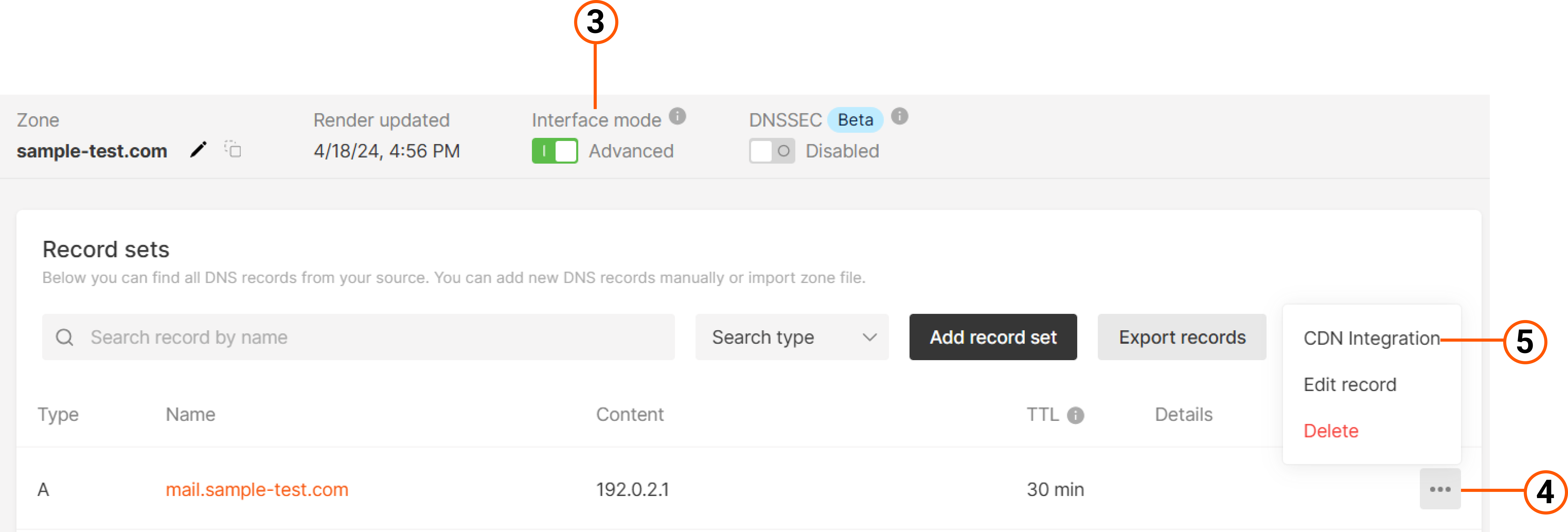
1. Navigate to DNS in the CDB Technical Web Portal.
2. Click the domain name of the DNS zone where you intend to set up CDN integration.

A new page will open.
Note
The feature is available only for an A/AAAA record types.
3. Click the three-dot icon.
4. Click CDN integration in the row of the relevant A record.
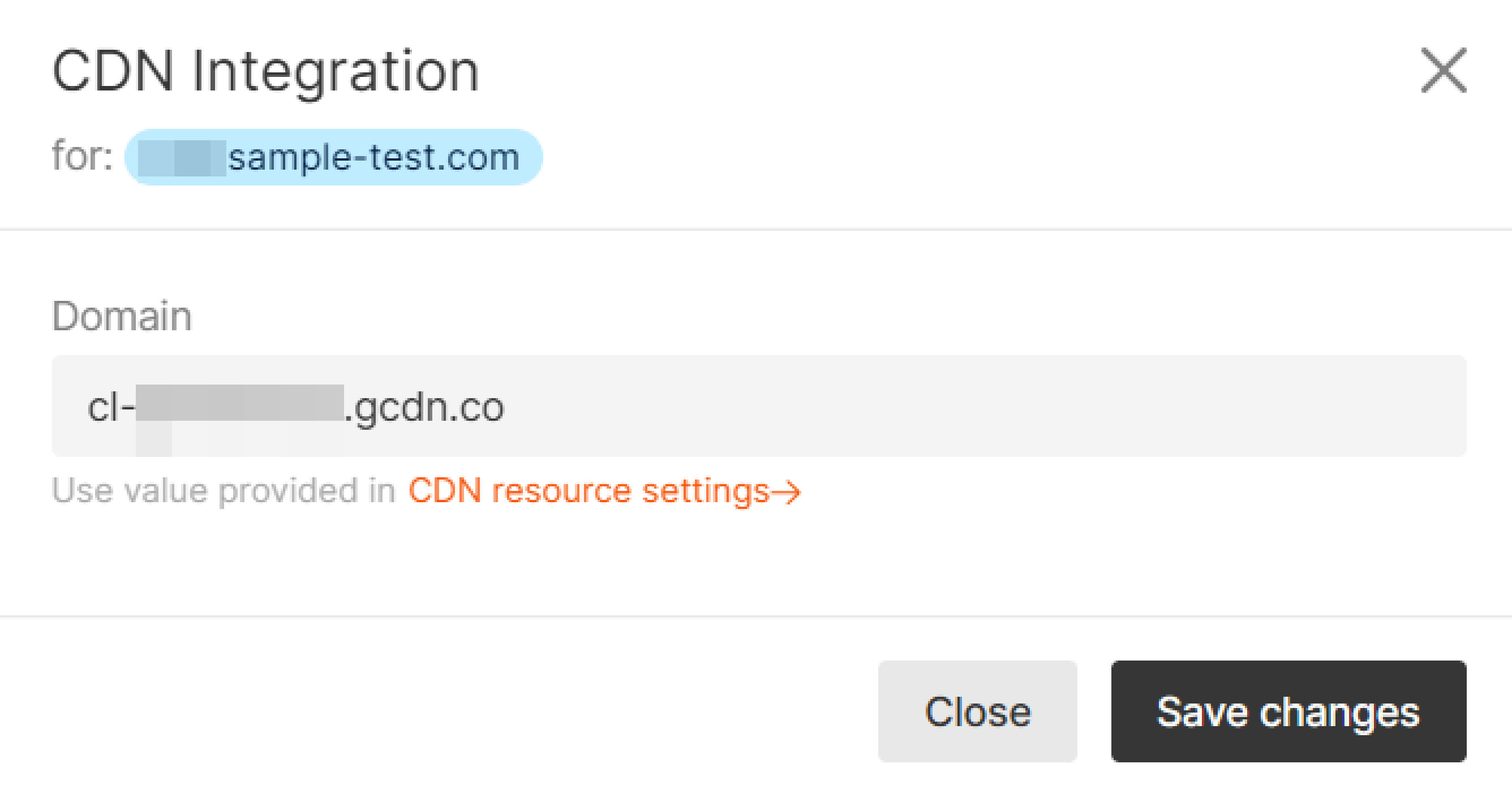
5. In the pop-up window, you'll see the lookup value is predefined for your account. Click Save changes.
That's it. Your domain zone will be integrated with Orange's CDN.